







Question: Part 2 7. Go to Resonance Tubes Lab and after reading the short description, click Begin. 8. This will bring up an image on the
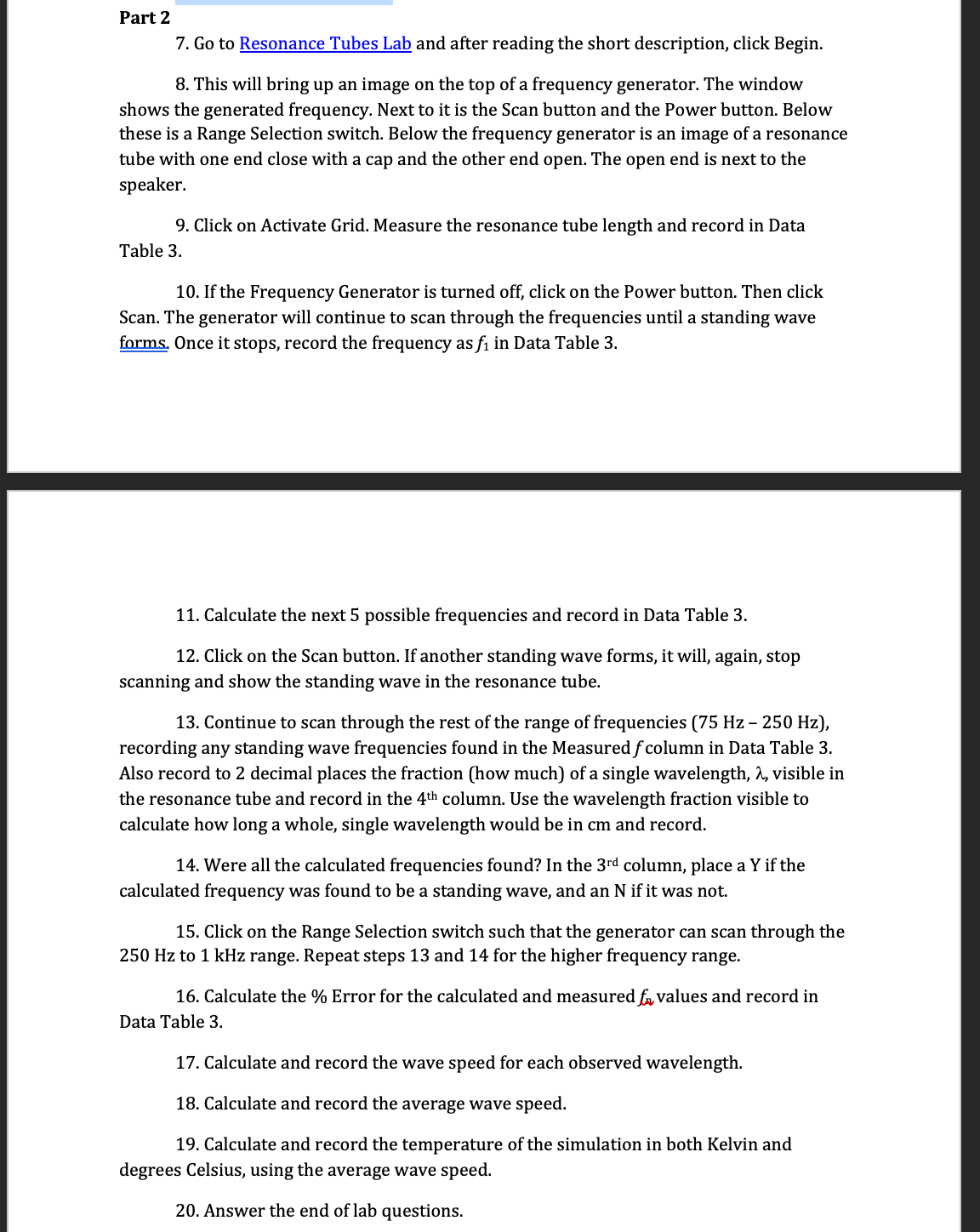
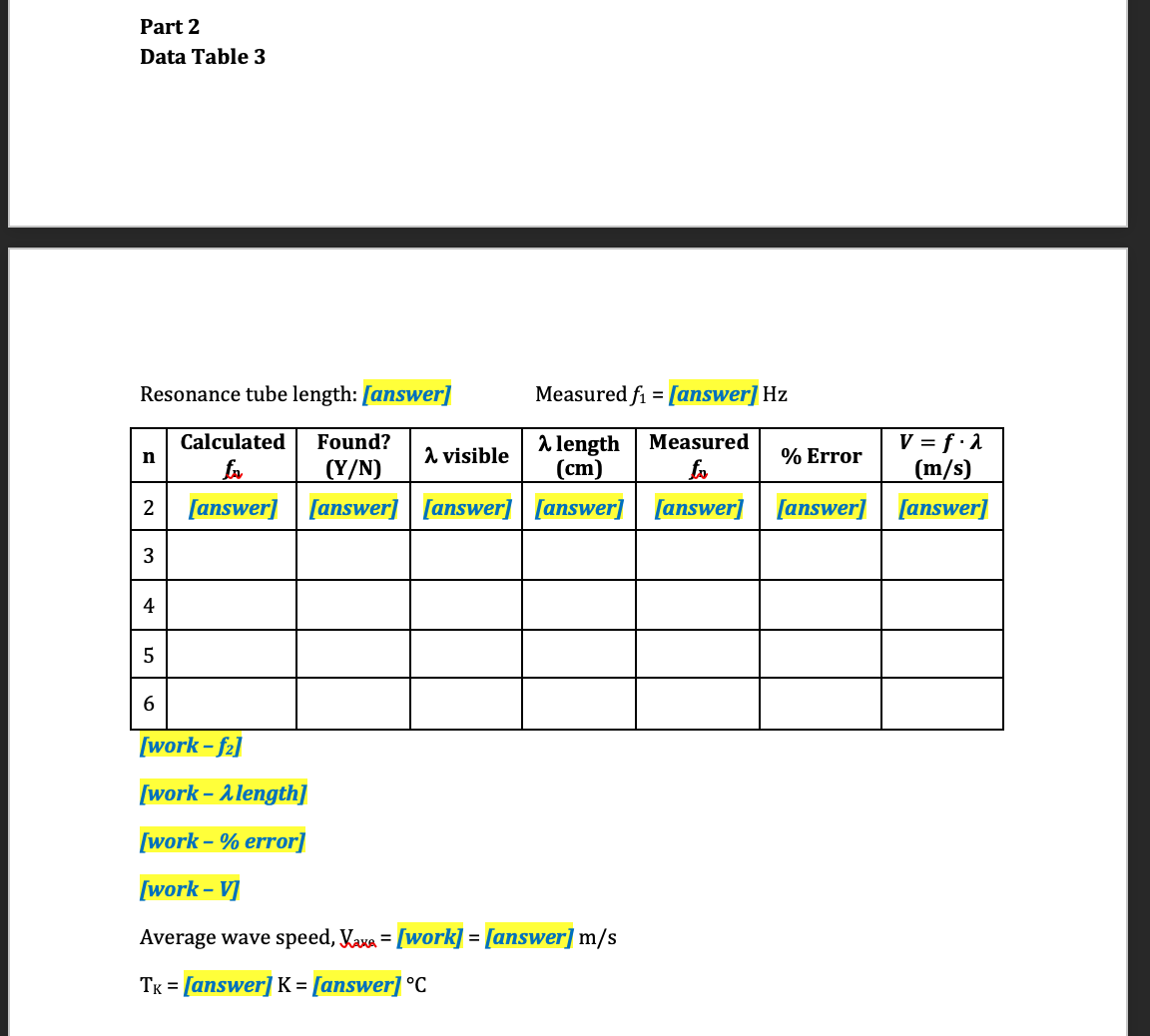
Part 2 7. Go to Resonance Tubes Lab and after reading the short description, click Begin. 8. This will bring up an image on the top of a frequency generator. The window shows the generated frequency. Next to it is the Scan button and the Power button. Below these is a Range Selection switch. Below the frequency generator is an image of a resonance tube with one end close with a cap and the other end open. The open end is next to the speaker. 9. Click on Activate Grid. Measure the resonance tube length and record in Data Table 3. 10. If the Frequency Generator is turned off, click on the Power button. Then click Scan. The generator will continue to scan through the frequencies until a standing wave forms. Once it stops, record the frequency as f1 in Data Table 3. 11. Calculate the next 5 possible frequencies and record in Data Table 3. 12. Click on the Scan button. If another standing wave forms, it will, again, stop scanning and show the standing wave in the resonance tube. 13. Continue to scan through the rest of the range of frequencies [75 Hz 250 Hz], recording any standing wave frequencies found in the Measured f column in Data Table 3. Also record to 2 decimal places the fraction [how much] of a single wavelength, A, visible in the resonance tube and record in the 4th column. Use the wavelength fraction visible to calculate how long a whole, single wavelength would be in cm and record. 14. Were all the calculated frequencies found? In the 3rd column, place a Y if the calculated frequency was found to be a standing wave, and an N if it was not. 15. Click on the Range Selection switch such that the generator can scan through the 250 Hz to 1 kHz range. Repeat steps 13 and 14 for the higher frequency range. 16. Calculate the % Error for the calculated and measured 15,, values and record in Data Table 3. 17. Calculate and record the wave speed for each observed wavelength. 18. Calculate and record the average wave speed. 19. Calculate and record the temperature of the simulation in both Kelvin and degrees Celsius, using the average wave speed. 20. Answer the end of lab questions. Part 2 Data Table 3 Resonance tube length: [answer] Measured f1 = [answer] Hz Calculated Found? 2 visible a length Measured V = f . x (Y/N) % Error (cm) (m/s) 2 [answer] [answer] [answer] [answer] [answer] [answer] [answer] 3 4 5 6 [work - f2] [work - a length] [work - % error] [work - V] Average wave speed, yave = [work] = [answer] m/s TK = [answer] K = [answer] .C
Step by Step Solution
There are 3 Steps involved in it

Get step-by-step solutions from verified subject matter experts
 Study Help