







Question: PYTHON PROGRAMMING drawTree() : draws a tree comprised of only rectangles and triangles (as shown above) using the basic shape functions from lab03 drawForest(): draws
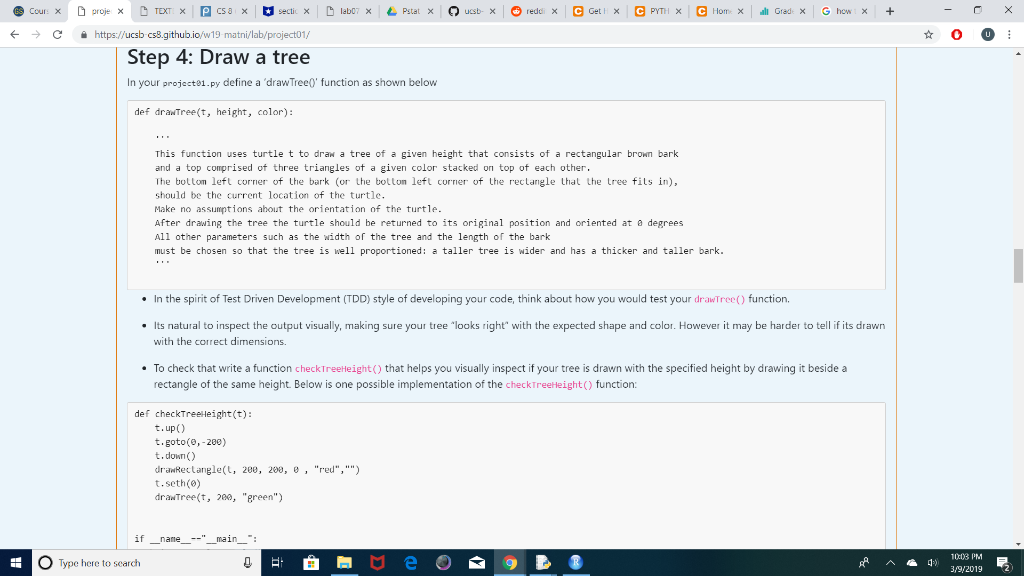
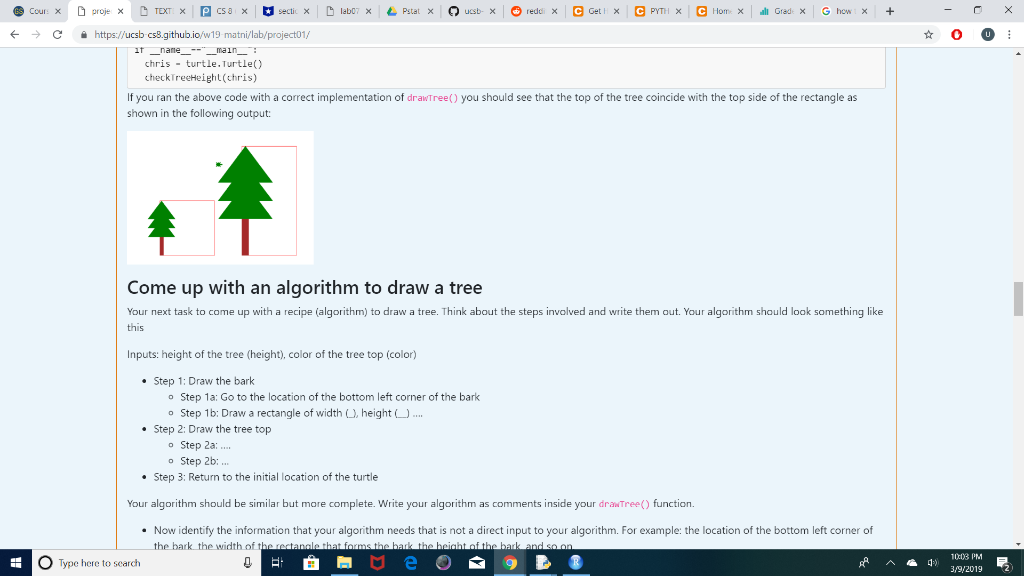
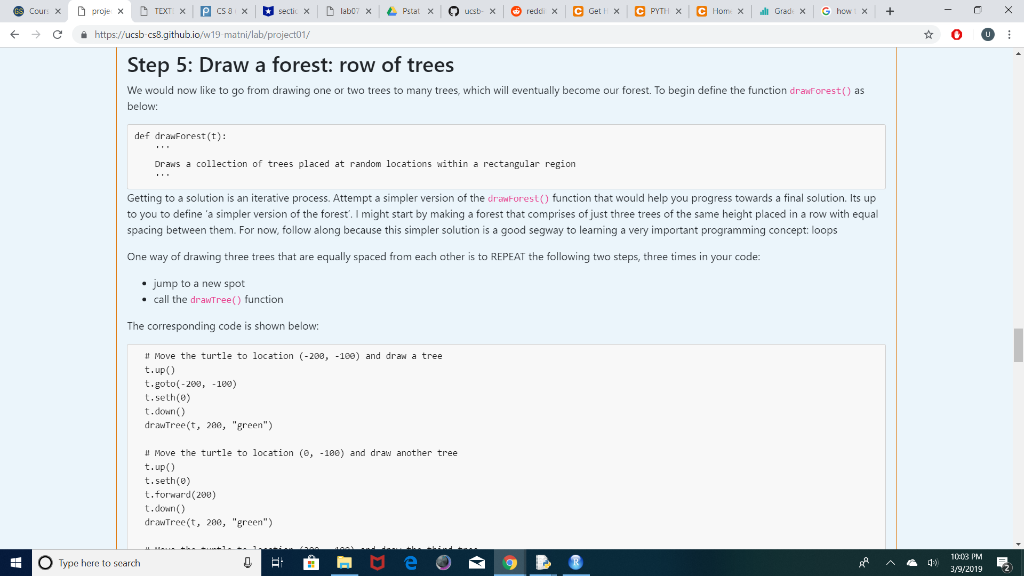
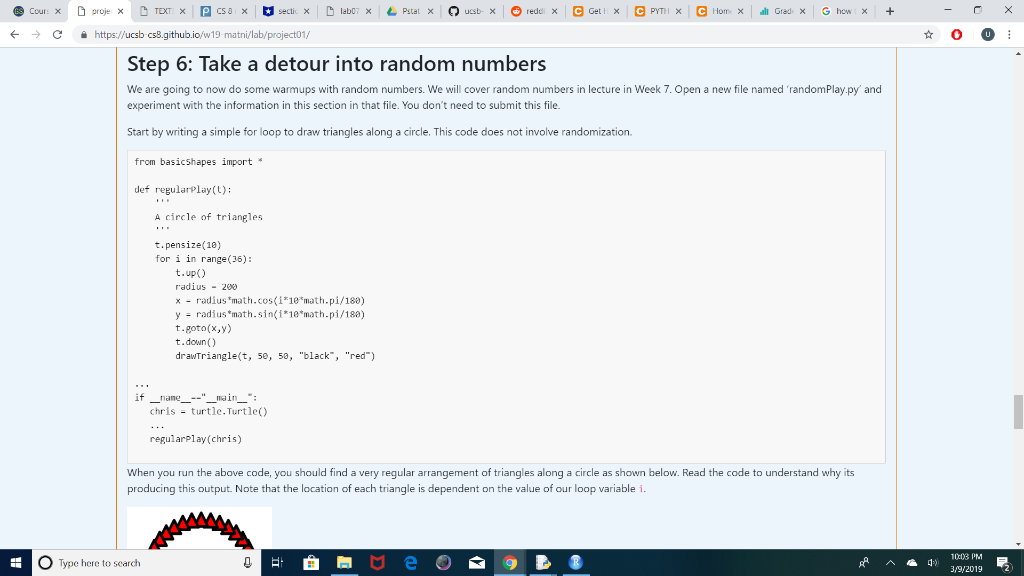
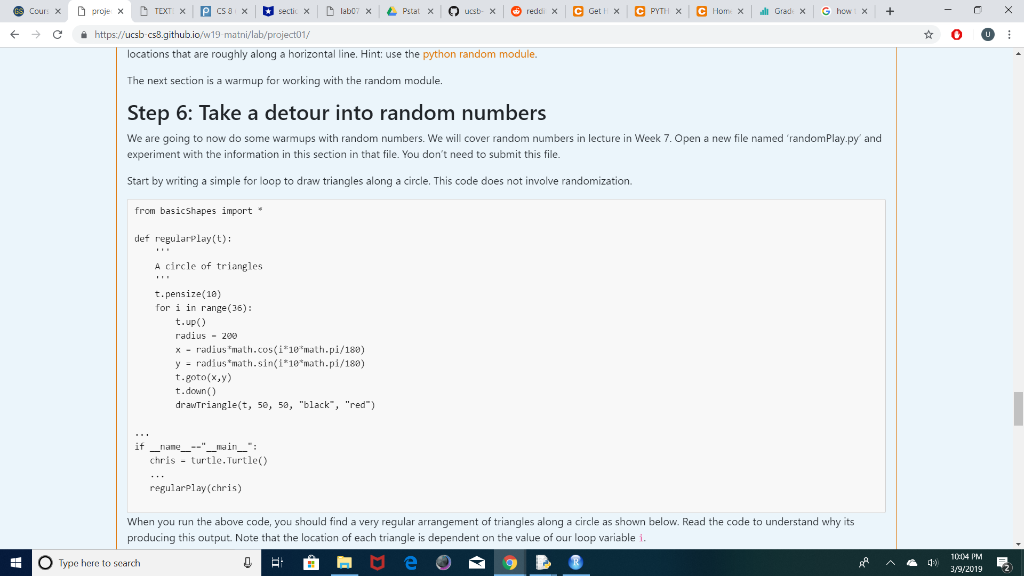
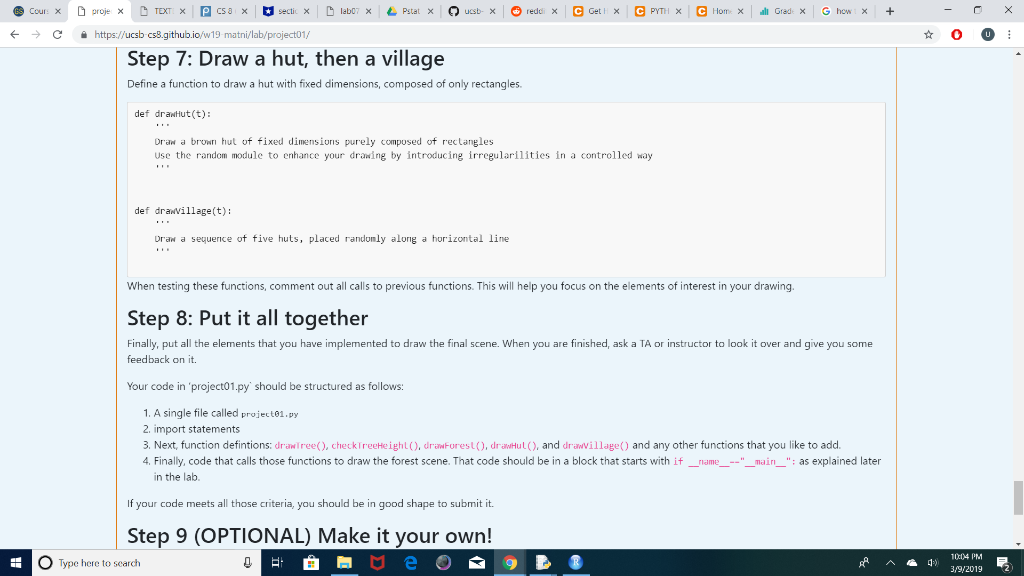
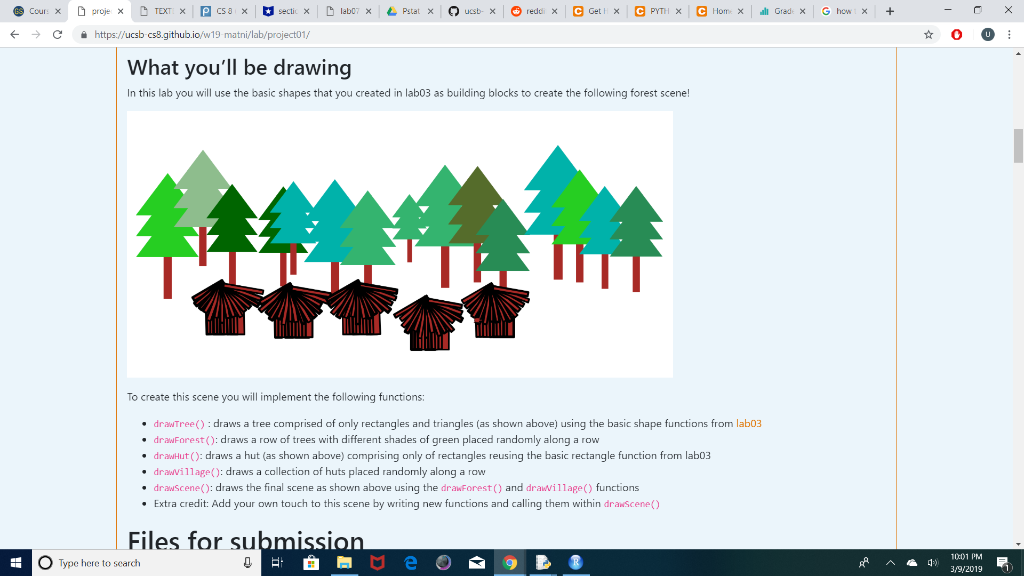 PYTHON PROGRAMMING drawTree() : draws a tree comprised of only rectangles and triangles (as shown above) using the basic shape functions from lab03
drawForest(): draws a row of trees with different shades of green placed randomly along a row
drawHut(): draws a hut (as shown above) comprising only of rectangles reusing the basic rectangle function from lab03
drawVillage(): draws a collection of huts placed randomly along a row
drawScene(): draws the final scene as shown above using the drawForest() and drawVillage() functions functions from lab3:
import turtle
import math
def drawRectangle(t, width, height, tilt, penColor, fillColor):
t.color(penColor, fillColor)
t.begin_fill()
t.seth(tilt)
t.forward(width)
t.left(90)
t.forward(height)
t.left(90)
t.forward(width)
t.left(90)
t.forward(height)
t.end_fill()
t.seth(0)
def drawTriangle(t, base, height, penColor, fillColor):
t.begin_fill() t.color(penColor, fillColor)
t.forward(base)
turnAngle = 180 - math.degrees(math.atan2(height,base/2))
t.left(turnAngle)
side = math.sqrt((base/2)**2 +(height**2))
t.forward(side)
t.left(2*(180-turnAngle))
t.forward(side)
t.seth(0)
t.end_fill()
if __name__=="__main__":
jane = turtle.Turtle()
jane.shape("turtle")
jane.speed(0)
jane.width(8)
drawTriangle(jane, 100, 200, "blue", "green")
jane.getscreen().exitonclick()
Dproge D Tor @csa -) https://ucsb csB.github.io/w19 matni/lab/project01/ ir_nanemain chris - turtle. Turtle) checkTreeHeight (chris) If you ran the above code with a correct implementation of drawTree() you should see that the top of the tree coincide with the top side of the rectangle as shown in the following output: Come up with an algorithm to draw a tree Your next task to come up with a recipe (algorithm) to draw a tree. Think about the steps involved and write them out. Your algorithm should look something like this Inputs: height of the tree (height), color of the tree top (color) Step 1: Draw the bark o Step 1a: Go to the location of the bottom left corner of the bark o Step 1b: Draw a rectangle of width , height. Step 2: Draw the tree top o Step 2a o Step 2b: Step 3: Return to the initial location of the turtle Your algorithm should be similar but mare complete. Write your algorithm as comments inside your drawTree) function Now identify the information that your algorithm needs that is not a direct input to your algorithm. For example: the location of the bottom left corner of th of 1x03 PM O Type here to search 41) 3,9/2019 2 -) https://ucsb csB.github.io/w19 matni/lab/project01/ What you'll be drawing In this lab you will use the basic shapes that you created in lab03 as building blocks to create the following forest scene! To create this scene you will implement the following functions drawTree) : draws a tree comprised of only rectangles and triangles (as shown above) using the basic shape functions from lab03 drawForest(): draws a row of trees with different shades of green placed randomly along a row drawHut : draws a hut (as shown above) comprising only of rectangles reusing the basic rectangle function from lab03 drawillage(): draws a collection of huts placed randomly along a row drawscene(): draws the final scene as shown abave using the drawForest) and drawillage( functions Extra credit: Add your own touch to this scene by writing new functions and calling them within drawscene) Files for su O Type here to search 1001 PM E 3,9/2019 41) Dproge D Tor @csa -) https://ucsb csB.github.io/w19 matni/lab/project01/ ir_nanemain chris - turtle. Turtle) checkTreeHeight (chris) If you ran the above code with a correct implementation of drawTree() you should see that the top of the tree coincide with the top side of the rectangle as shown in the following output: Come up with an algorithm to draw a tree Your next task to come up with a recipe (algorithm) to draw a tree. Think about the steps involved and write them out. Your algorithm should look something like this Inputs: height of the tree (height), color of the tree top (color) Step 1: Draw the bark o Step 1a: Go to the location of the bottom left corner of the bark o Step 1b: Draw a rectangle of width , height. Step 2: Draw the tree top o Step 2a o Step 2b: Step 3: Return to the initial location of the turtle Your algorithm should be similar but mare complete. Write your algorithm as comments inside your drawTree) function Now identify the information that your algorithm needs that is not a direct input to your algorithm. For example: the location of the bottom left corner of th of 1x03 PM O Type here to search 41) 3,9/2019 2 -) https://ucsb csB.github.io/w19 matni/lab/project01/ What you'll be drawing In this lab you will use the basic shapes that you created in lab03 as building blocks to create the following forest scene! To create this scene you will implement the following functions drawTree) : draws a tree comprised of only rectangles and triangles (as shown above) using the basic shape functions from lab03 drawForest(): draws a row of trees with different shades of green placed randomly along a row drawHut : draws a hut (as shown above) comprising only of rectangles reusing the basic rectangle function from lab03 drawillage(): draws a collection of huts placed randomly along a row drawscene(): draws the final scene as shown abave using the drawForest) and drawillage( functions Extra credit: Add your own touch to this scene by writing new functions and calling them within drawscene) Files for su O Type here to search 1001 PM E 3,9/2019 41)
Step by Step Solution
There are 3 Steps involved in it

Get step-by-step solutions from verified subject matter experts
 Study Help