







Question: solve 2.14 LAB: Warm up: Creating passwords Step 1 (1 pt): Have the user to enter two words (favorite color and pet name) and a
solve
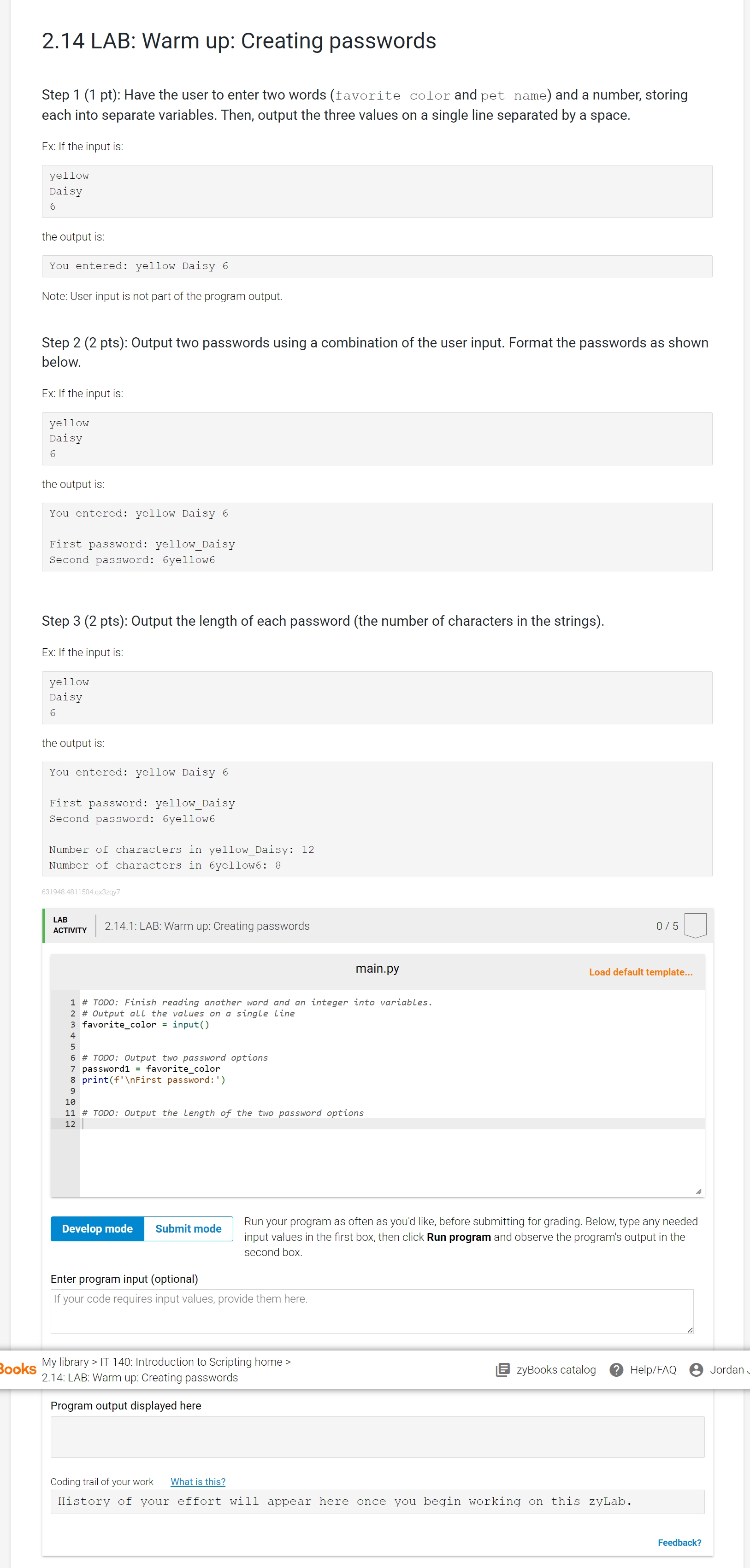 2.14 LAB: Warm up: Creating passwords Step 1 (1 pt): Have the user to enter two words (favorite color and pet name) and a number, storing each into separate variables. Then, output the three values on a single line separated by a space. Ex: If the input is: yellow Daisy 6 the output is: You entered: yellow Daisy 6 Note: User input is not part of the program output. Step 2 (2 pts): Output two passwords using a combination of the user input. Format the passwords as shown below. Ex: If the input is: yellow Daisy 6 the output is: You entered: yellow Daisy 6 First password: yellow Daisy Second password: 6yellow6 Step 3 (2 pts): Output the length of each password (the number of characters in the strings). Ex: If the input is: yellow Daisy 6 the output is: You entered: yellow Daisy 6 First password: yellow_Daisy Second password: 6yellow6 Number of characters in yellow_Daisy: 12 Number of characters in 6yellow6: 8 ;A;,vm 2.14.1: LAB: Warm up: Creating passwords 0/5 main.py Load default template... # TODO: Finish reading another word and an integer into variables. # output all the values on a single Line favorite_color = input() # TODO: Output two password options passwordl = favorite_color print(f'\ First password: ') ONO VA WN R 10 11 # TODO: Output the Length of the two password options e s Subiiitmde Run your program as often as yout.j like, before submitting for grading Below,v type any needed input values in the first box, then click Run program and observe the program's output in the second box. Enter program input (optional) If your code requires input values, provide them here. My library
 Step by Step Solution
There are 3 Steps involved in it
1 Expert Approved Answer
Step: 1 Unlock

Question Has Been Solved by an Expert!
Get step-by-step solutions from verified subject matter experts
Step: 2 Unlock
Step: 3 Unlock
 Study Help