







Question: Using a simple paint program (such as Windows Paint or GIMP [GI16]), draw a freehand picture of your own design. Then use your image to
Using a simple “paint” program (such as Windows “Paint” or GIMP [GI16]), draw a freehand picture of your own design. Then use your image to texture the pyramid in Program 5.1.
Program 5.1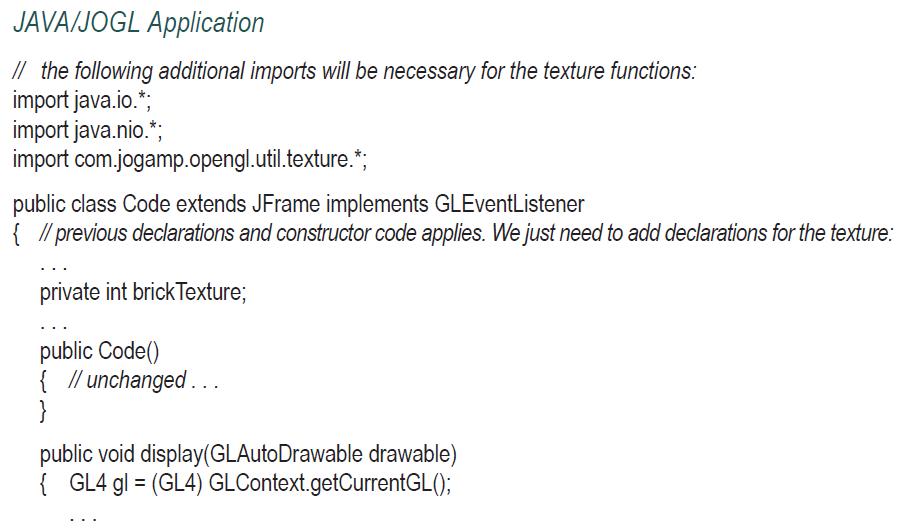
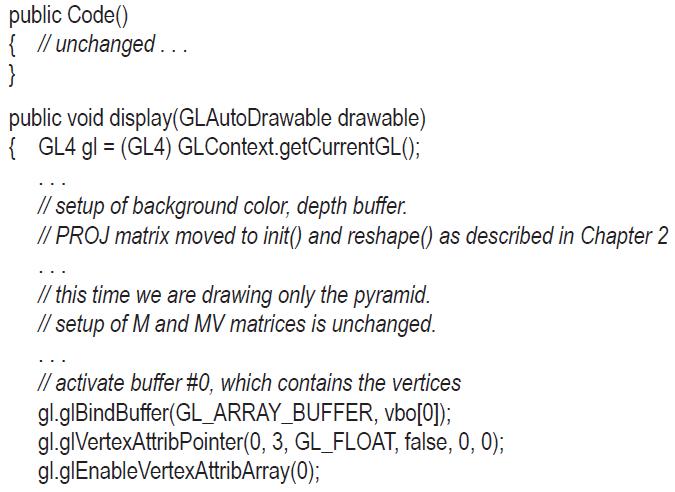
![} // activate buffer #1, which contains the texture coordinates gl.glBindBuffer(GL_ARRAY_BUFFER, vbo[1]);](https://dsd5zvtm8ll6.cloudfront.net/images/question_images/1701/6/7/1/865656d73b90aba41701671864435.jpg)
![private void setupVertices() { GL4 gl = (GL4) GLContext.getCurrentGL(); float[] pyramidPositions = { /* data](https://dsd5zvtm8ll6.cloudfront.net/images/question_images/1701/6/7/1/888656d73d083a401701671887892.jpg)
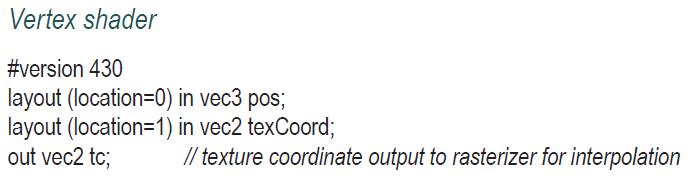
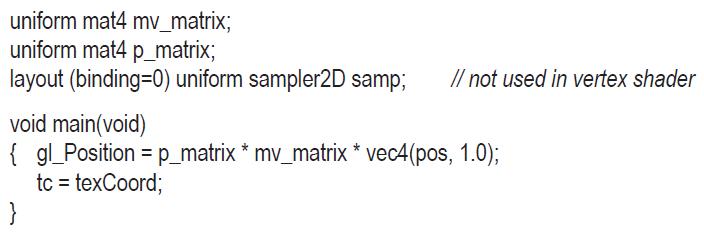
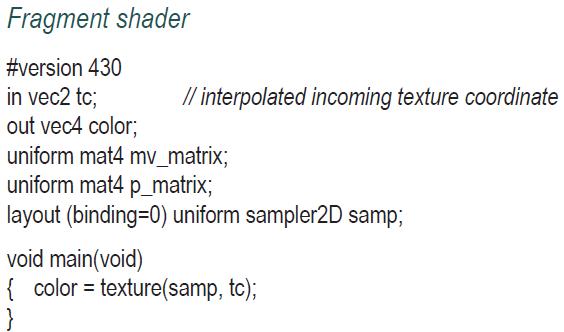
JAVA/JOGL Application // the following additional imports will be necessary for the texture functions: import java.io.*; import java.nio.*; import com.jogamp.opengl.util.texture.*; public class Code extends JFrame implements GLEventListener { // previous declarations and constructor code applies. We just need to add declarations for the texture: private int brick Texture; public Code() { // unchanged... } public void display(GLAuto Drawable drawable) { GL4 gl = (GL4) GLContext.getCurrentGL();
Step by Step Solution
3.42 Rating (152 Votes )
There are 3 Steps involved in it

Get step-by-step solutions from verified subject matter experts
 Study Help