







Question: Rewrite Listing 16.13, ImageAudioAnimation.java, to use the resource bundle to retrieve image and audio files. (Hint: When a new country is selected, set an appropriate
Rewrite Listing 16.13, ImageAudioAnimation.java, to use the resource bundle to retrieve image and audio files. (Hint: When a new country is selected, set an appropriate locale for it. Have your program look for the flag and audio file from the resource file for the locale.)
Data from Listing 16.13,
Listing 16.13 TicTacToe.java
1 import javafx.application.Application;
2 import javafx.stage.Stage;
3 import javafx.scene.Scene;
4 import javafx.scene.control.Label;
5 import javafx.scene.layout.BorderPane;
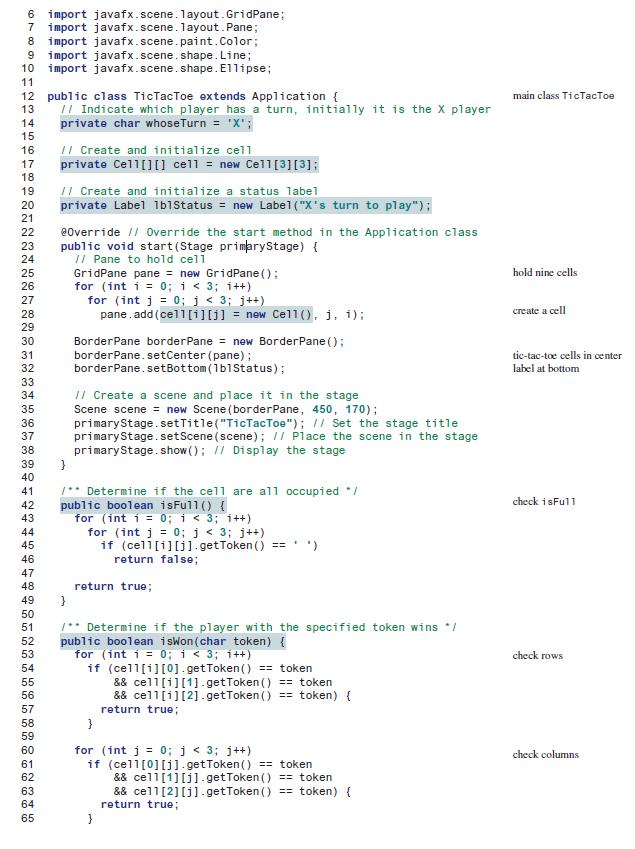
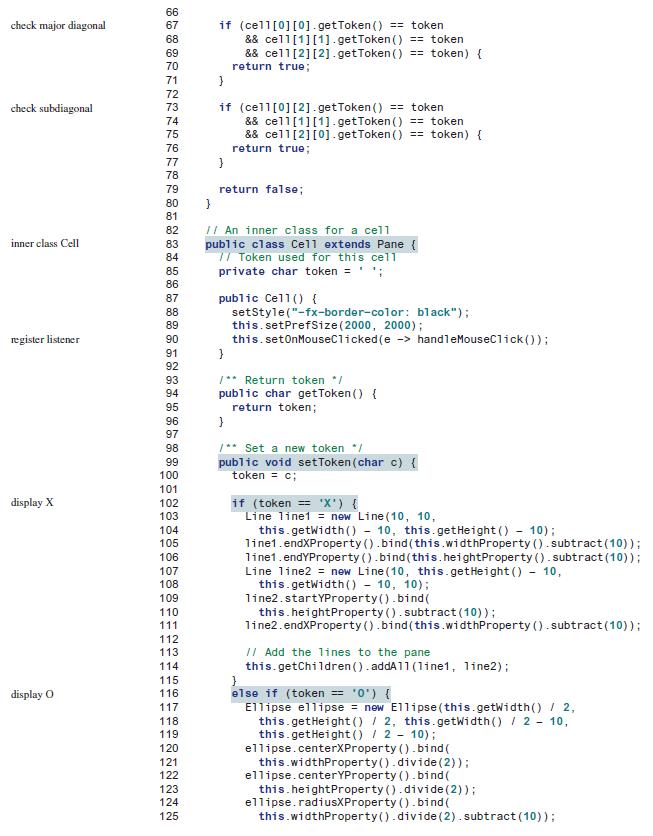
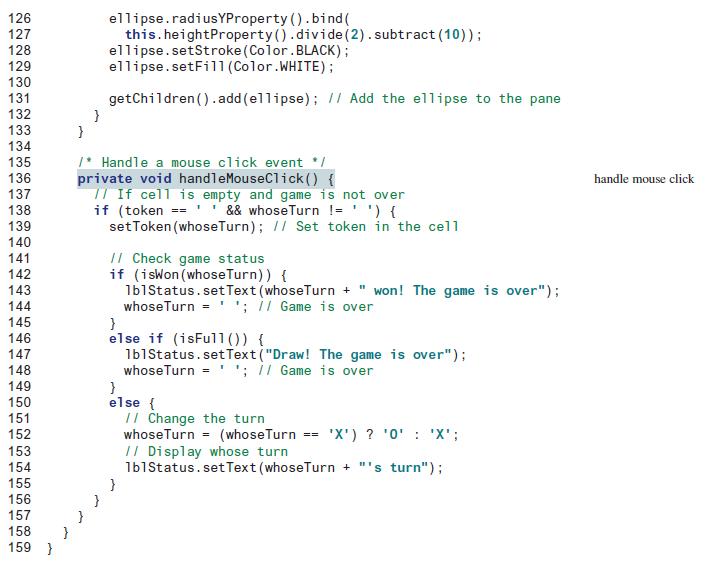
6 import javafx.scene. layout. GridPane; 7 import javafx.scene.layout. Pane; 8 import javafx.scene.paint.Color; 9 import javafx.scene.shape. Line; 10 import javafx.scene.shape. E1lipse; 11 12 public class TicTacToe extends Application { II Indicate which player has a turn, initially it is the X player private char whoseTurn = 'X'; main class TicTacToe 13 14 15 I1 Create and initialize cell private Cell[][] cell = new Cell[3][3]; 16 17 18 II Create and initialize a status label private Label 1b1Status = new Label ("X's turn to play"); 19 20 21 e0verride // Override the start method in the Application class public void start(Stage primaryStage) { // Pane to hold cell GridPane pane = new GridPane (); for (int i = 0; 1 < 3; 1++) for (int j = 0; j < 3; j++) pane. add (cell[i][i] = new Cell ), i, i): 22 23 24 25 hold nine cells 26 27 28 create a cell 29 Border Pane borderPane = new BorderPane (); borderPane. setCenter (pane); borderPane. setBottom(1b1Status): 30 31 tic-tac-toe cells in center 32 label at bottom 33 // Create a scene and place it in the stage Scene scene = new Scene (borderPane, 450, 170); primaryStage.setTitle("TicTacToe"); // Set the stage title primaryStage. setScene (scene); II Place the scene in the stage primaryStage.show (); // Display the stage } 34 35 36 37 38 39 40 1** Determine if the cel1 are all occupied */ public boolean isFull() { for (int i = 0; i < 3; i++) for (int j = 0; j < 3; j++) if (cell[i][j].getToken () == 41 check isFull 42 43 44 45 46 return false; 47 48 return true; } 49 50 1** Determine if the player with the specified token wins */ public boolean iswon(char token) { for (int i = 0; i < 3; i++) if (cell[i][0]. getToken () == token && cell[i][1]- getToken () == token && cell[i][2].getToken () == token) { return true; } 51 52 53 check rows 54 55 56 57 58 59 for (int j = 0;j < 3; j++) if (cell[0][j]. getToken() == token && cell[1][j1. getToken () == token && cell[2][j] - getToken () == token) { return true; } 60 check columns 61 62 63 64 65
Step by Step Solution
3.37 Rating (163 Votes )
There are 3 Steps involved in it
Heres a possible implementation of the updated ImageAudioAnimationjava file that uses a resource bun... View full answer

Get step-by-step solutions from verified subject matter experts
 Study Help