







Question: Repeat the previous programming project, but sort the Pet objects by pet weight instead of by name. After displaying the sorted data on the screen,
Repeat the previous programming project, but sort the Pet objects by pet weight instead of by name. After displaying the sorted data on the screen, write the number and percentage of pets that are under 5 pounds, the number and percentage of pets that are 5 to 10 pounds, and the number and percentage of pets that are over 10 pounds.
Previous programming project
Write a program that creates Pet objects from data read from the keyboard. Store these objects into an instance of ArrayList. Then sort the Pet objects into alphabetic order by pet name, and finally display the data in the sorted Pet objects on the screen. The class Pet is given in Chapter 6, Listing 6.1.
Listing 6.1
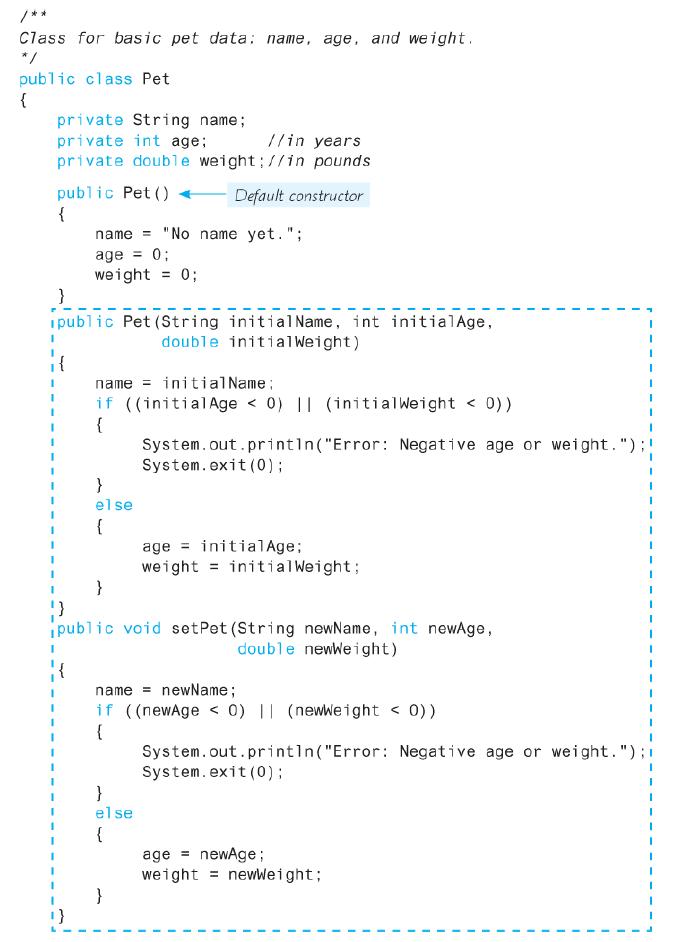
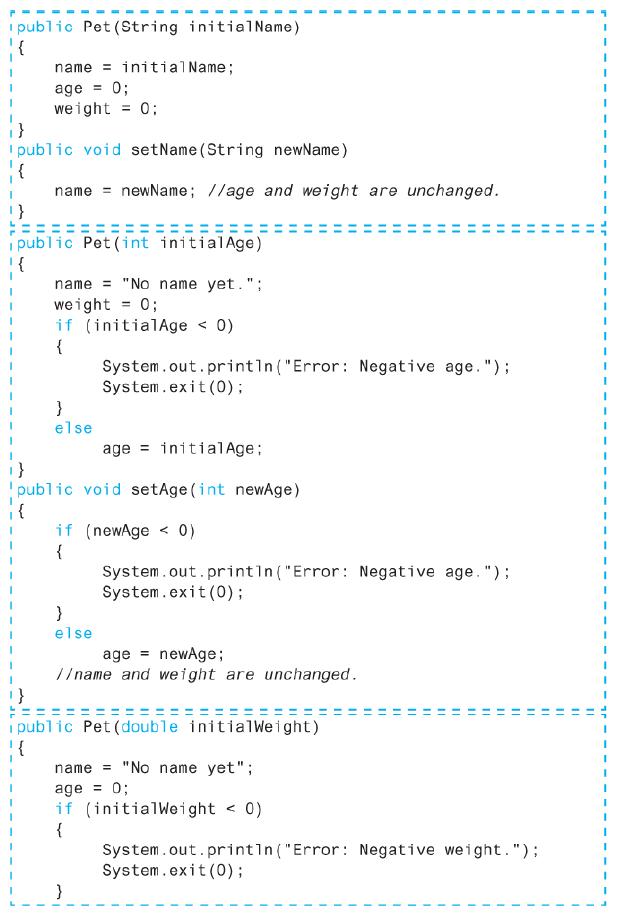
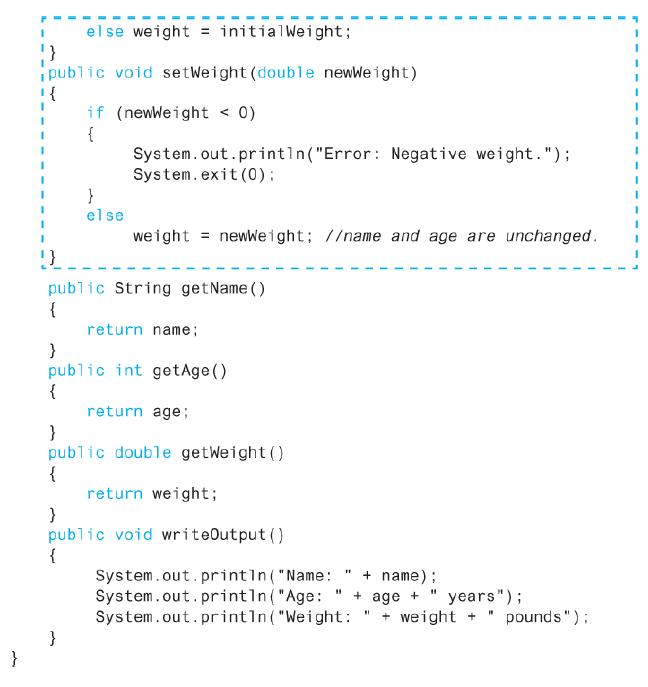
/** Class for basic pet data: name, age, and weight. */ public class Pet { private String name; private int age; private double weight;//in pounds //in years public Pet () { Default constructor name "No name yet."; %3D age 0; weight = 0; } ipublic Pet (String initial Name, int initialAge, double initialWeight) name = initial Name; if ((initialAge < 0) || (initialWeight < 0)) { System.out.printin("Error: Negative age or weight."); System.exit (0); } else { age = initialAge; weight = initialWeight; } ipublic void setPet (String newName, int newAge, double newweight) name = newName; if ((newAge < 0) || (newWeight < 0)) { System.out.println("Error: Negative age or weight."); System.exit (0); } el se { age = newAge ; weight = newweight; }
Step by Step Solution
3.60 Rating (161 Votes )
There are 3 Steps involved in it
public class PetRecordsSortedByName public static void mainString args List pet new ArrayList char repeat y Input loop control Scanner keyboard new ScannerSystemin Enter PetRecords and add them to lis... View full answer

Get step-by-step solutions from verified subject matter experts
 Study Help