







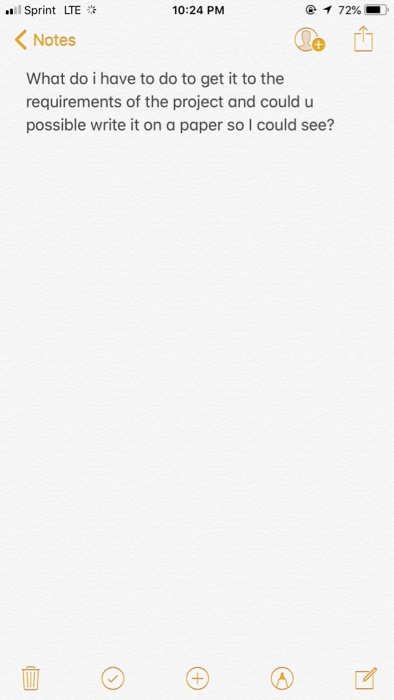
Question: 01 xProject 1 30504735?module item_id-2079881 Due: 9/21/ X Intermediate Java Tutorial-41-x+ at es> Project 1 HTTP Server 1.pdf L HTTP Server 1.pdf oject 1 HTTP
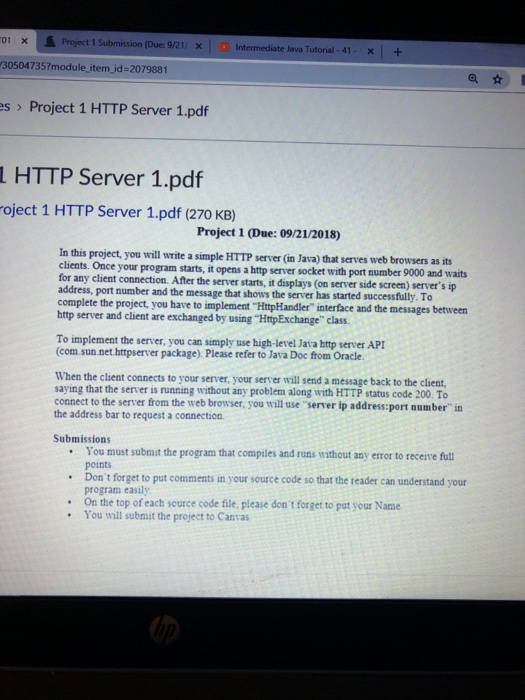
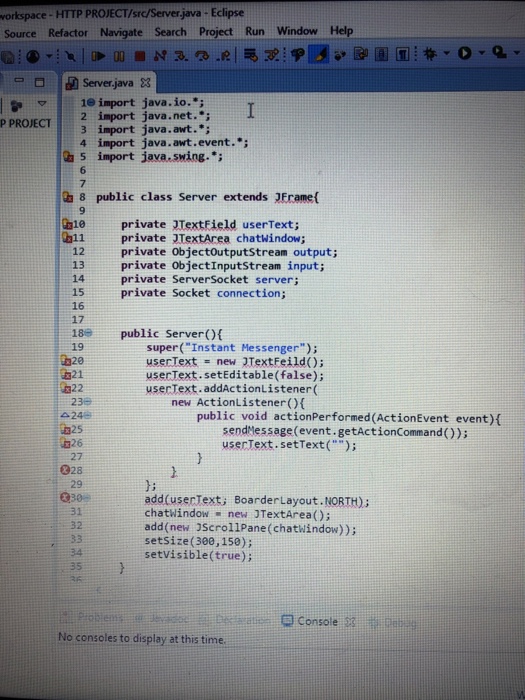
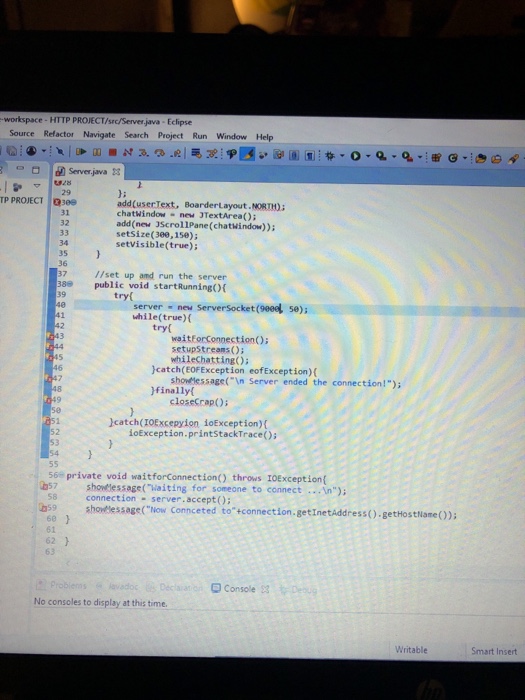
01 xProject 1 30504735?module item_id-2079881 Due: 9/21/ X Intermediate Java Tutorial-41-x+ at es> Project 1 HTTP Server 1.pdf L HTTP Server 1.pdf oject 1 HTTP Server 1.pdf (270 KB) Project 1 (Due: 09/21/2018) In this project, you will write a simple HTTP server (in Java) that serves web browsers as its clients. Once your program starts, it opens a http server socket with port number 9000 and waits for any client connection. After the server starts, it displays (on server side screen address, port number and the message that shows the server has started successfully. To complete the project, you have to implement HttpHandler" interface and the messages between server's ip http server and client are exchanged by using "HtpExchange" class To implement the server, you can simply use high-level Java http server API (com.sun.net httpserver package) Please refer to Java Doc from Oracle. When the client connects to your server, your server will send a message back to the client, saying that the server is running without any problem along with HTTP status code 200. To connect to the server from the web browser, you will use "server ip address:port number" in the address bar to request a connection. Submissions You must submit the program that compiles and runs without any ertor to receive ful points Don't forget to put comments in your source code so that the reader can understand your program easil . On the top of each source code file, please don t forget to pat your Name .You will submit the project to Canras 01 xProject 1 30504735?module item_id-2079881 Due: 9/21/ X Intermediate Java Tutorial-41-x+ at es> Project 1 HTTP Server 1.pdf L HTTP Server 1.pdf oject 1 HTTP Server 1.pdf (270 KB) Project 1 (Due: 09/21/2018) In this project, you will write a simple HTTP server (in Java) that serves web browsers as its clients. Once your program starts, it opens a http server socket with port number 9000 and waits for any client connection. After the server starts, it displays (on server side screen address, port number and the message that shows the server has started successfully. To complete the project, you have to implement HttpHandler" interface and the messages between server's ip http server and client are exchanged by using "HtpExchange" class To implement the server, you can simply use high-level Java http server API (com.sun.net httpserver package) Please refer to Java Doc from Oracle. When the client connects to your server, your server will send a message back to the client, saying that the server is running without any problem along with HTTP status code 200. To connect to the server from the web browser, you will use "server ip address:port number" in the address bar to request a connection. Submissions You must submit the program that compiles and runs without any ertor to receive ful points Don't forget to put comments in your source code so that the reader can understand your program easil . On the top of each source code file, please don t forget to pat your Name .You will submit the project to Canras
Step by Step Solution
There are 3 Steps involved in it

Get step-by-step solutions from verified subject matter experts
 Study Help