



Question: 1 0 : 4 6 Google Chisholm - Grant Academy IMPORT DATA AND WORK WITH SMARTART AND IMAGESClare Seeley is the chair of the Class
:
Google
ChisholmGrant Academy
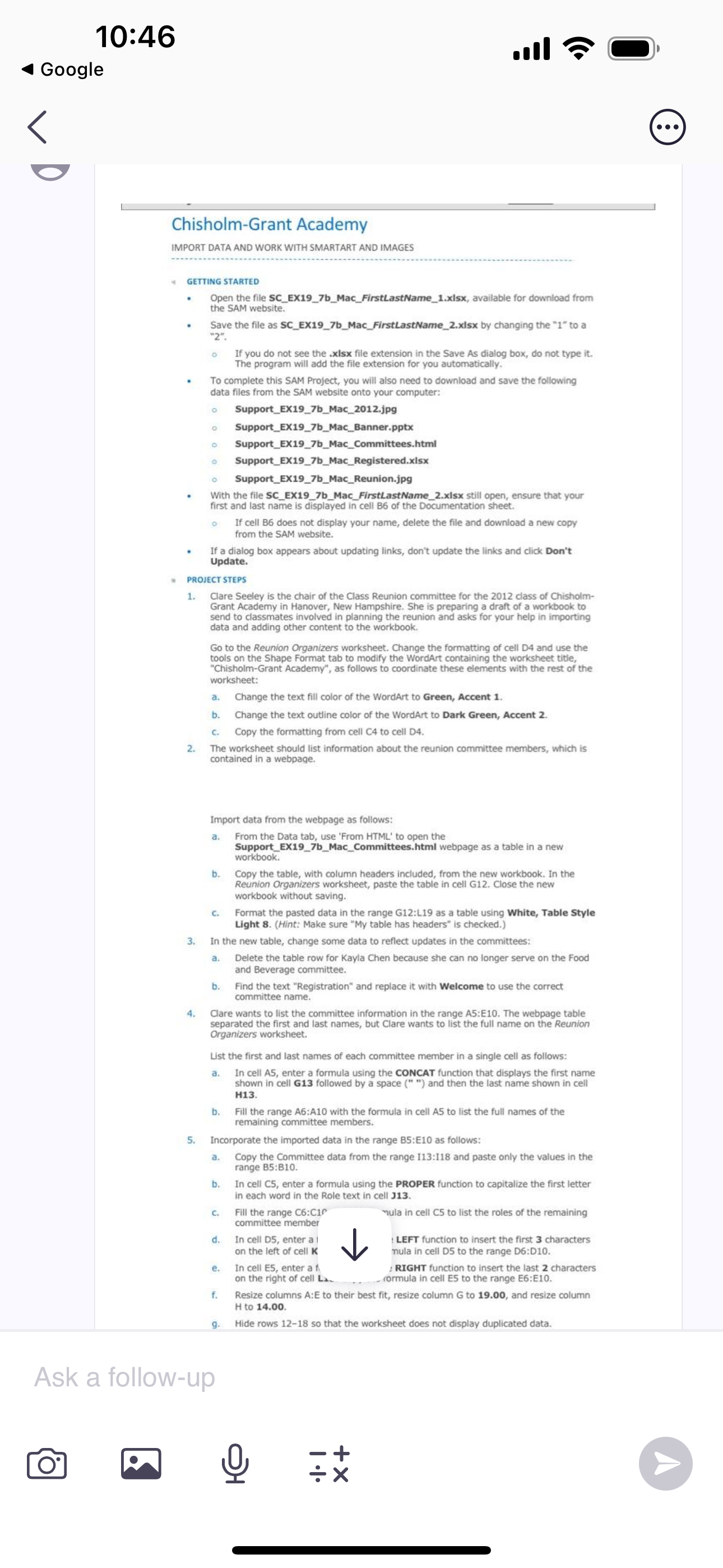
IMPORT DATA AND WORK WITH SMARTART AND IMAGESClare Seeley is the chair of the Class Reunion committee for the class of ChisholmGrant Academy in Hanover, New Hampshire. She is preparing a draft of a workbook to send to classmates involved in planning the reunion and asks for your help in importingdata and adding other content to the workbook.Go to the Reunion Organizers worksheet. Change the formatting of cell D and use the tools on the Shape Format tab to modify the WordArt containing the worksheet titie, "ChisholmGrant Academy", as follows to coordinate these elements with the rest of the worksheet:a Change the text fill color of the WordArt to Green, Accent b Change the text outline color of the WordArt to Dark Green, Accent c Copy the formatting from cell C to cell DThe worksheet should list information about the reunion committee members, which is contained in a webpage.
Import data from the webpage as follows:
a From the Data tab, use 'From HTML to open the SupportEXbMacCommittees.html webpage as a table in a new workbook.
b Copy the table, with column headers included, from the new workbook. In the Reunion Organizers worksheet, paste the table in cell G Close the new workbook without saving.
c Format the pasted data in the range G:L as a table using White, Table Style Light Hint: Make sure My table has headers" is checked.
In the new table, change some data to reflect updates in the committees:
a Delete the table row for Kayla Chen because she can no longer serve on the Food and Beverage committee.
b Find the text "Registration" and replace it with Welcome to use the correct committee name.
Clare wants to list the committee information in the range A:E The webpage table
List the first and last names of each committee member in a single cell as follows:
a In cell A enter a formula using the CONCAT function that displays the first name shown in cell G followed by a space and then the last name shown in cell H
b Fill the range A:A with the formula in cell to list the full names of the remaining committee members.
Incorporate the imported data in the range : as follows:
a Copy the Committee data from the range : and paste only the values in the range :
b In cell C enter a formula using the PROPER function to capitalize the first letter in each word in the Role text in cell J
c Fill the range C:C
committee member Yula in cell C to list the roles of the remaining
d In cell D enter a LEFT function to insert the first characters on the left of cell K nula in cell D to the range D:D
e In cell E enter a A RIGHT function to insert the last characters
f Resize columns A:E to their best fit, resize column G to and resize column H to
g Hide rows so that the worksheet does not display duplicated data.
Ask a followup
Step by Step Solution
There are 3 Steps involved in it
1 Expert Approved Answer
Step: 1 Unlock

Question Has Been Solved by an Expert!
Get step-by-step solutions from verified subject matter experts
Step: 2 Unlock
Step: 3 Unlock