







Question: 1 . 1 2 LAB: Warm up: Basic output with variables This zyLab activity prepares a student for a full programming assignment. Warm up exercises
LAB: Warm up: Basic output with variables
This zyLab activity prepares a student for a full programming assignment. Warm up exercises are typically simpler and worth fewer points
than a full programming assignment, and are wellsuited for an inperson scheduled lab meeting or as selfpractice.
A variable like usernum can store a value like an integer. Extend the given program as indicated.
Output the user's input. pts
Output the input squared and cubed. Hint: Compute squared as usernum usernum. pts
Get a second user input into usernum and output the sum and product. pt
Note: This zyLab outputs a newline after each userinput prompt. For convenience in the examples below, the user's input value is shown on
the next line, but such values don't actually appear as output when the program runs.
Enter integer:
You entered:
squared is
And cubed is
Enter another integer:
is
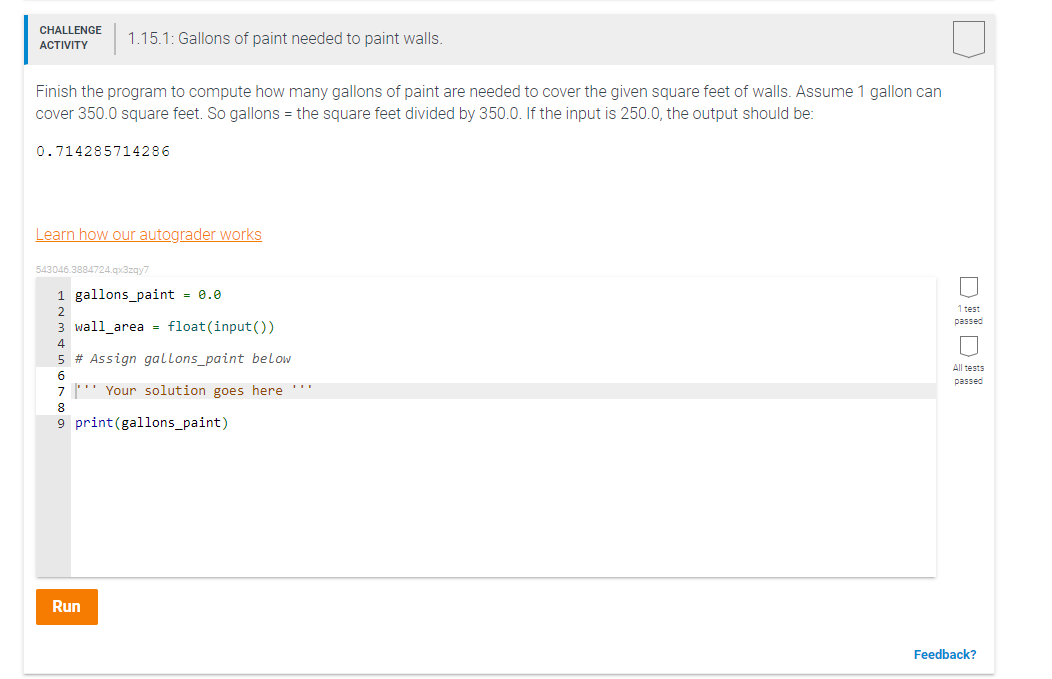
is : Gallons of paint needed to paint walls.
Finish the program to compute how many gallons of paint are needed to cover the given square feet of walls. Assume gallon can
cover square feet. So gallons the square feet divided by If the input is the output should be:
Learn how our autograder works
qxzqy
gallonspaint
wallarea float input
Step by Step Solution
There are 3 Steps involved in it
1 Expert Approved Answer
Step: 1 Unlock

Question Has Been Solved by an Expert!
Get step-by-step solutions from verified subject matter experts
Step: 2 Unlock
Step: 3 Unlock
 Study Help