







Question: 1 1 Click or position the insertion point at the end of the document and press ENTER Insert SmartArt, selecting Basic Cyele. Display the Text
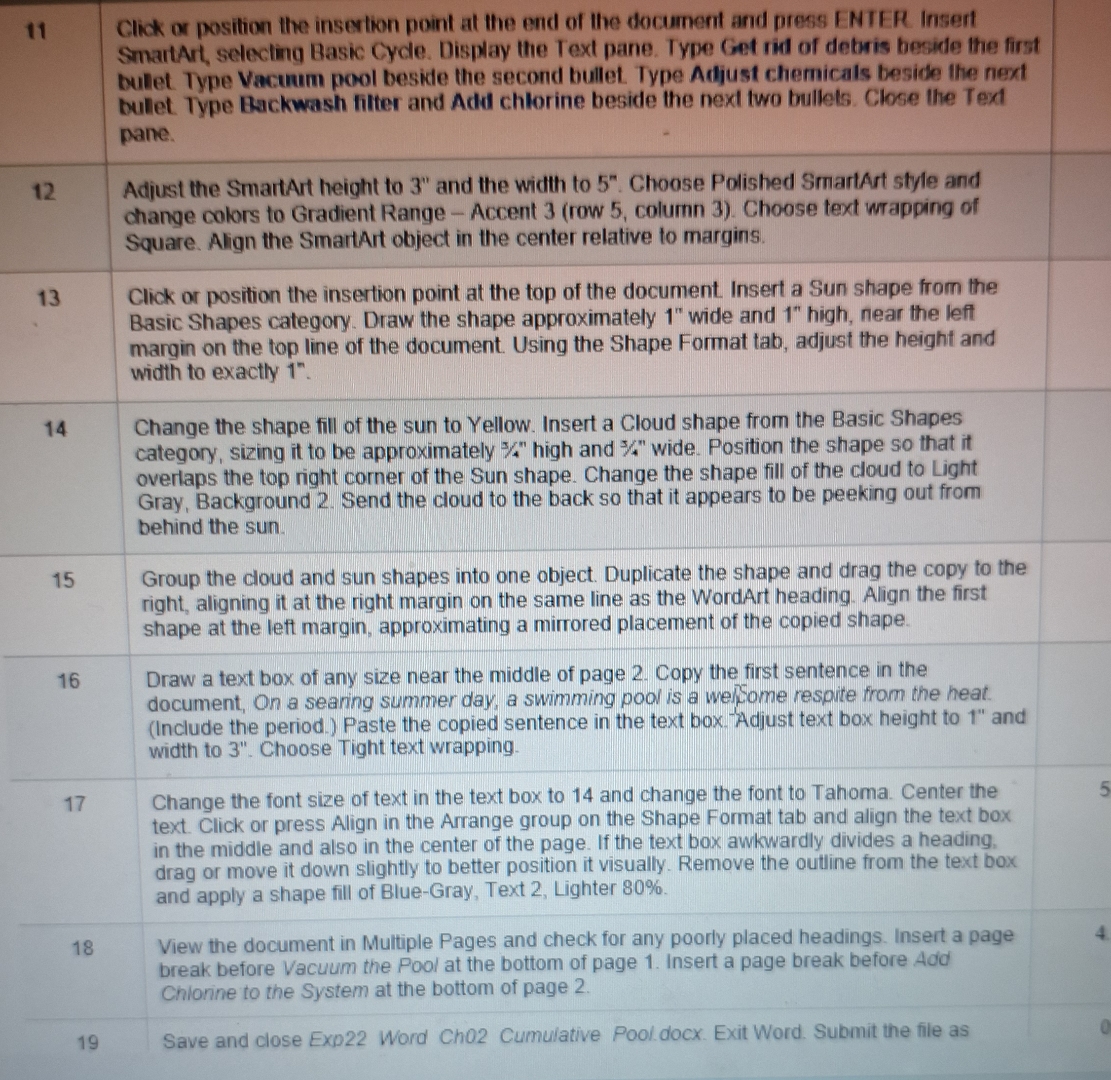
Click or position the insertion point at the end of the document and press ENTER Insert SmartArt, selecting Basic Cyele. Display the Text pane. Type Get rid of debris becide the first bulet Type Vacuum pool beside the second bullet. Type Adjust chemicals beside the next bulet Type Backwash filter and Add chlorine beside the next two bullets. Close the Text pane.
View the document in Multiple Pages and check for any poorly placed headings. Insert a page break before Vacuum the Pool at the bottom of page Insert a page break before Add Chionine to the System at the bottom of page
Adjust the SmartArt height to and the width to Choose Polished SmartArt style and change colors to Gradient Range Accent row column Choose text wrapping of Square. Align the SmartArt object in the center relative to margins.
Click or position the insertion point at the top of the document. Insert a Sun shape from the Basic Shapes category. Draw the shape approximately wide and high, near the left margin on the top line of the document. Using the Shape Format tab, adjust the height and width to exactly
Step by Step Solution
There are 3 Steps involved in it
1 Expert Approved Answer
Step: 1 Unlock

Question Has Been Solved by an Expert!
Get step-by-step solutions from verified subject matter experts
Step: 2 Unlock
Step: 3 Unlock
 Study Help