







Question: 1 2 3 4 Fusing System; using System.Collections.Generic; using System.ComponentModel; using System.Data; using System.Drawing; using System.Linq; using System.Text; using System.Threading.Tasks; using System.Windows.Forms; 6 7 8
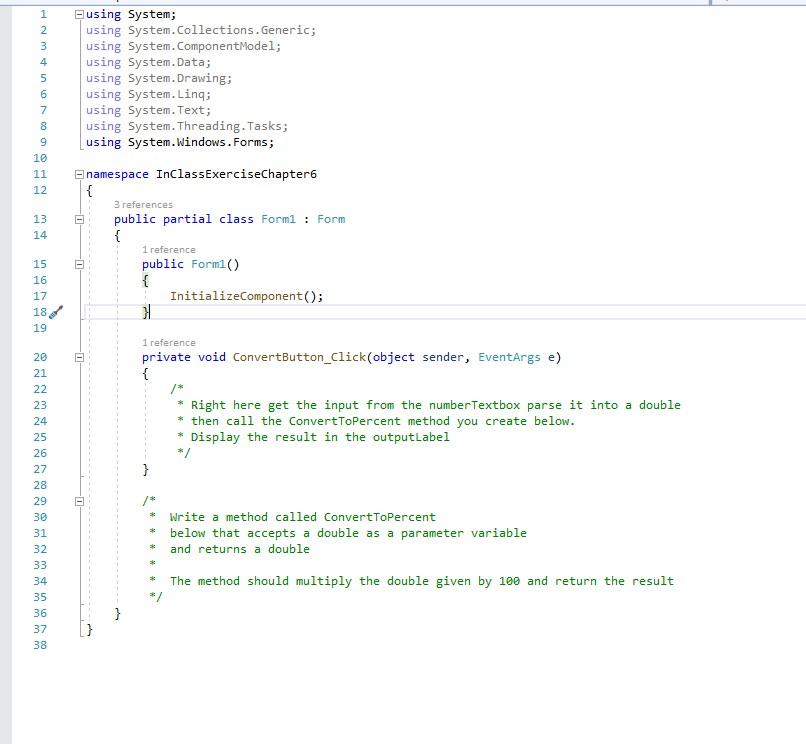
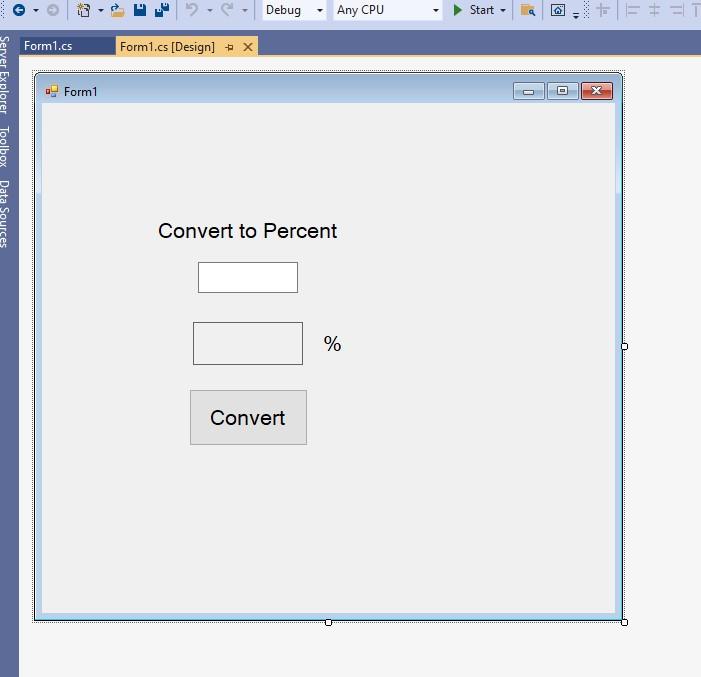
1 2 3 4 Fusing System; using System.Collections.Generic; using System.ComponentModel; using System.Data; using System.Drawing; using System.Linq; using System.Text; using System.Threading.Tasks; using System.Windows.Forms; 6 7 8 9 10 11 12 13 14 namespace InclassExerciseChapter { 3 references public partial class Form1 : Form { 1 reference public Form1() { InitializeComponent(); 15 16 17 18 19 1 reference private void ConvertButton_Click(object sender, EventArgs e) { * Right here get the input from the numberTextbox parse it into a double * then call the convertToPercent method you create below. Display the result in the outputLabel */ 20 21 22 23 24 25 26 27 28 29 30 31 32 33 34 35 36 37 38 * Write a method called ConvertToPercent * below that accepts a double as a parameter variable * and returns a double * The method should multiply the double given by 100 and return the result } Debug Any CPU Start - | |- + | 41 Form1.cs Form1.cs [Design) + X Form1 Server Explorer Toolbox Data Sources Convert to Percent % Convert
Step by Step Solution
There are 3 Steps involved in it

Get step-by-step solutions from verified subject matter experts
 Study Help