







Question: 1. (25 pts) Write a single-line shell command that lists directories and files (but not hidden files) in /usr/bin that begin with a lowercase a.
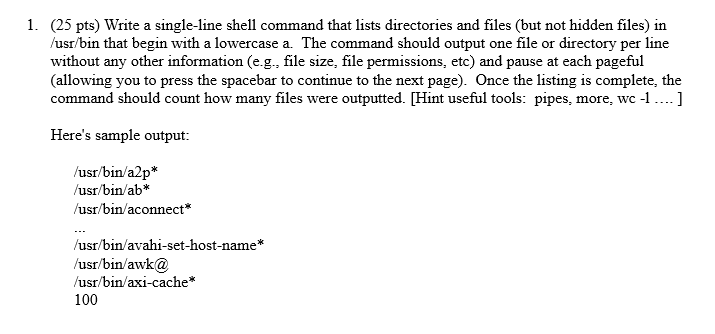
1. (25 pts) Write a single-line shell command that lists directories and files (but not hidden files) in /usr/bin that begin with a lowercase a. The command should output one file or directory per line without any other information (e.g., file size, file permissions, etc) and pause at each pageful (allowing you to press the spacebar to continue to the next page). Once the listing is complete, the command should count how many files were outputted. [Hint useful tools: pipes, more, wc -1.... ] Here's sample output: /usr/bin/a2p* /usr/bin/ab* /usr/bin/aconnect* /usr/bin/avahi-set-host-name* /usr/bin/awka /usr/bin/axi-cache* 100
Step by Step Solution
There are 3 Steps involved in it

Get step-by-step solutions from verified subject matter experts
 Study Help