







Question: 1 . 3 . 1 1 getGreen from cmu _ cpcs _ utils import testFunction fr def getGreen ( r g b ) return 4
getGreen
from cmucpcsutils import testFunction
fr
def getGreen
return
atestFunction
def testGetGreen:
assertgetGreen
assert getGreen
assert getGreen
assert getGreen
getGreen
def main:
testGetGreen
main
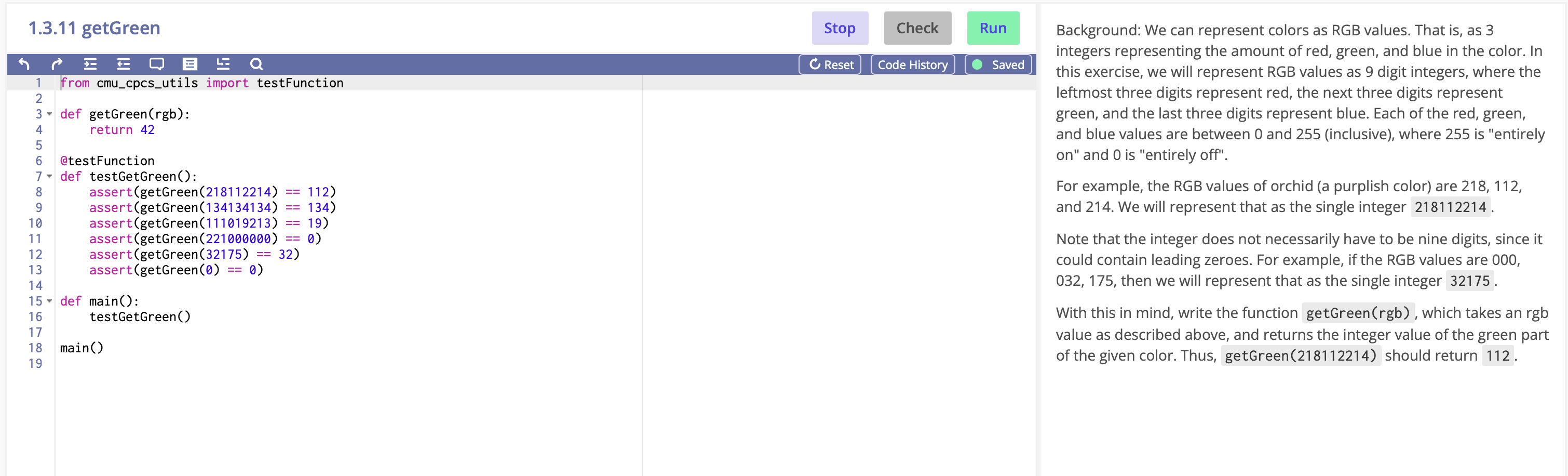
Background: We can represent colors as RGB values. That is as
integers representing the amount of red, green, and blue in the color. In
this exercise, we will represent RGB values as digit integers, where the
leftmost three digits represent red, the next three digits represent
green, and the last three digits represent blue. Each of the red, green,
and blue values are between and inclusive where is "entirely
on and is "entirely off".
For example, the RGB values of orchid a purplish color are
and We will represent that as the single integer
Note that the integer does not necessarily have to be nine digits, since it
could contain leading zeroes. For example, if the RGB values are
then we will represent that as the single integer
With this in mind, write the function getGreen rgb which takes an rgb
value as described above, and returns the integer value of the green part
of the given color. Thus, getGreen should return
Step by Step Solution
There are 3 Steps involved in it
1 Expert Approved Answer
Step: 1 Unlock

Question Has Been Solved by an Expert!
Get step-by-step solutions from verified subject matter experts
Step: 2 Unlock
Step: 3 Unlock
 Study Help