







Question: 1 5 : 1 4 Advanced Programming Project 1 The Spoton game tests a user's reflex - es by requiring the user to click moving
:
Advanced Programming
Project
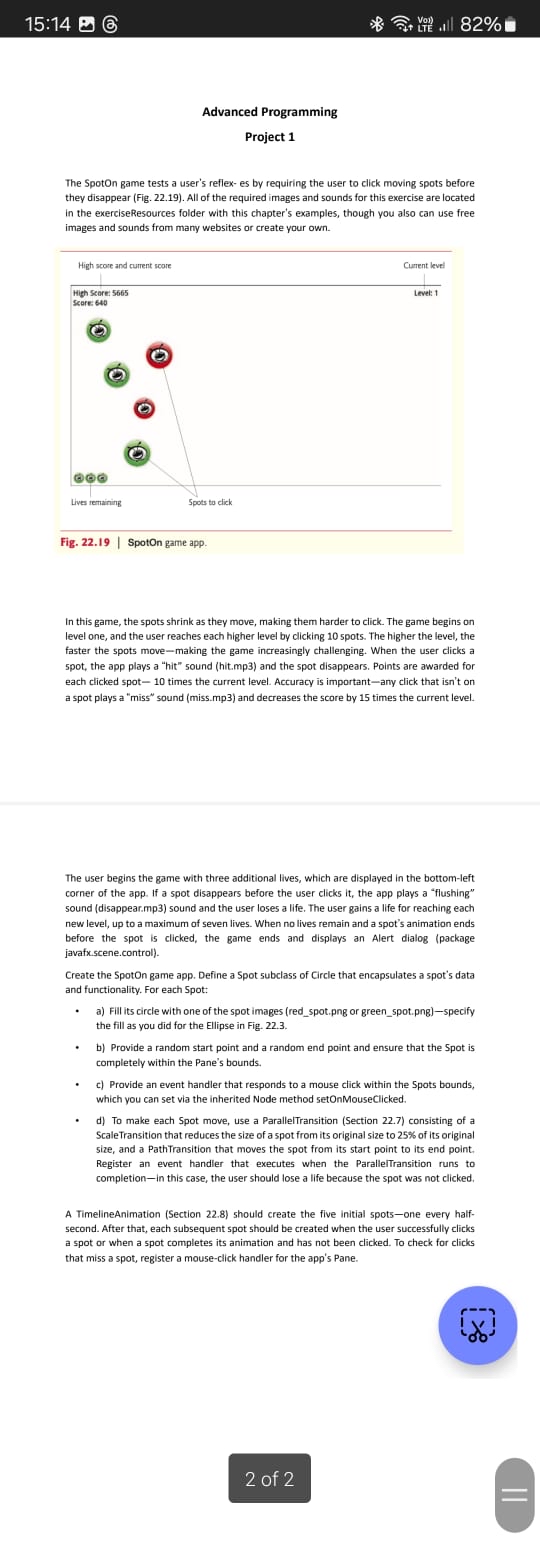
The Spoton game tests a user's reflex es by requiring the user to click moving spots before they disappear Fig All of the required images and sounds for this exercise are located in the exerciseResources folder with this chapter's examples, though you also can use free images and sounds from many websites or create your own.
In this game, the spots shrink as they move, making them harder to click. The game begins on level one, and the user reaches each higher level by clicking spots. The higher the level, the faster the spots movemaking the game increasingly challenging. When the user clicks a spot, the app plays a "hit" sound hitmp and the spot disappears. Points are awarded for each clicked spot times the current level. Accuracy is importantany click that isn't on a spot plays a "miss" sound missmp and decreases the score by times the current level.
The user begins the game with three additional lives, which are displayed in the bottomleft corner of the app. If a spot disappears before the user clicks it the app plays a "flushing" sound disappearmp sound and the user loses a life. The user gains a life for reaching each new level, up to a maximum of seven lives. When no lives remain and a spot's animation ends before the spot is clicked, the game ends and displays an Alert dialog package javafx.scene.control
Create the Spoton game app. Define a Spot subclass of Circle that encapsulates a spot's data and functionality. For each Spot:
a Fill its circle with one of the spot images redspot.png or greenspot.pngspecify the fill as you did for the Ellipse in Fig.
b Provide a random start point and a random end point and ensure that the Spot is completely within the Pane's bounds.
c Provide an event handler that responds to a mouse click within the Spots bounds, which you can set via the inherited Node method setOnMouseClicked.
d To make each Spot move, use a ParallelTransition Section consisting of a ScaleTransition that reduces the size of a spot from its original size to of its original size, and a PathTransition that moves the spot from its start point to its end point. Register an event handler that executes when the Paralleitransition runs to completionin this case, the user should lose a life because the spot was not clicked.
A TimelineAnimation Section should create the five initial spotsone every halfsecond. After that, each subsequent spot should be created when the user successfully clicks a spot or when a spot completes its animation and has not been clicked. To check for clicks that miss a spot, register a mouseclick handler for the app's Pane. I want the full code from the start till end
of
Step by Step Solution
There are 3 Steps involved in it
1 Expert Approved Answer
Step: 1 Unlock

Question Has Been Solved by an Expert!
Get step-by-step solutions from verified subject matter experts
Step: 2 Unlock
Step: 3 Unlock
 Study Help