







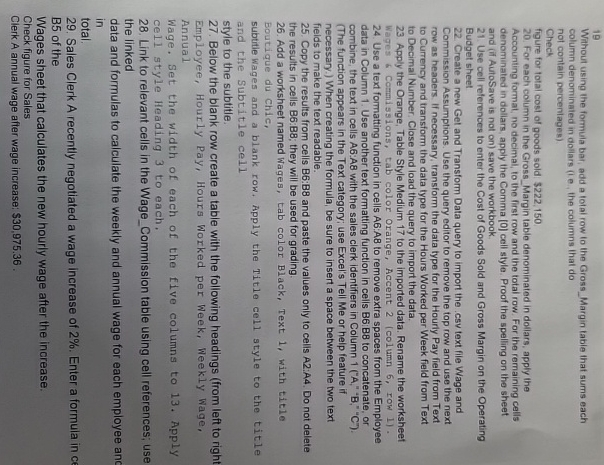
Question: 1 9 Without using the formula bat, add a tolal row to the Gross _ Margin table that sums each column denominated in dollars (
Without using the formula bat, add a tolal row to the GrossMargin table that sums each column denominated in dollars i the columns that do
not contain percentages
Check
figure for total cost of goods sold $
For each column in the GrossMargin table denominated in dollars, apply the Accounting format, no decimal, to the first row and the total row. For the remaining cells denominated in dollars, apply the Comma cell style. Proof the spelling on the sheet and if AutoSave is not on save the workbook.
Use cell references to enter the Cost of Goods Sold and Gross Margin on the Operating Budget sheet
Create a new Get and Transform Data query to import the csy text file Wage and Commission Assumptions. Use the query editor to remove the top row and use the next row as headers. If necessary, transform the data type for the Hourly Pay field from Text to Currency and transform the data type for the Hours Worked per Week field from Text to Decimal Number. Close and load the query to import the data.
Apply the Orange, Table Style Medium to the imported data. Rename the worksheet Wages if Comissions, tab color Orange, Accent column row Use a text formatting function in cells A:AB to remove extra spaces from the Employee data in Column Use another text formatting function in cells B: B to concatenate, or combine, the text in cells A:A with the sales clerk identifiers in Column ABCThe function appears in the Text category; use Excel's Tell Me or help feature if necessary. When creating the formula, be sure to insert a space between the two text fieids to make the text readable.
Copy the results from cells B:B and paste the values only to cells A:A Do not delete the results in cells B:B; they will be used for grading.
Add a worksheet named Wages, tab color Black, Text with title
Boutique du chic,
subtitie Wages and a blank row. Apply the Title cell style to the title and the Subtitie cell
style to the subtitle.
Below the blank row create a table with the following headings from left to right Employee, Hourly Pay, Hours Worked per Week, Weekly Wage, Annual
Wage. Set the width of each of the five columns to Apply cell style Heading to each.
Link to relevant cells in the WageCommission table using cell references; use the linked
data and formulas to calculate the weekly and annual wage for each employee anc in
total.
Sales Clerk A recently negotiated a wage increase of Enter a formula in ce B of the
Wages sheet that calculates the new hourly wage after the increase.
Check figure for Sales
Clerk A annual wage after wage increase: $
Step by Step Solution
There are 3 Steps involved in it
1 Expert Approved Answer
Step: 1 Unlock

Question Has Been Solved by an Expert!
Get step-by-step solutions from verified subject matter experts
Step: 2 Unlock
Step: 3 Unlock
 Study Help