







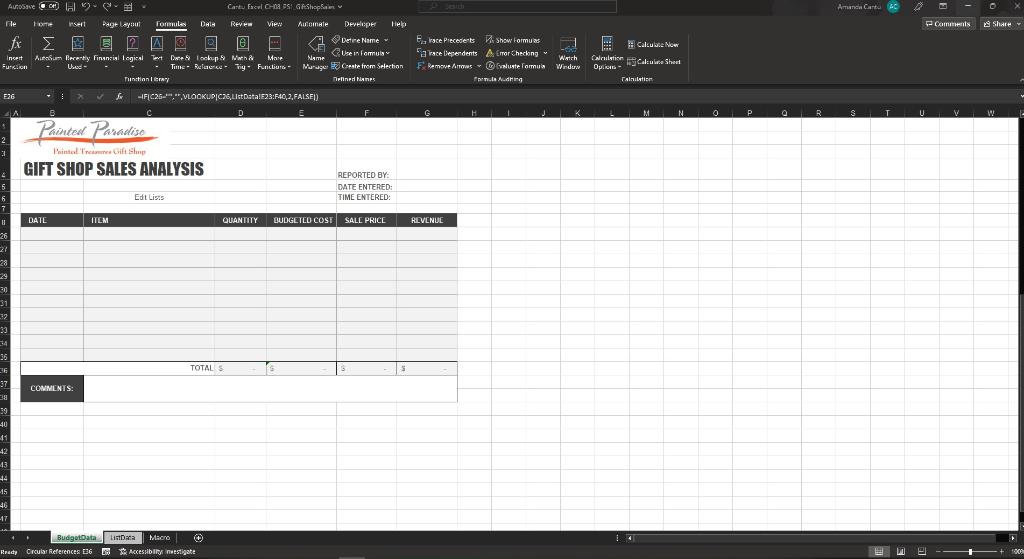
Question: 1. At times, formulas contain errors. The BudgetData worksheet contains a circular reference in cell E36 which is an error. You will correct the formula
1. At times, formulas contain errors. The BudgetData worksheet contains a circular reference in cell E36 which is an error. You will correct the formula to remove the circular reference. On the BudgetData worksheet, use Trace Precedents to illustrate the circular reference error in cell E36. Correct the formula in cell E36 by entering the correct cell range.
2. Excel provides data validation tools that can help to ensure that data entry errors are kept to a minimum. Data validation includes rules that determine what can and cannot be entered in specific cells. List validation is a type of data validation that presents a list of data values that the user can choose from. Add a data validation to cell G4 that only allows values from a list with the source data from cells B26:B30 on the ListData worksheet. The Input Message should have a title Reported By and the Input message Choose a name from the list. (Include the period.) The Error Alert should have the Stop title Error and the Error message Please choose a name from the list. (Include the period.)
3. Date validation is a type of data validation that specifies that only a date can be entered into a cell. Add data validation to cell G5 that only allows todays date or earlier. Use the function =TODAY(). There will be no input message, only a stop Error Alert with the title Incorrect Date and the Error message should read Date must be today or earlier. (Include the period.)
Step by Step Solution
There are 3 Steps involved in it

Get step-by-step solutions from verified subject matter experts
 Study Help