







Question: (1) BasicBayer (25%): In this part we reconstruct this RGB color image (this original color image is only for your reference, you will not use
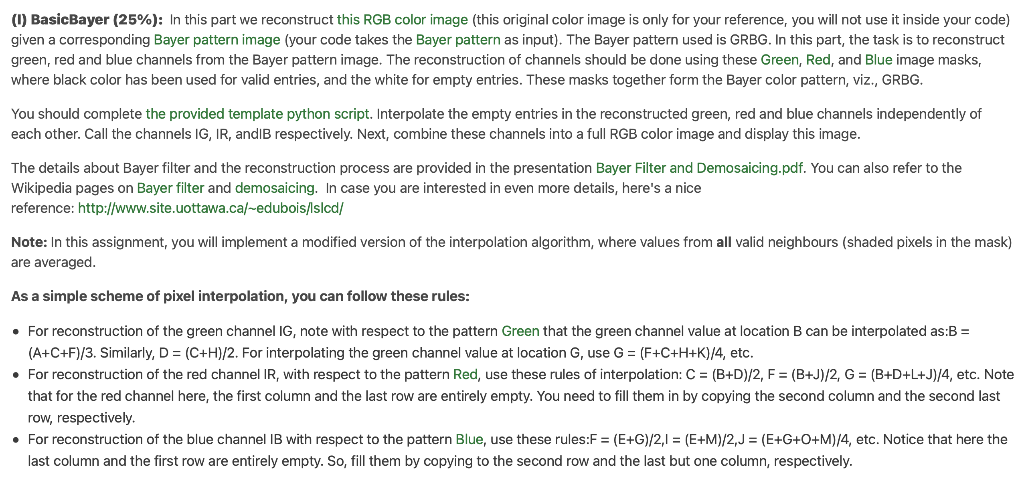
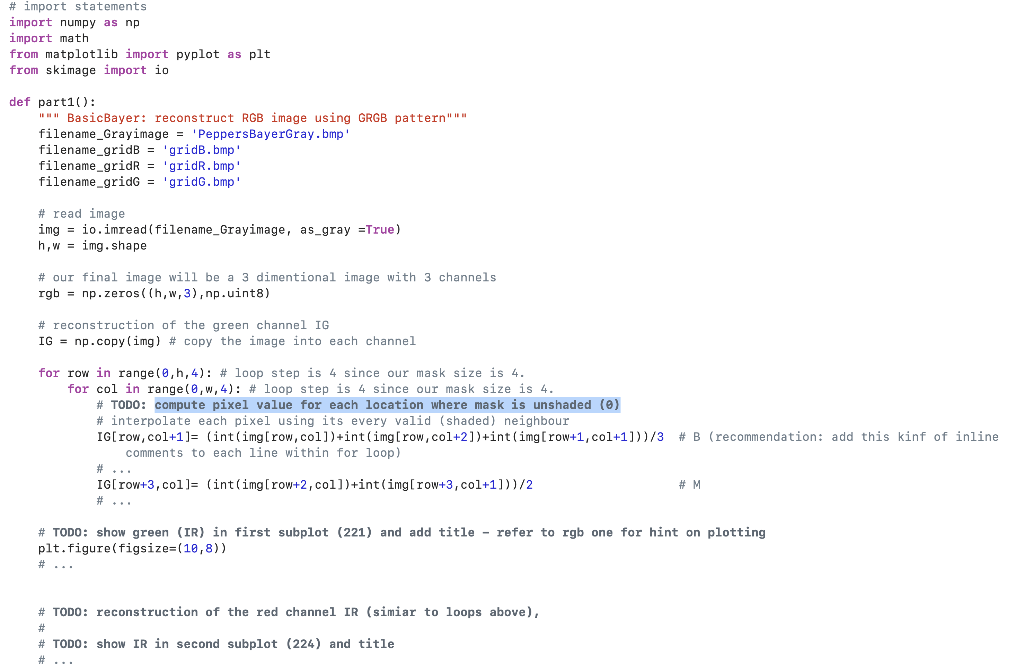
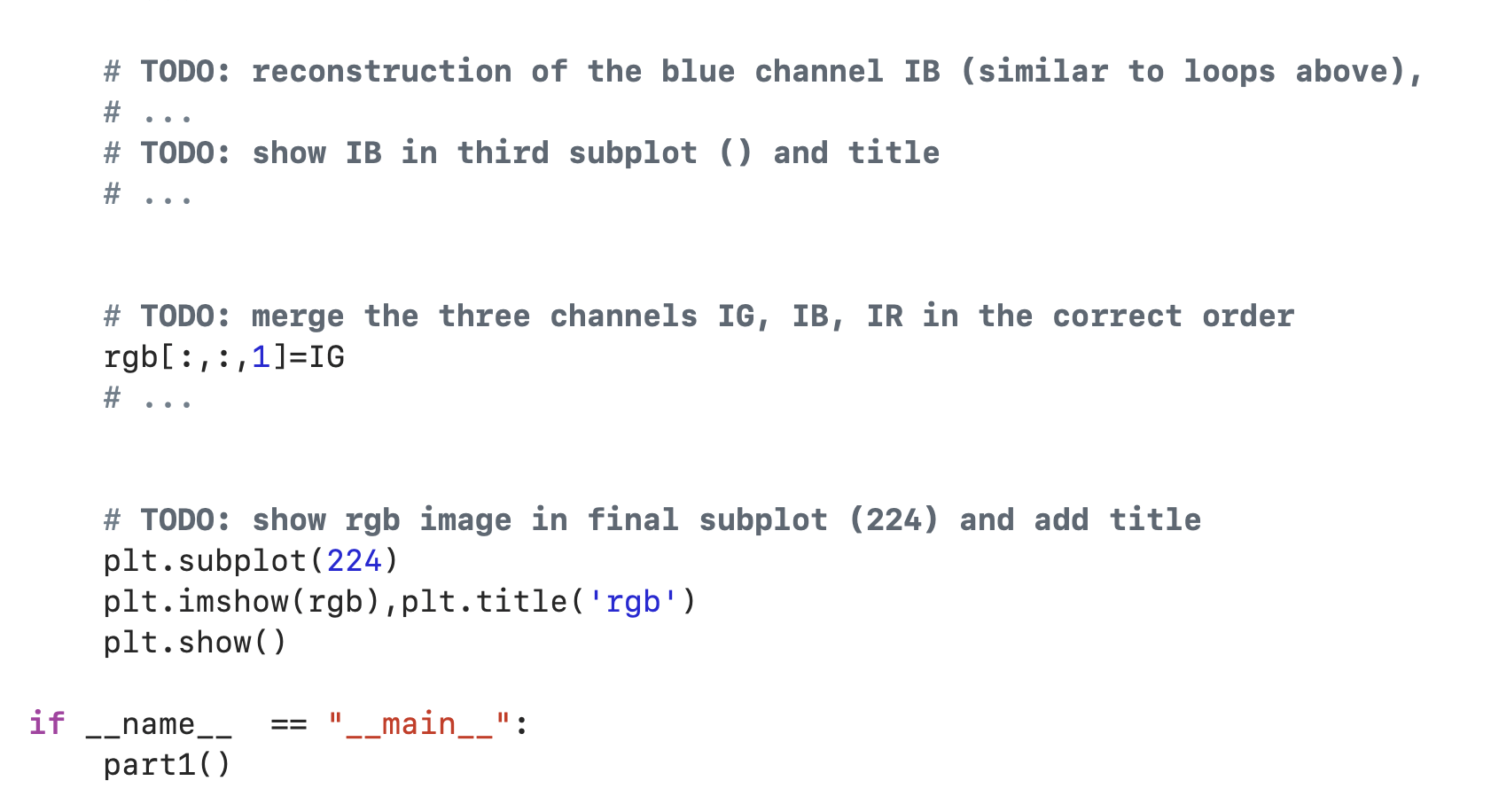
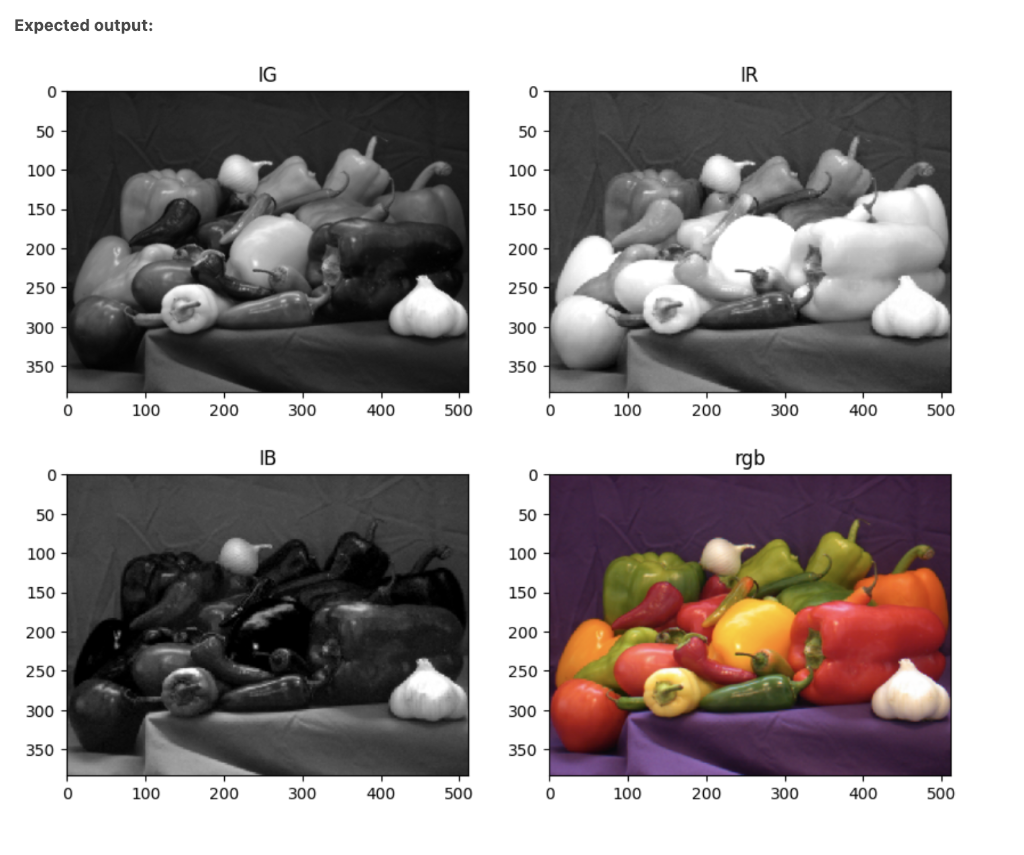
(1) BasicBayer (25\%): In this part we reconstruct this RGB color image (this original color image is only for your reference, you will not use it inside your code) given a corresponding Bayer pattern image (your code takes the Bayer pattern as input). The Bayer pattern used is GRBG. In this part, the task is to reconstruct green, red and blue channels from the Bayer pattern image. The reconstruction of channels should be done using these Green, Red, and Blue image masks, where black color has been used for valid entries, and the white for empty entries. These masks together form the Bayer color pattern, viz., GRBG. You should complete the provided template python script. Interpolate the empty entries in the reconstructed green, red and blue channels independently of each other. Call the channels IG,IR, andIB respectively. Next, combine these channels into a full RGB color image and display this image. The details about Bayer filter and the reconstruction process are provided in the presentation Bayer Filter and Demosaicing.pdf. You can also refer to the Wikipedia pages on Bayer filter and demosaicing. In case you are interested in even more details, here's a nice reference: http://www.site.uottawa.ca/ edubois/lslcd/ Note: In this assignment, you will implement a modified version of the interpolation algorithm, where values from all valid neighbours (shaded pixels in the mask) are averaged. As a simple scheme of pixel interpolation, you can follow these rules: - For reconstruction of the green channel IG1 note with respect to the pattern Green that the green channel value at location B can be interpolated as:B = (A+C+F)/3. Similarly, D=(C+H)/2. For interpolating the green channel value at location G, use G=(F+C+H+K)/4, etc. - For reconstruction of the red channel IR, with respect to the pattern R Red, use these rules of interpolation: C=(B+D)/2,F=(B+J)/2,G=(B+D+L+J)/4, etc. Note that for the red channel here, the first column and the last row are entirely empty. You need to fill them in by copying the second column and the second last row, respectively. - For reconstruction of the blue channel IB with respect to the pattern Blue, use these rules: F=(E+G)/2,I=(E+M)/2,J=(E+G+O+M)/4, etc. Notice that here the last column and the first row are entirely empty. So, fill them by copying to the second row and the last but one column, respectively. \# TODO: reconstruction of the blue channel IB (similar to loops above) \#.. \# TODO: show IB in third subplot () and title \# ... \# TODO: merge the three channels IG, IB, IR in the correct order rgb[:,:,1]=IG \# ... \# TODO: show rgb image in final subplot (224) and add title plt.subplot(224) plt.imshow(rgb),plt.title('rgb') plt.show() f name__== "_main_" : part1() Expected output
Step by Step Solution
There are 3 Steps involved in it

Get step-by-step solutions from verified subject matter experts
 Study Help