







Question: 1 Chapter 5 Using Excel 2 3 P5-48 Using Excel to prepare a multi-step income statement 5 6 Cougar Mountain Sports has prepared an adjusted
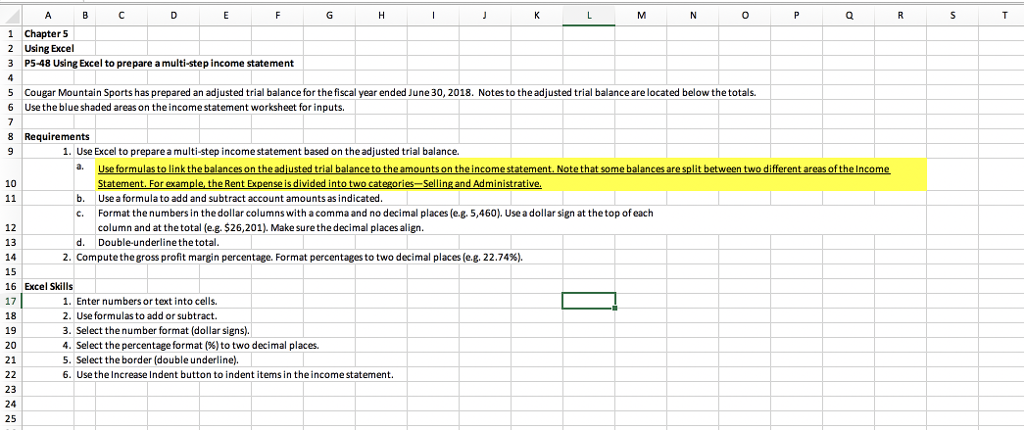
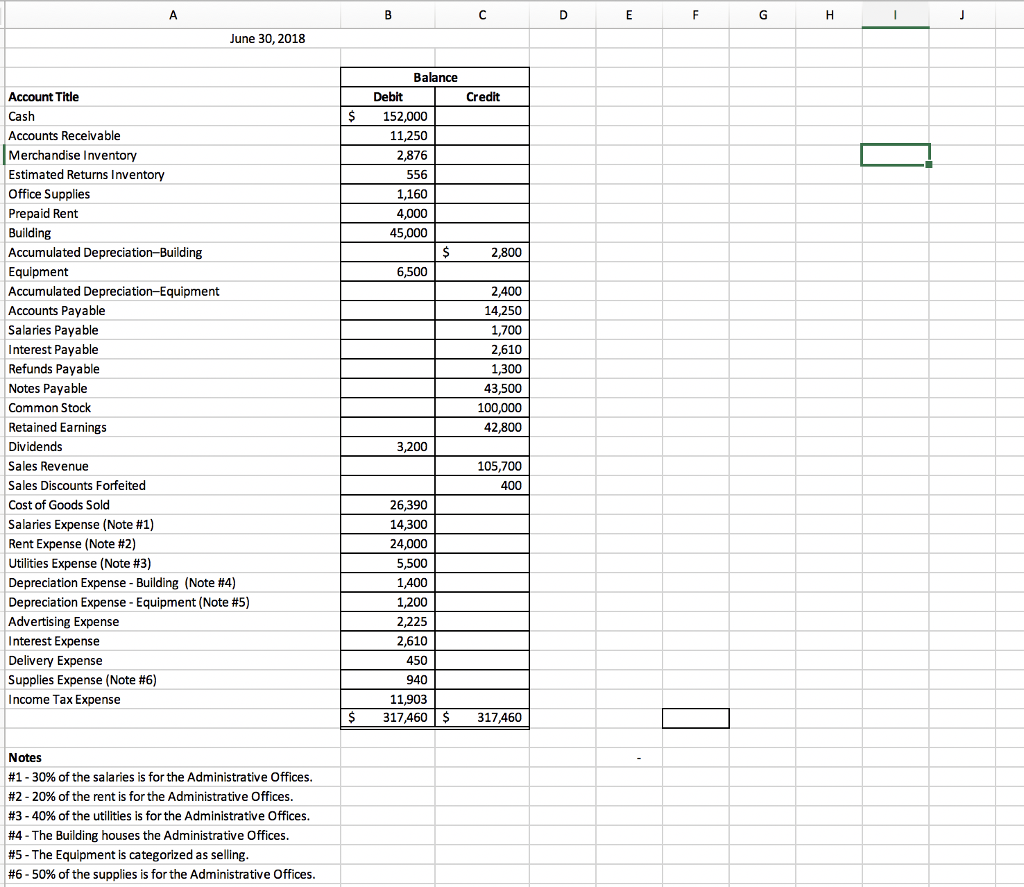
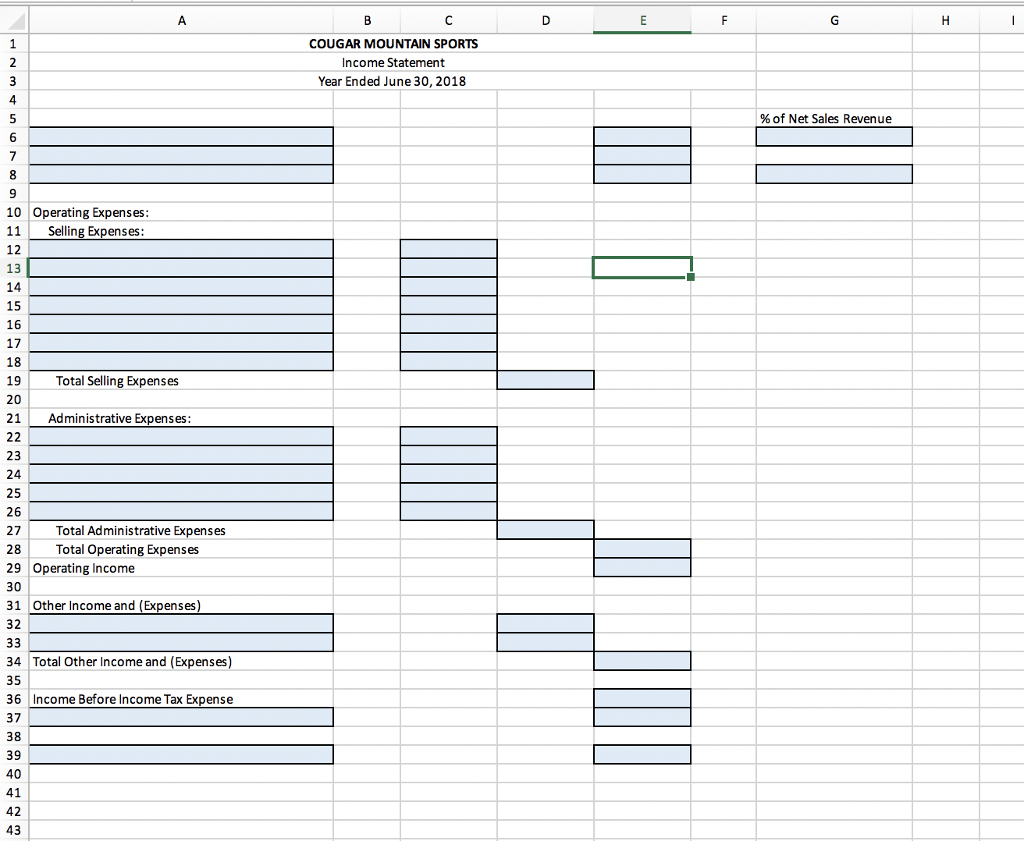
1 Chapter 5 Using Excel 2 3 P5-48 Using Excel to prepare a multi-step income statement 5 6 Cougar Mountain Sports has prepared an adjusted trial balance for the fiscal year ended June 30, 2018. Notes to the adjusted trial balance are located below the totals. Usethe blue shaded areas on the income statement worksheet for inputs 8 Requirements 1. Use Excel to preparea multi-step income statement based on the adjusted trial balance. 10 b. Use a formula to add and subtract account amounts as indicated c. Format the numbers in the dollar columns with a comma and no decimal places (e5,460) Use a dollar sign at thetop of each d. Double-underline the total column and at thetotal (e.g. $26,2011. Make surethe decimal places align. 12 13 14 15 16 Excel Skills 17 18 19 20 21 2. Computethe gross profit margin percentage. Format percentages to two decimal places (eg, 22.74%). 1. Enter numbers or text into cells 2. Use formulas to add or subtract. 3. Select the number format (dollar signs). 4. Select the percentage format (6) to two decimal places. 5. Select the border (double underline) 6. Use the Increase Indent button to indent items in the income statement. 23 24 25
Step by Step Solution
There are 3 Steps involved in it

Get step-by-step solutions from verified subject matter experts
 Study Help