







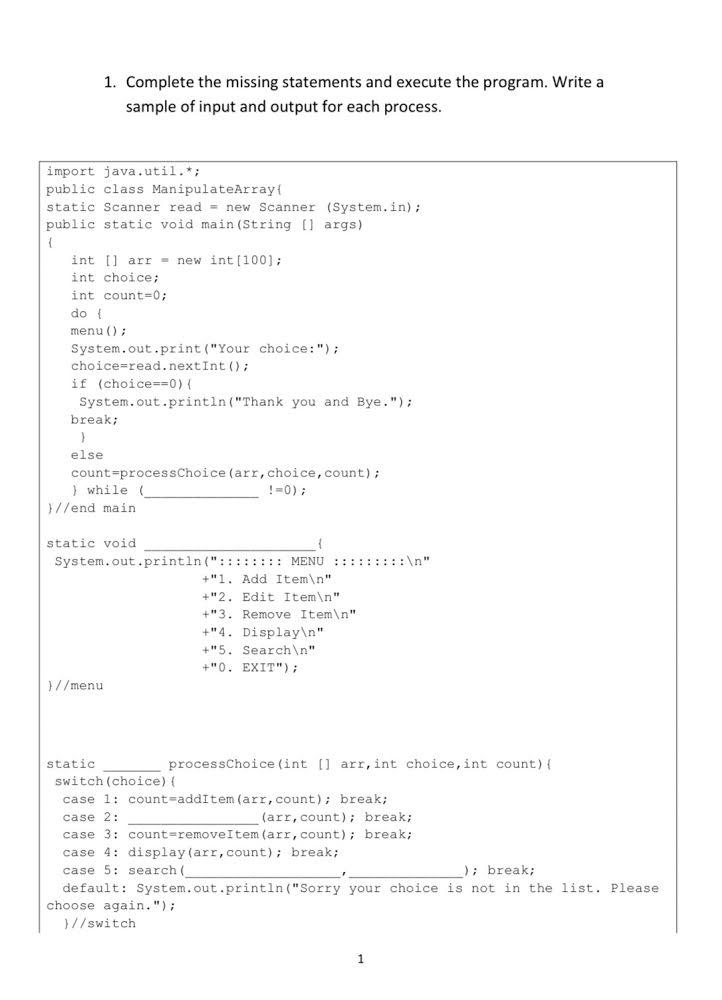
Question: 1. Complete the missing statements and execute the program. Write a sample of input and output for each process. import java.util.*; public class ManipulateArray static
![ManipulateArray static Scanner read = new Scanner (System.in); public static void main(String[]](https://dsd5zvtm8ll6.cloudfront.net/si.experts.images/questions/2024/09/66f3124b9c69b_96366f3124b2d405.jpg)
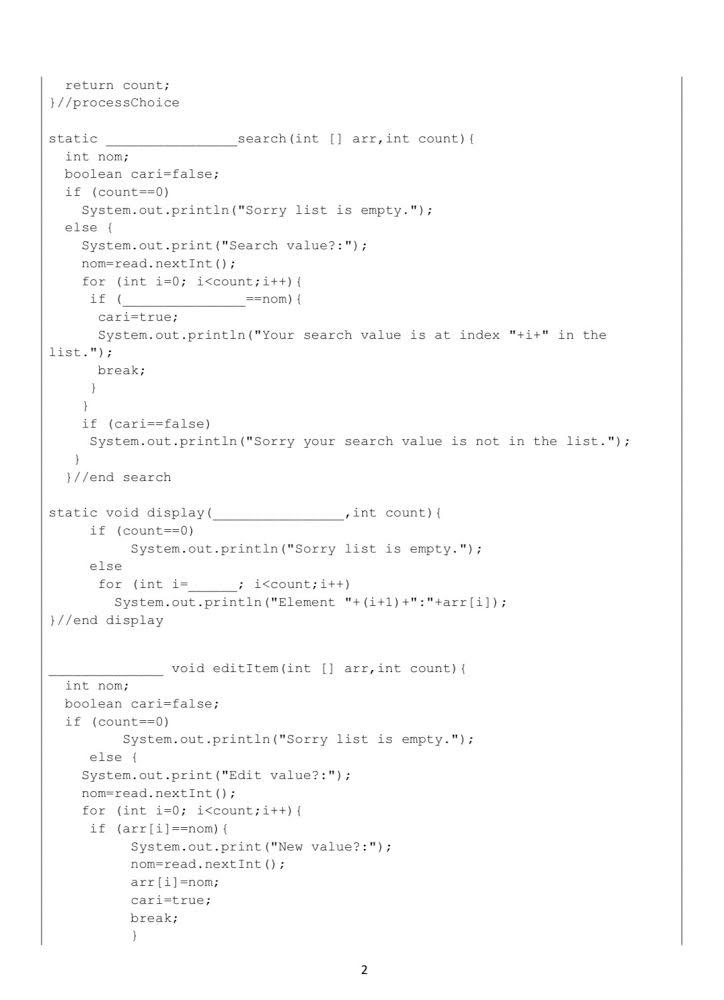
1. Complete the missing statements and execute the program. Write a sample of input and output for each process. import java.util.*; public class ManipulateArray static Scanner read = new Scanner (System.in); public static void main(String[] args) int Il arr = new int[100); int choice; int count=0; do menu(); System.out.print("Your choice:"); choice=read.nextInt(); if (choice==0) { System.out.println("Thank you and Bye."); break; > else count=processChoice (arr, choice, count); } while !=0); }//end main static void System.out.println(": : : : : : : : MENU ::::::::: " +"1. Add Item " +"2. Edit Item " +"3. Remove Item " +"4. Display " +15. Search " +"0. EXIT"); }//menu static processChoice (int[] arr, int choice, int count) { switch(choice) { case 1: count=addItem(arr, count); break; case 2: (arr, count); break; case 3: count=removeItem(arr,count); break; case 4: display(arr,count); break; case 5: search ); break; default: System.out.println("Sorry your choice is not in the list. Please choose again."); }//switch 1 return count; //processChoice static search (int[] arr, int count) { int nom; boolean cari=false; if (count=0) System.out.println("Sorry list is empty."); else System.out.print("Search value?:"); nom=read.nextInt(); for (int i=0; i
Step by Step Solution
There are 3 Steps involved in it

Get step-by-step solutions from verified subject matter experts
 Study Help