







Question: 1. Consider the following Java program, which consists of the class Spends. Notice this defines getSpend, is Amount and tostring methods. Remember that Integer.parseInt
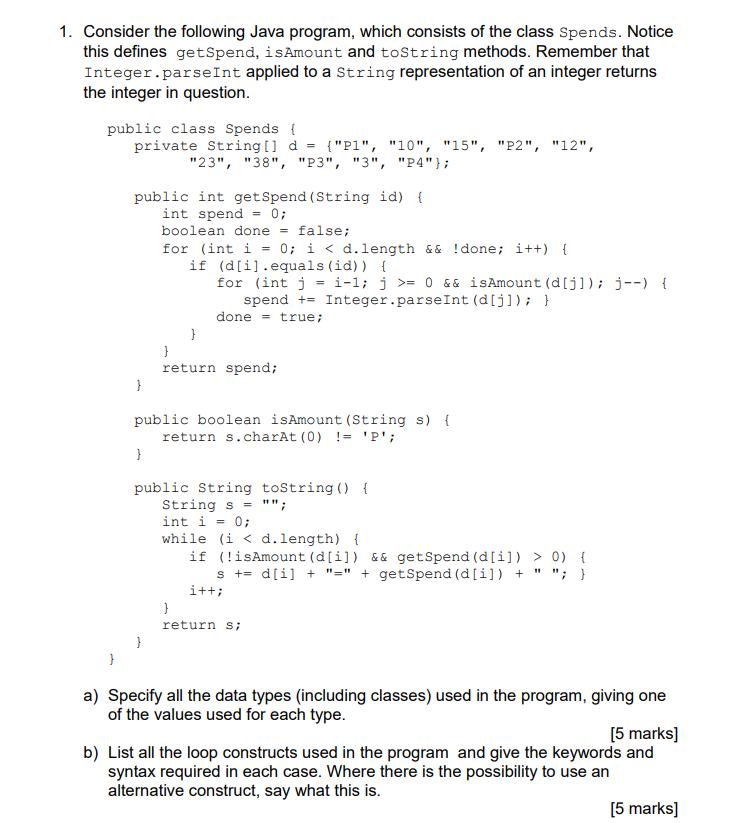
1. Consider the following Java program, which consists of the class Spends. Notice this defines getSpend, is Amount and tostring methods. Remember that Integer.parseInt applied to a string representation of an integer returns the integer in question. public class Spends { private String[] d = {"P1", "10", "15", "P2", "12", "23", "38", "P3", "3", "P4"}; } public int getSpend (String id) { int spend = 0; boolean done = false; } } for (int i = 0; i < d.length && !done; i++) { if (d[i].equals(id)) { for (int j=i-1; j >= 0 &&isAmount (d[j]); j--) { spend +Integer.parseInt (d[j]); } done= true; public boolean isAmount (String s) { return s.charAt(0) != 'P'; } } return spend; } public String toString () { String s= ""; int i = 0; while (i < d.length) { if (!isAmount (d[i]) && getSpend (d[i]) > 0) { s += d[i] + "=" + getSpend (d[i]) + " "; } i++; } return s; a) Specify all the data types (including classes) used in the program, giving one of the values used for each type. [5 marks] b) List all the loop constructs used in the program and give the keywords and syntax required in each case. Where there is the possibility to use an alternative construct, say what this is. [5 marks]
Step by Step Solution
There are 3 Steps involved in it
a Data types used in the program 1 Class Spends userdefined class 2 ... View full answer

Get step-by-step solutions from verified subject matter experts
 Study Help