







Question: 1 Convert the Range A4:J16 to a table with the table style Table Style Light 19 2 Restrict cells n range AS.A16 to allow only
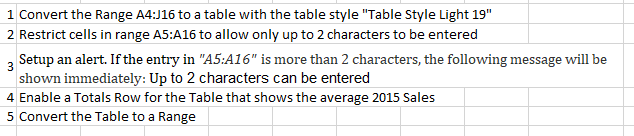
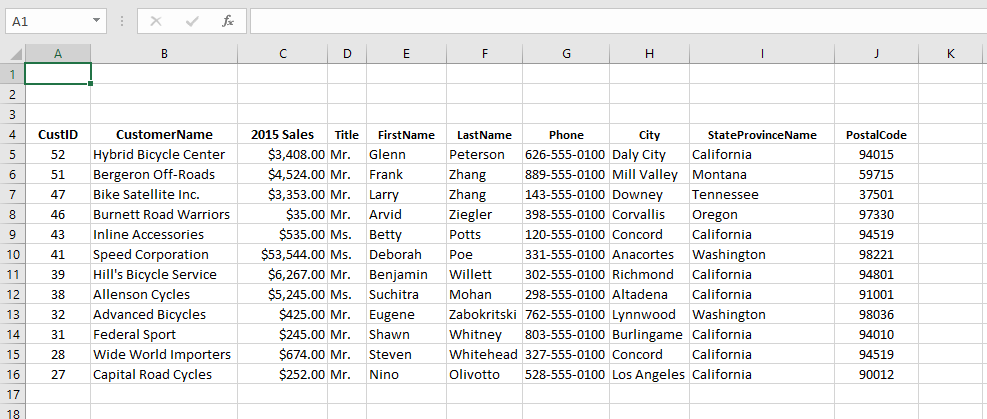
1 Convert the Range A4:J16 to a table with the table style "Table Style Light 19" 2 Restrict cells n range AS.A16 to allow only up to 2 characters to be entered 3 Setup an alert. If the entry in "A5:A16" is more than 2 characters, the following message will be shown immediately: Up to 2 characters can be entered 4 Enable a Totals Row for the Table that shows the average 2015 Sales 5 Convert the Table to a Range
Step by Step Solution
There are 3 Steps involved in it
1 Expert Approved Answer
Step: 1 Unlock

Question Has Been Solved by an Expert!
Get step-by-step solutions from verified subject matter experts
Step: 2 Unlock
Step: 3 Unlock
 Study Help