







Question: . . 1. Create a Python program to save the following player statistics for the home baseball team: Player First and Last Name character string
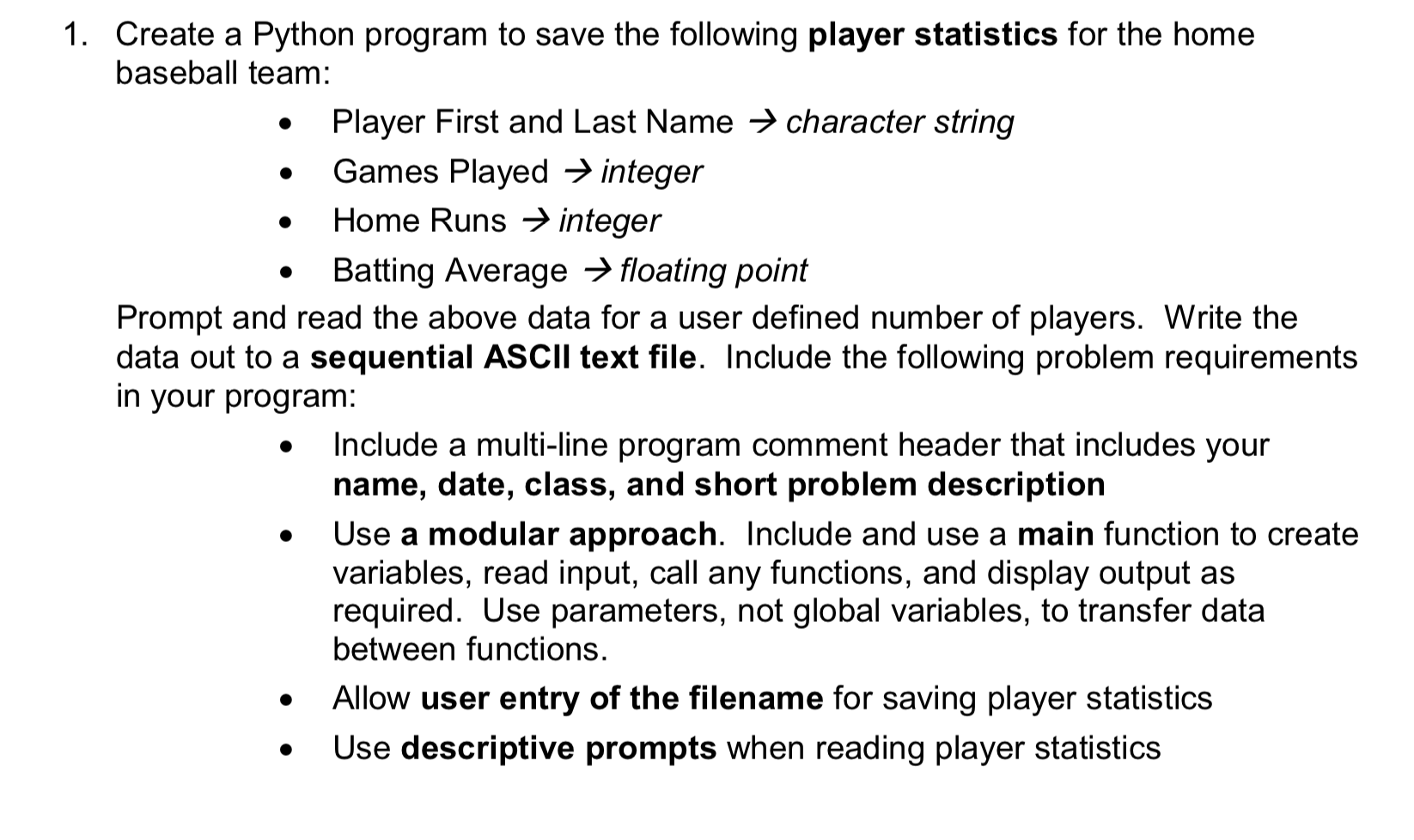
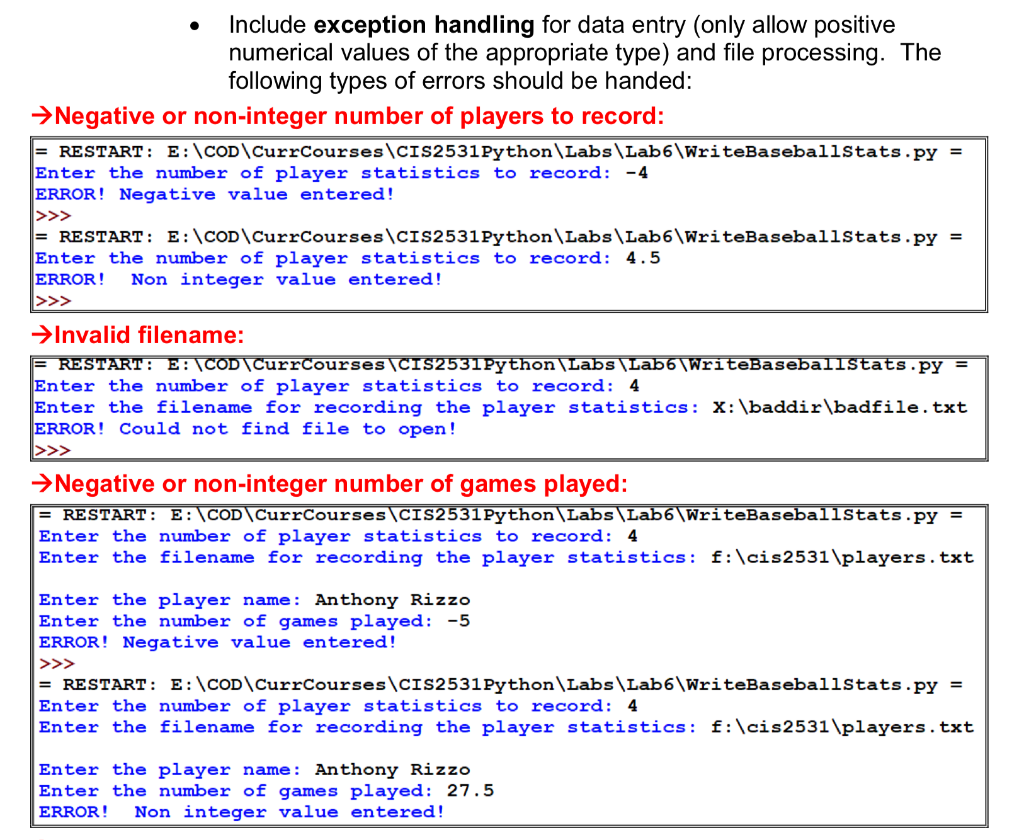
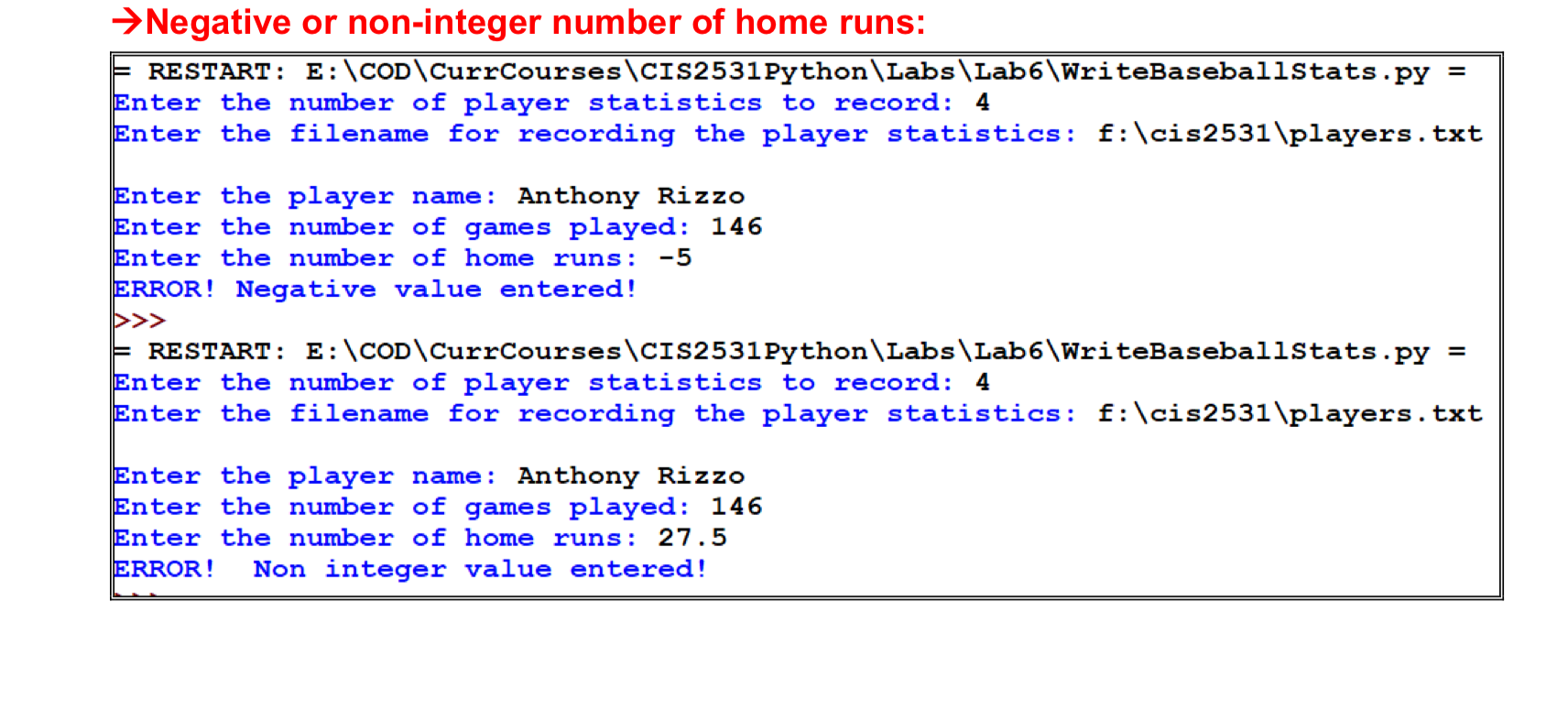
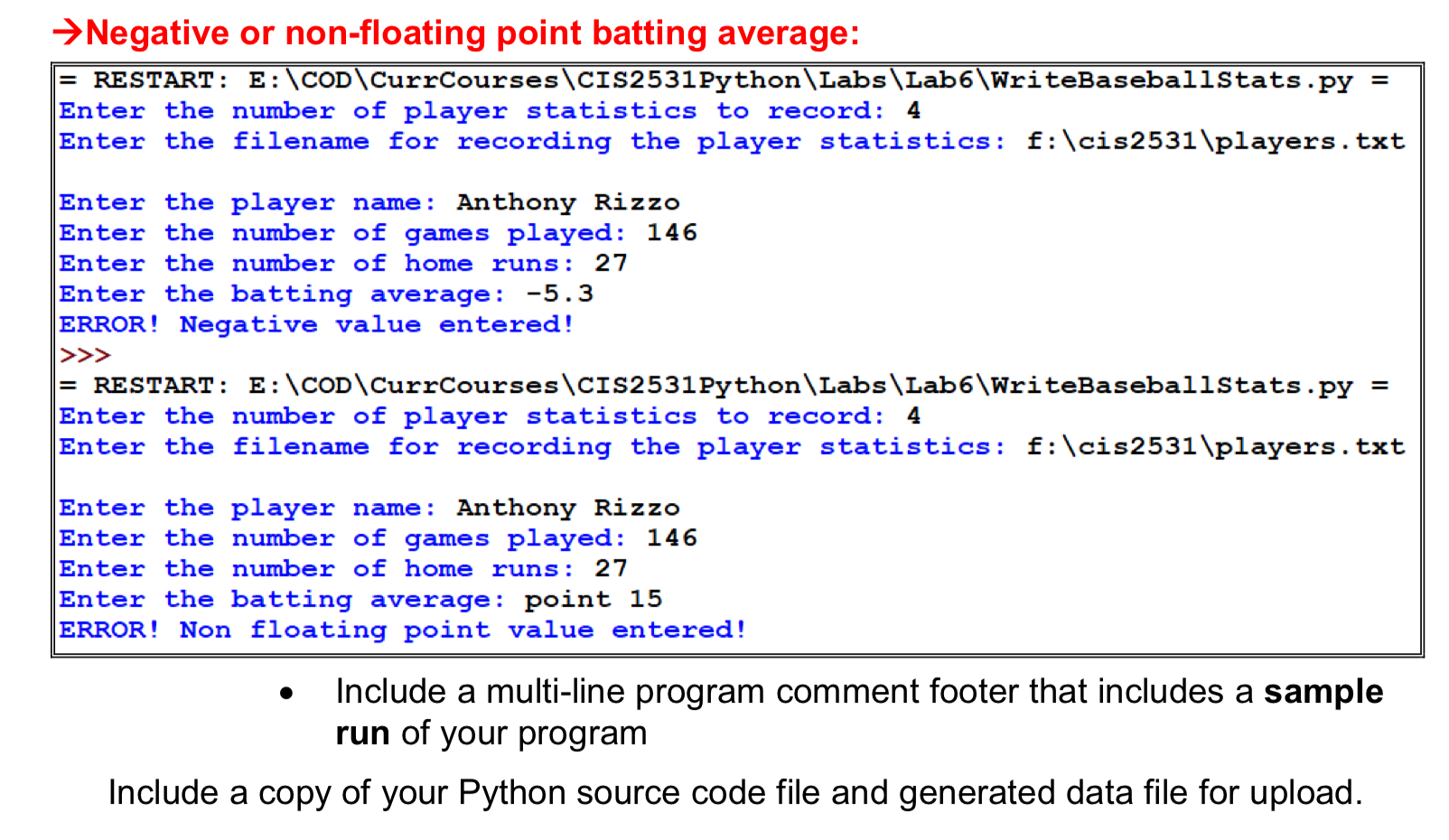
. . 1. Create a Python program to save the following player statistics for the home baseball team: Player First and Last Name character string Games Played integer Home Runs integer Batting Average floating point Prompt and read the above data for a user defined number of players. Write the data out to a sequential ASCII text file. Include the following problem requirements in your program: Include a multi-line program comment header that includes your name, date, class, and short problem description Use a modular approach. Include and use a main function to create variables, read input, call any functions, and display output as required. Use parameters, not global variables, to transfer data between functions. Allow user entry of the filename for saving player statistics Use descriptive prompts when reading player statistics . Include exception handling for data entry (only allow positive numerical values of the appropriate type) and file processing. The following types of errors should be handed: Negative or non-integer number of players to record: = RESTART: E:\COD\CurrCourses\CIS2531Python\Labs Lab6\WriteBaseballstats.py = Enter the number of player statistics to record: -4 ERROR! Negative value entered! = RESTART: E:\COD\CurrCourses\CIS2531Python\Labs\Lab6\WriteBaseballstats.py = Enter the number of player statistics to record: 4.5 ERROR! Non integer value entered! >Invalid filename: F RESTART: E: COD\CurrCourses CIS2531Python\Labs\Lab6\WriteBaseballStats.py = Enter the number of player statistics to record: 4 Enter the filename for recording the player statistics: X: \baddir\badfile.txt ERROR! Could not find file to open! Negative or non-integer number of games played: = RESTART: E: COD\CurrCourses CIS2531Python\Labs\Lab6\WriteBaseballstats.py = Enter the number of player statistics to record: 4 Enter the filename for recording the player statistics: f:\cis2531\players.txt Enter the player name: Anthony Rizzo Enter the number of games played: -5 ERROR! Negative value entered! >>> = RESTART: E:\COD\CurrCourses\CIS2531Python Labs Lab6\WriteBaseballstats.py = Enter the number of player statistics to record: 4 Enter the filename for recording the player statistics: f:\cis2531\players.txt Enter the player name: Anthony Rizzo Enter the number of games played: 27.5 ERROR! Non integer value entered! Negative or non-integer number of home runs: F RESTART: E:\COD\CurrCourses\CIS2531Python\Labs\Lab6\WriteBaseballStats.py = Enter the number of player statistics to record: 4 Enter the filename for recording the player statistics : F:\cis2531\players.txt Enter the player name: Anthony Rizzo Enter the number of games played: 146 Enter the number of home runs: -5 ERROR! Negative value entered! >>> E RESTART: E:\COD\CurrCourses\CIS2531Python\Labs\Lab6\WriteBaseballStats.py Enter the number of player statistics to record: 4 Enter the filename for recording the player statistics: f:\cis2531\players.txt Enter the player name : Anthony Rizzo Enter the number of games played: 146 Enter the number of home runs : 27.5 ERROR! Non integer value entered! Negative or non-floating point batting average: = RESTART: E:\COD\CurrCourses CIS2531Python\Labs\Lab6\WriteBaseballStats.py = Enter the number of player statistics to record: 4 Enter the filename for recording the player statistics: f:\cis2531\players.txt Enter the player name: Anthony Rizzo Enter the number of games played: 146 Enter the number of home runs: 27 Enter the batting average: -5.3 ERROR! Negative value entered! >>> = RESTART: E:\COD\CurrCourses\CIS2531Python\Labs\Lab6\WriteBaseballstats.py = Enter the number of player statistics to record: 4 Enter the filename for recording the player statistics: f:\cis2531\players.txt Enter the player name : Anthony Rizzo Enter the number of games played: 146 Enter the number of home runs: 27 Enter the batting average: point 15 ERROR! Non floating point value entered! Include a multi-line program comment footer that includes a sample run of your program Include a copy of your Python source code file and generated data file for upload
Step by Step Solution
There are 3 Steps involved in it

Get step-by-step solutions from verified subject matter experts
 Study Help