







Question: (1) Create three files to submit: Item ToPurchase.h - Class declaration Item ToPurchase.cpp - Class definition main.cpp - main() function Build the Item ToPurchase class
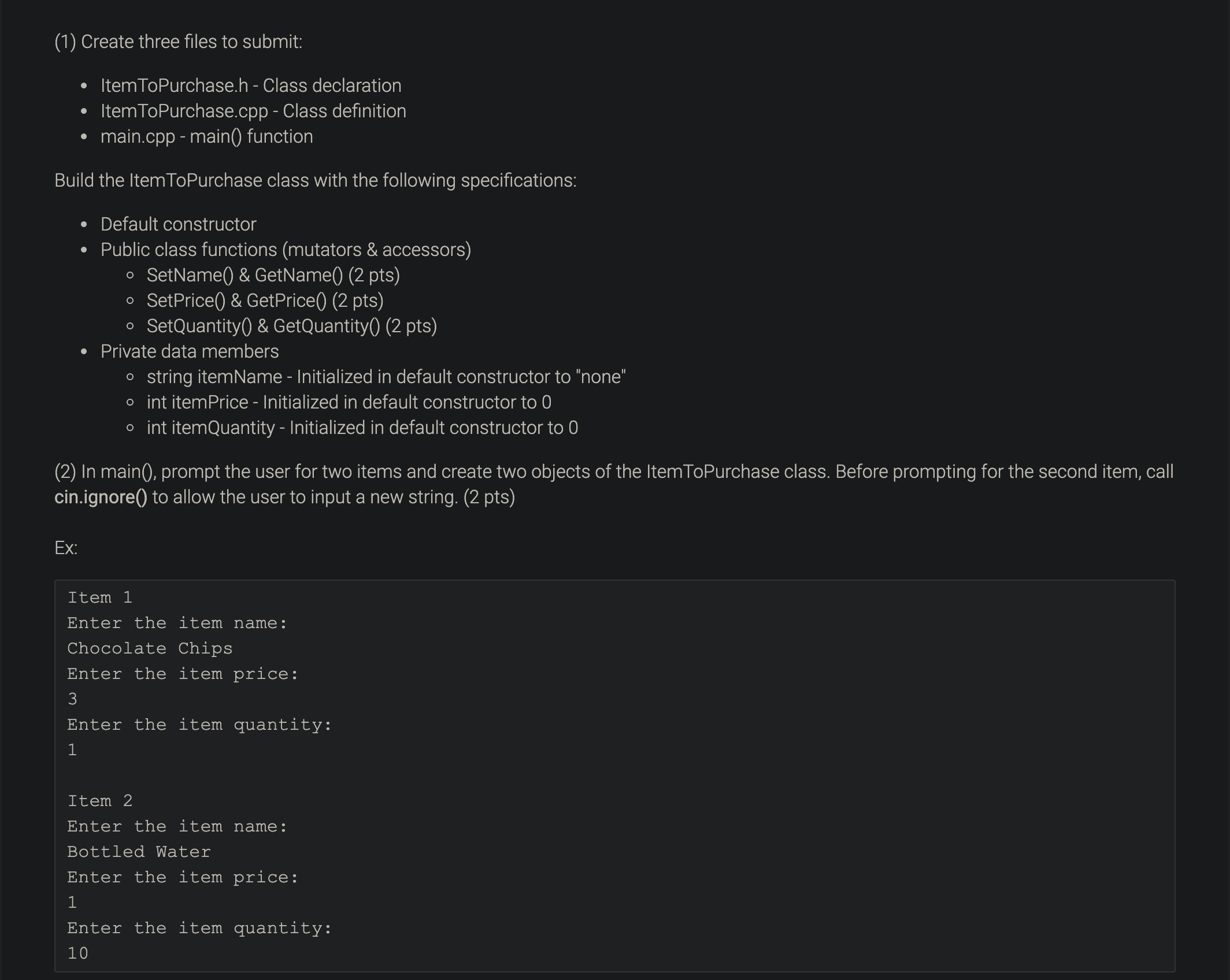
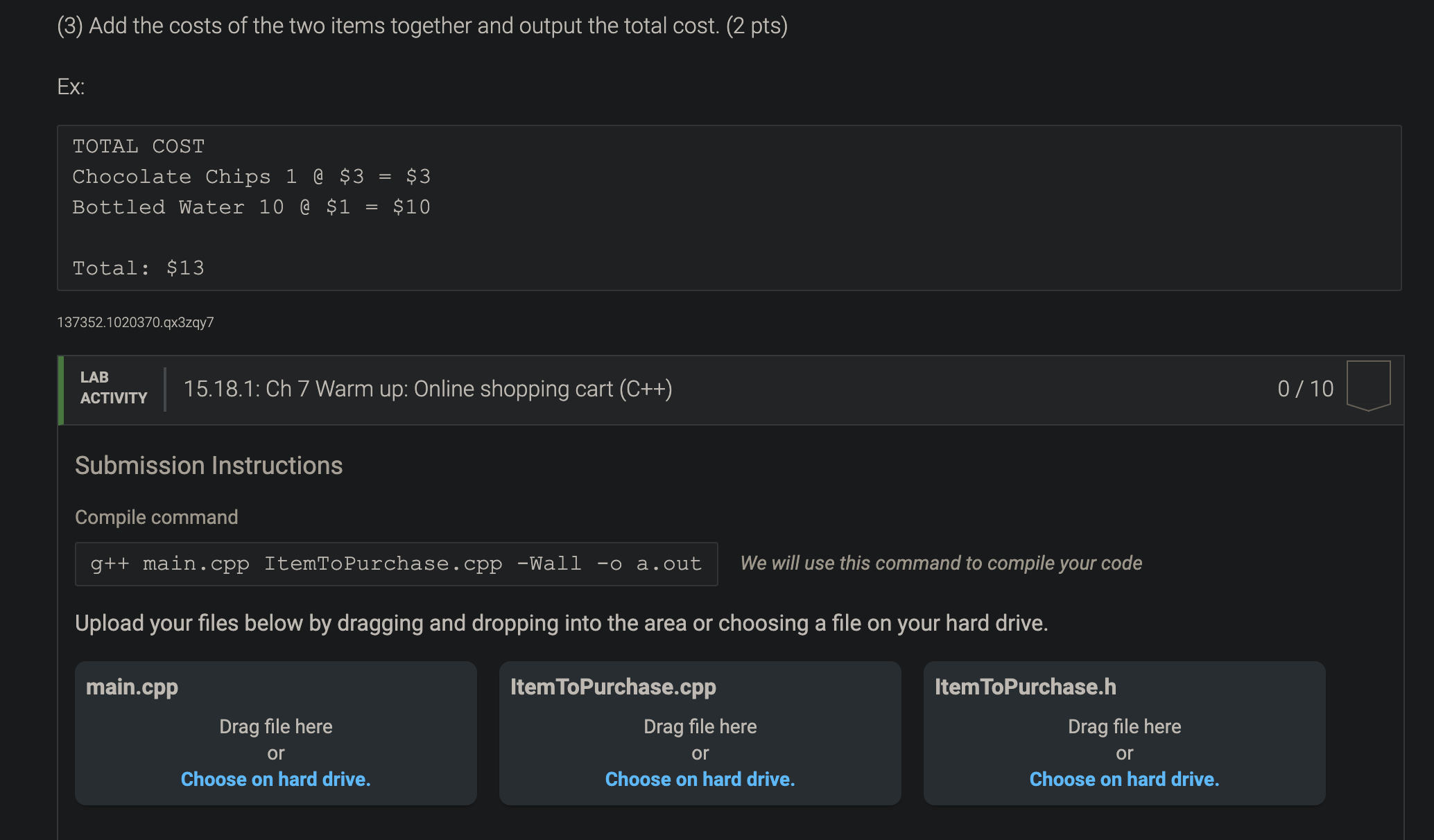
(1) Create three files to submit: Item ToPurchase.h - Class declaration Item ToPurchase.cpp - Class definition main.cpp - main() function Build the Item ToPurchase class with the following specifications: . Default constructor Public class functions (mutators & accessors) o SetName() & GetName() (2 pts) . SetPrice() & GetPrice() (2 pts) . SetQuantity() & GetQuantity() (2 pts) Private data members . string itemName - Initialized in default constructor to "none" o int itemPrice - Initialized in default constructor to 0 . int itemQuantity - Initialized in default constructor to 0 (2) In main(), prompt the user for two items and create two objects of the Item ToPurchase class. Before prompting for the second item, call cin.ignore() to allow the user to input a new string. (2 pts) Ex: Item 1 Enter the item name: Chocolate Chips Enter the item price: B Enter the item quantity: 1 Item 2 Enter the item name : Bottled Water Enter the item price: 1 Enter the item quantity: 10(3) Add the costs of the two items together and output the total cost. (2 pts) EX: TOTAL COST Chocolate Chips 1 @ $3 = $3 Bottled Water 10 @ $1 = $10 Total: $13 137352.1020370.qx3zqy7 LAB ACTIVITY 15.18.1: Ch 7 Warm up: Online shopping cart (C++) 0 / 10 Submission Instructions Compile command g++ main . cpp ItemToPurchase . cpp -Wall -o a . out We will use this command to compile your code Upload your files below by dragging and dropping into the area or choosing a file on your hard drive. main.cpp Item ToPurchase.cpp Item ToPurchase.h Drag file here Drag file here Drag file here or or or Choose on hard drive. Choose on hard drive. Choose on hard drive
Step by Step Solution
There are 3 Steps involved in it

Get step-by-step solutions from verified subject matter experts
 Study Help