







Question: 1 Creating a Bookshelf Class We will store our books in a Bookshelf class. Your Bookshelf will consist of an array of Book objects. It
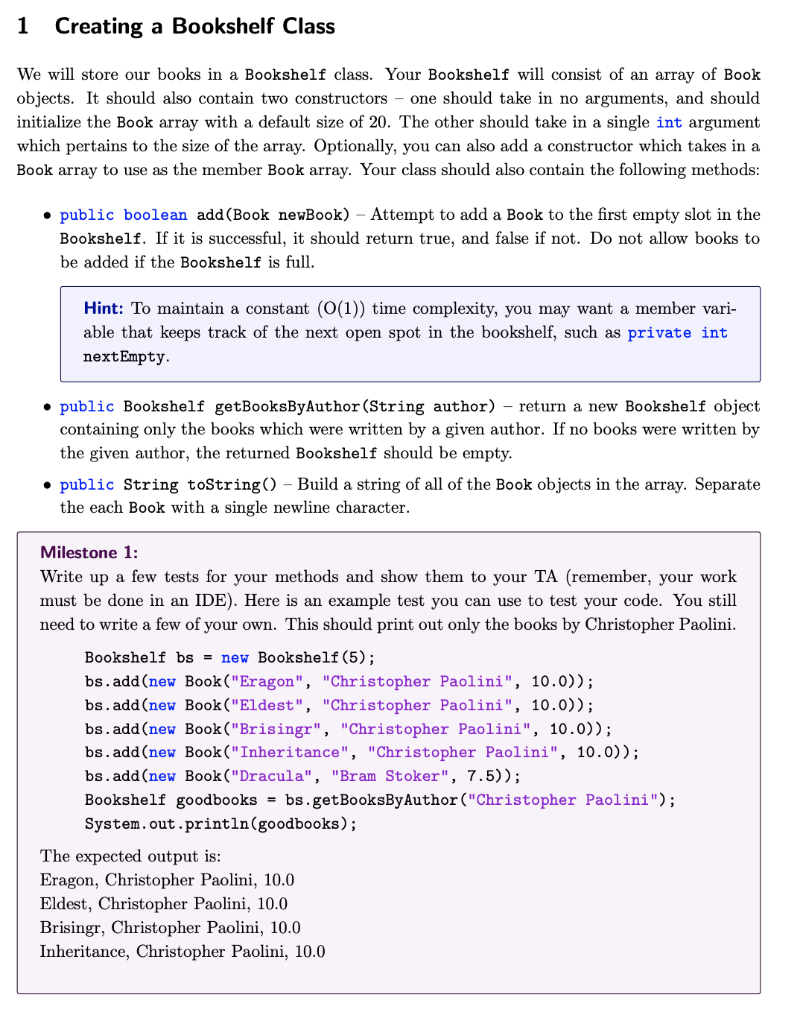
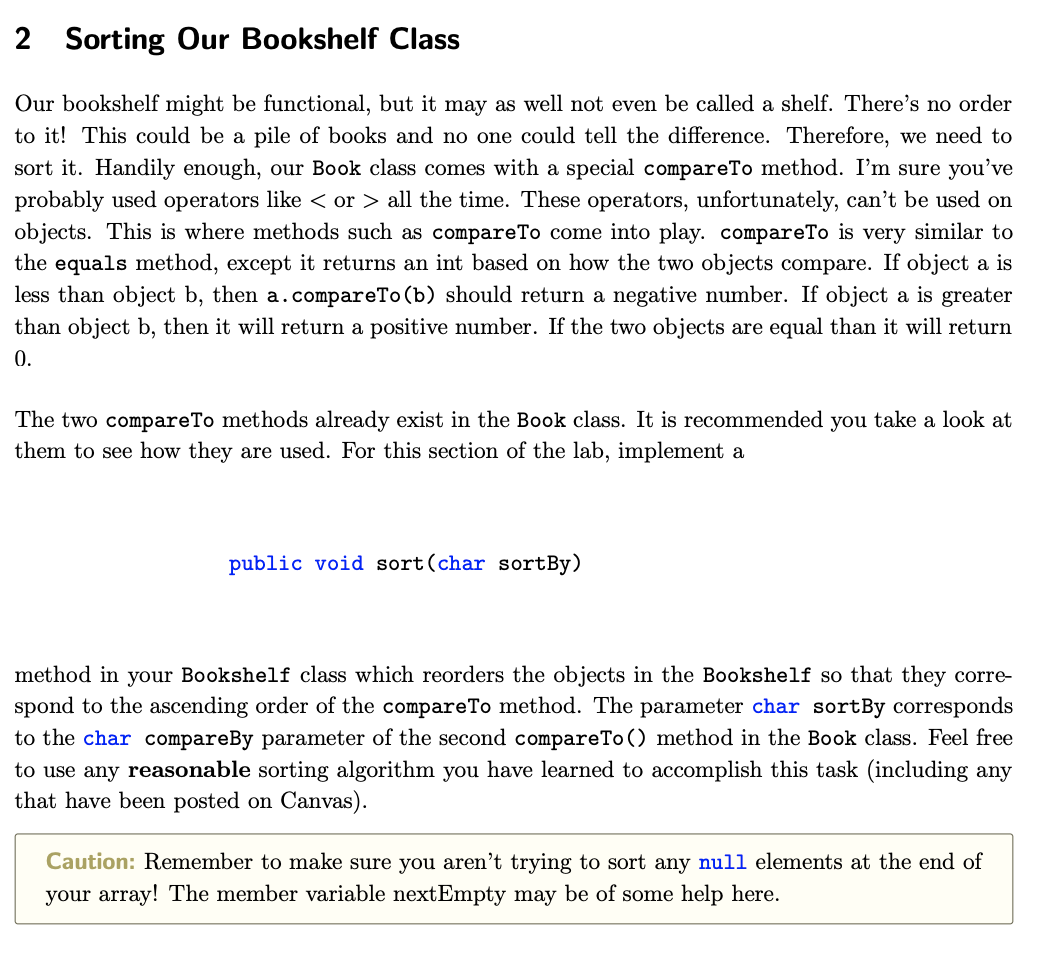
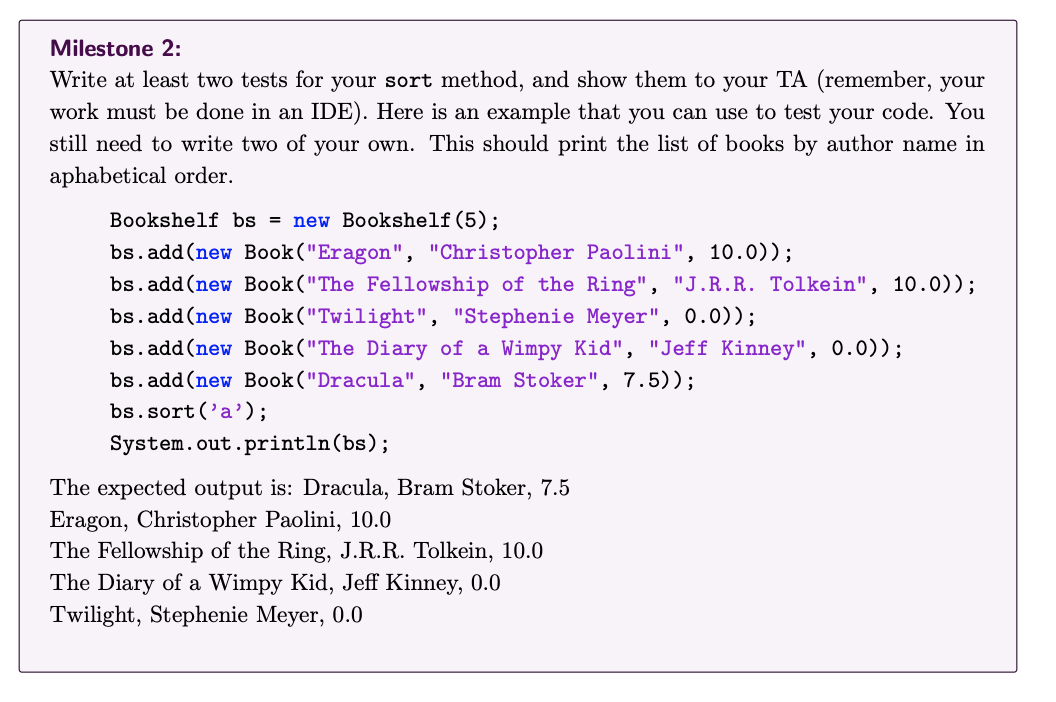


1 Creating a Bookshelf Class We will store our books in a Bookshelf class. Your Bookshelf will consist of an array of Book objects. It should also contain two constructors - one should take in no arguments, and should initialize the Book array with a default size of 20 . The other should take in a single int argument which pertains to the size of the array. Optionally, you can also add a constructor which takes in a Book array to use as the member Book array. Your class should also contain the following methods: - public boolean add(Book newBook) - Attempt to add a Book to the first empty slot in the Bookshelf. If it is successful, it should return true, and false if not. Do not allow books to be added if the Bookshelf is full. Hint: To maintain a constant (O(1)) time complexity, you may want a member variable that keeps track of the next open spot in the bookshelf, such as private int nextEmpty. - public Bookshelf getBooksByAuthor(String author) - return a new Bookshelf object containing only the books which were written by a given author. If no books were written by the given author, the returned Bookshelf should be empty. - public String toString () - Build a string of all of the Book objects in the array. Separate the each Book with a single newline character. Milestone 1: Write up a few tests for your methods and show them to your TA (remember, your work must be done in an IDE). Here is an example test you can use to test your code. You still need to write a few of your own. This should print out only the books by Christopher Paolini. Bookshelf bs = new Bookshelf(5); bs.add(new Book("Eragon", "Christopher Paolini", 10.0)); bs.add(new Book("Eldest", "Christopher Paolini", 10.0)); bs.add(new Book("Brisingr", "Christopher Paolini", 10.0)); bs.add(new Book("Inheritance", "Christopher Paolini", 10.0)); bs.add(new Book("Dracula", "Bram Stoker", 7.5)); Bookshelf goodbooks = bs.getBooksByAuthor("Christopher Paolini"); System.out.println(goodbooks); The expected output is: Eragon, Christopher Paolini, 10.0 Eldest, Christopher Paolini, 10.0 Brisingr, Christopher Paolini, 10.0 Inheritance, Christopher Paolini, 10.0 2 Sorting Uur Bookshelt Class Our bookshelf might be functional, but it may as well not even be called a shelf. There's no order to it! This could be a pile of books and no one could tell the difference. Therefore, we need to sort it. Handily enough, our Book class comes with a special compareTo method. I'm sure you've probably used operators like all the time. These operators, unfortunately, can't be used on objects. This is where methods such as compareTo come into play. compareTo is very similar to the equals method, except it returns an int based on how the two objects compare. If object a is less than object b, then a.compareTo (b) should return a negative number. If object a is greater than object b, then it will return a positive number. If the two objects are equal than it will return 0. The two compareTo methods already exist in the Book class. It is recommended you take a look at them to see how they are used. For this section of the lab, implement a public void sort(char sortBy) method in your Bookshelf class which reorders the objects in the Bookshelf so that they correspond to the ascending order of the compareTo method. The parameter char sortBy corresponds to the char compareBy parameter of the second compareTo() method in the Book class. Feel free to use any reasonable sorting algorithm you have learned to accomplish this task (including any that have been posted on Canvas). Caution: Remember to make sure you aren't trying to sort any null elements at the end of your array! The member variable nextEmpty may be of some help here. Milestone 2: Write at least two tests for your sort method, and show them to your TA (remember, your work must be done in an IDE). Here is an example that you can use to test your code. You still need to write two of your own. This should print the list of books by author name in aphabetical order. Bookshelf bs = new Bookshelf(5); bs.add(new Book("Eragon", "Christopher Paolini", 10.0)); bs.add(new Book("The Fellowship of the Ring", "J.R.R. Tolkein", 10.0)); bs.add(new Book("Twilight", "Stephenie Meyer", 0.0)); bs.add(new Book("The Diary of a Wimpy Kid", "Jeff Kinney", 0.0)); bs.add(new Book("Dracula", "Bram Stoker", 7.5)); bs.sort('a'); System.out.println(bs); The expected output is: Dracula, Bram Stoker, 7.5 Eragon, Christopher Paolini, 10.0 The Fellowship of the Ring, J.R.R. Tolkein, 10.0 The Diary of a Wimpy Kid, Jeff Kinney, 0.0 Twilight, Stephenie Meyer, 0.0 Now we have a working Bookshelf class, and that's fantastic. However, hardcoding every book's title, author, and rating and then recompiling every time we want to make a change is incredibly time consuming. This is where file I/O comes in handy. Instead of hardcoding every book's information into our BookShelf, we can simply create a method that reads in that information from a file. Your task for this section is to create a BookshelfReader class and write two methods for it: - public static Bookshelf readBooksFromFile(String fileName) - public static void writeShelfToFile(Bookshelf b, String fileName) The class does not need a constructor or any other methods. The first method will take in a file name (such as the provided bookinput.txt) and create a new Bookshelf object containing all the books in the file. To write this method, you will need to import File and Scanner. An example setup for file input is listed below. Once you have a Scanner for the file, you can use it just as you would any other Scanner. You can assume all input files will be .csv files. You may also assume both the amount of books in any file is never greater than 20 and commas are never used as a part of a title or author name. If you don't know where to begin with this method, you may want to take a look at last week's lab again. The second method will take in a Bookshelf object and a file name (such as output.txt), anc rint out all of the books inside the Bookshelf to the file. You will need to import PrintWriter or this task. A PrintWriter object can be called with print or println methods, much like you rould call them on System. out. xample of using PrintWriter and Scanner on a File: Milestone 3: Write a main method which reads in a Bookshelf from bookinput.txt, sorts the bookshelf by rating, then writes it to output.txt (remember, your work must be done in an IDE). In this section of the lab we will introduce you to 2D arrays, which will be used in your second project. A 2D array is just an array of arrays. One way to declare a 2D array and initialize a 2D array can be seen in the following example: int [] [] tdArr = new int [5] [7] ; Here, tdArr is a two dimensional array of integers, with 5 rows and 7 columns. Accessing an index of tdArr like tdArr[i] allows us to access the ith row of of tdArr (this value would have type int []). Doing something like tdArr[i][j] accesses the integer at the ith row and jth column of tdArr. One important thing to keep in mind is that not all 2D arrays have equally sized rows; however, for this problem, you may assume this to be the case. Your goal is to write a Matrix class with the following methods and class variables: - private int nrows //the number of rows of the matrix - private int ncols //the number of columns of the matrix - private int[] [] matrix; //2D array which acts as the actual matrix for the clas: - public Matrix(int nrows, int ncols) - public Matrix(int [] [] arr) - public Matrix transpose() The first constructor takes in two arguments representing the number of rows and columns of the matrix. It initializes the matrix based on these values (java will automatically set every value in the 2D array to be zero) The second constructor takes in a 2D array and sets matrix to be equal to this 2D array. It also sets nrows and ncols according to the size of the input array. The transpose() method essentially returns a mirror image of your Matrix. The ith row of your matrix becomes the ith column of the return Matrix. This method should essentially work as follows: create a new Matrix that has nrows equal to the number of columns of your matrix and ncols equal to the number of rows of your matrix. Then, iterate through all the rows and columns of your matrix, setting each entry in the new matrix to be the same entry in your matrix, but with the order of the indices flipped. For example: newMatrix.matrix [j][i]=thismatrix[i][j] Milestone 4: Write a main method where you create a Matrix, print out its contents, and then print out the contents of its transpose by calling the transpose() method (a toString() method in your Matrix class may be helpful when printing the contents of a matrix (remember, your work must be done in an IDE). Example Output: - 123 - 456 - 789 Transposed: - 147 - 258 - 369
Step by Step Solution
There are 3 Steps involved in it

Get step-by-step solutions from verified subject matter experts
 Study Help