





Question: 1) Define a library mylib3 that connects to the data folder 2) Use the PROC PRINT step to do the following with data np_summary in
1) Define a library mylib3 that connects to the
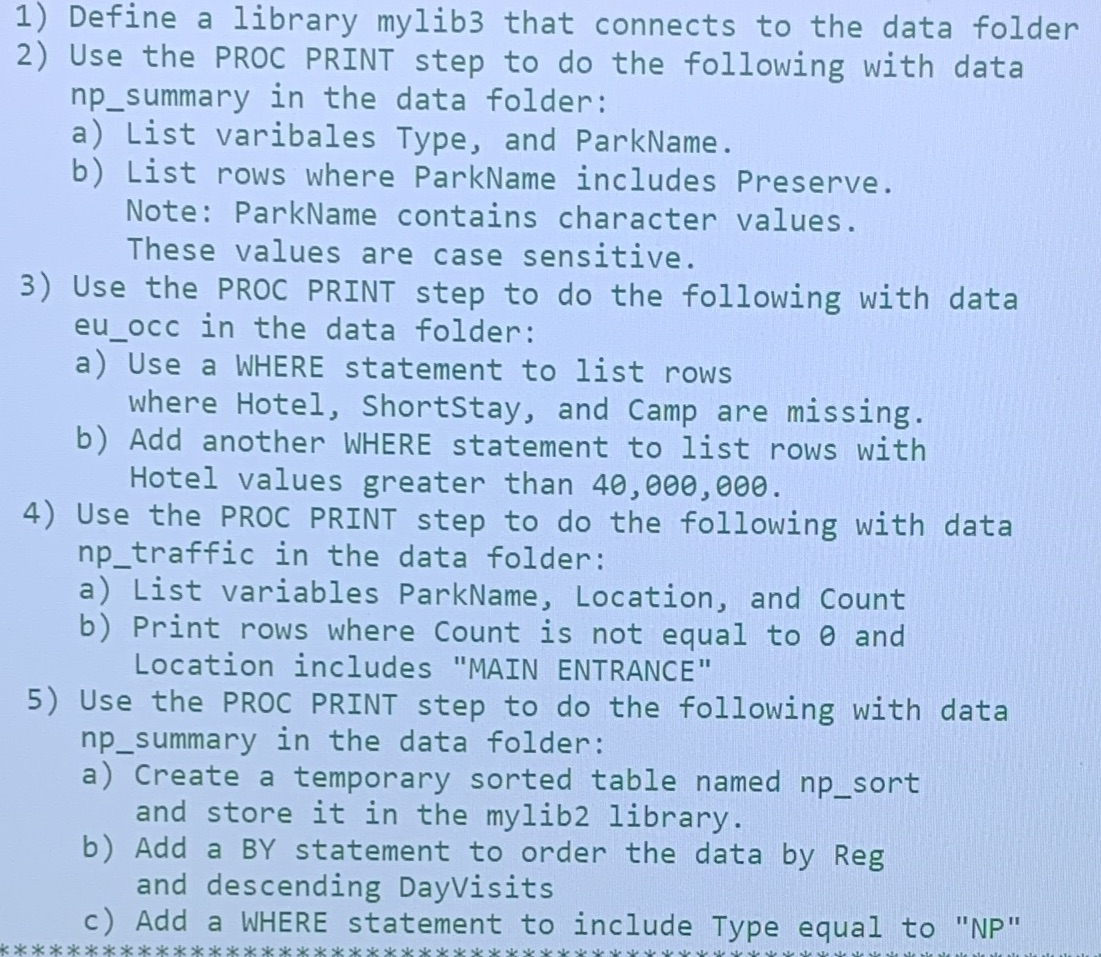
1) Define a library mylib3 that connects to the data folder 2) Use the PROC PRINT step to do the following with data np_summary in the data folder: a) List varibales Type, and ParkName. b) List rows where ParkName includes Preserve. Note: ParkName contains character values. These values are case sensitive. 3) Use the PROC PRINT step to do the following with data eu occ in the data folder: a) Use a WHERE statement to list rows where Hotel, ShortStay, and Camp are missing. b) Add another WHERE statement to list rows with Hotel values greater than 40, 000, 000. 4) Use the PROC PRINT step to do the following with data np_traffic in the data folder: a) List variables ParkName, Location, and Count b) Print rows where Count is not equal to 0 and Location includes "MAIN ENTRANCE" 5) Use the PROC PRINT step to do the following with data np_summary in the data folder: a) Create a temporary sorted table named np_sort and store it in the mylib2 library. b) Add a BY statement to order the data by Reg and descending DayVisits c ) Add a WHERE statement to include Type equal to "NP"

Step by Step Solution

There are 3 Steps involved in it

1 Expert Approved Answer
Step: 1 Unlock blur-text-image

Question Has Been Solved by an Expert!

Get step-by-step solutions from verified subject matter experts

Step: 2 Unlock
Step: 3 Unlock

Students Have Also Explored These Related Accounting Questions!