







Question: 1 Description The project will be implemented as three separate programs. There will be a logger responsible for logging all activity. There will be an
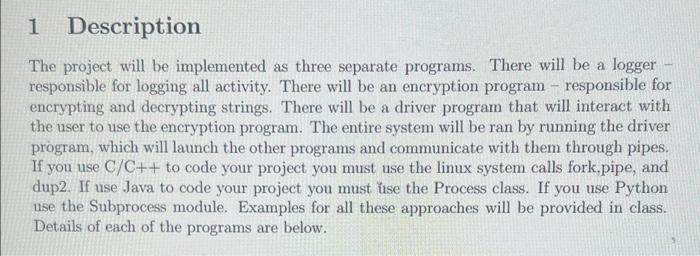
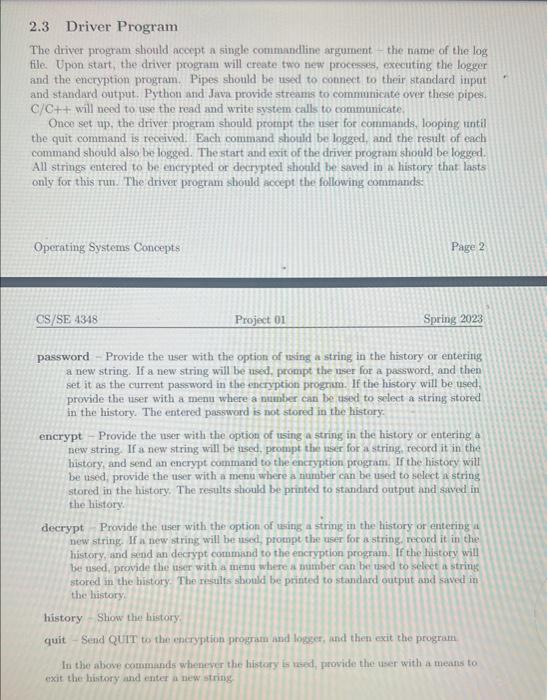
1 Description The project will be implemented as three separate programs. There will be a logger responsible for logging all activity. There will be an encryption program - responsible for encrypting and decrypting strings. There will be a driver program that will interact with the user to use the encryption program. The entire system will be ran by running the driver program, which will launch the other programs and communicate with them through pipes. If you use C/C++ to code your project you must use the linux system calls fork,pipe, and dup2. If use Java to code your project you must use the Process class. If you use Python use the Subprocess module. Examples for all these approaches will be provided in class. Details of each of the programs are below. 2.3 Driver Program The driver program should acoept a single commandline argument - the name of the log file. Upon start, the driver program will create two new processes, executing the logger and the encryption program. Pipes should be ueed to connect to their standard input and standard output. Python and Java provide streams to communicate over these pipes. C/Ct+ will need to use the read and write system calls to communicate. Once set up, the driver program should prompt the neer for commands, looping until the quit command is reccived. Each command shonld be logged, and the result of each command should also be logged. The start and exit of the driver program should be logged. All strings entered to be enerypted or decrypted shonld be saved in a history that lasts only for this run. The driver program should acept the following commands Operating Systems Concepts Page 2 CS/SE4348 Project 01 Spring 2023 password - Provide the user with the option of using a string in the history or entering a new string. If a new string will be used, prompt the user for a password, and then set it as the current password in the encryption prognm. If the history will be used, provide the user with a menu where a number can be used to select a string stored in the history. The entered password is not stored in the history. encrypt - Provide the user with the option of using a string in the history or entering a new string. If a new string will be used, prompt the neer for a string record it in the history and send an encrypt command to the encryption program. If the history will be used, provide the user with a menu where a number can be used to select in string stored in the history. The results should be printed to standard output and saved in the history. decrypt - Provide the user with the option of using a string in the history or entering a new string. If a new string will be used, prompt the user for a string. mecord it in the history, and send an decrypt command to the encryption program. If the histoty will be used, provide the user with a menu where a number can be usod to select a string stored in the history. The results should be printed to standard output and saved in the listory. history - Shiow the history. quit - Send QUTI to the encryption program and logges, and then exit the program In tho above commands wheneser the history is red, frovide the user with a means to exit the history and enter a new string 1 Description The project will be implemented as three separate programs. There will be a logger responsible for logging all activity. There will be an encryption program - responsible for encrypting and decrypting strings. There will be a driver program that will interact with the user to use the encryption program. The entire system will be ran by running the driver program, which will launch the other programs and communicate with them through pipes. If you use C/C++ to code your project you must use the linux system calls fork,pipe, and dup2. If use Java to code your project you must use the Process class. If you use Python use the Subprocess module. Examples for all these approaches will be provided in class. Details of each of the programs are below. 2.3 Driver Program The driver program should acoept a single commandline argument - the name of the log file. Upon start, the driver program will create two new processes, executing the logger and the encryption program. Pipes should be ueed to connect to their standard input and standard output. Python and Java provide streams to communicate over these pipes. C/Ct+ will need to use the read and write system calls to communicate. Once set up, the driver program should prompt the neer for commands, looping until the quit command is reccived. Each command shonld be logged, and the result of each command should also be logged. The start and exit of the driver program should be logged. All strings entered to be enerypted or decrypted shonld be saved in a history that lasts only for this run. The driver program should acept the following commands Operating Systems Concepts Page 2 CS/SE4348 Project 01 Spring 2023 password - Provide the user with the option of using a string in the history or entering a new string. If a new string will be used, prompt the user for a password, and then set it as the current password in the encryption prognm. If the history will be used, provide the user with a menu where a number can be used to select a string stored in the history. The entered password is not stored in the history. encrypt - Provide the user with the option of using a string in the history or entering a new string. If a new string will be used, prompt the neer for a string record it in the history and send an encrypt command to the encryption program. If the history will be used, provide the user with a menu where a number can be used to select in string stored in the history. The results should be printed to standard output and saved in the history. decrypt - Provide the user with the option of using a string in the history or entering a new string. If a new string will be used, prompt the user for a string. mecord it in the history, and send an decrypt command to the encryption program. If the histoty will be used, provide the user with a menu where a number can be usod to select a string stored in the history. The results should be printed to standard output and saved in the listory. history - Shiow the history. quit - Send QUTI to the encryption program and logges, and then exit the program In tho above commands wheneser the history is red, frovide the user with a means to exit the history and enter a new string
Step by Step Solution
There are 3 Steps involved in it

Get step-by-step solutions from verified subject matter experts
 Study Help