







Question: 1. Download and complete the spreadsheet found in the Variable and Absorption Costing Spreadsheet Dropbox by inserting either formulas or cell references in all of
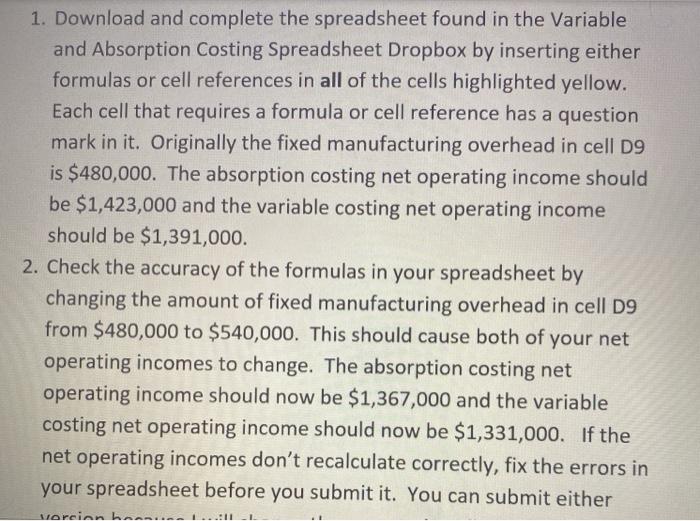
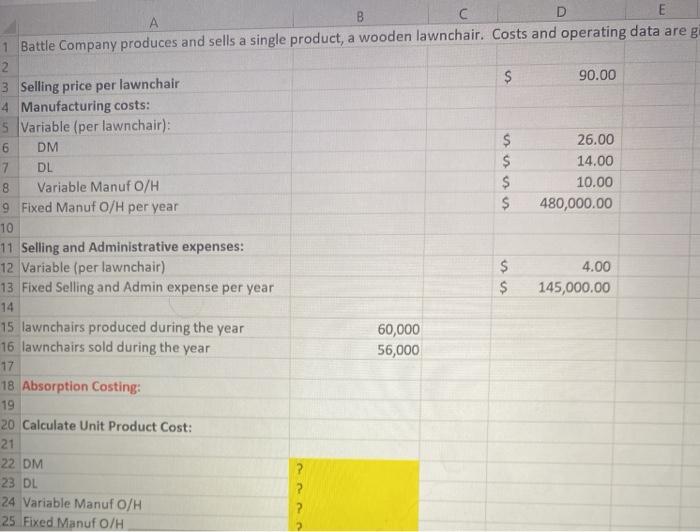
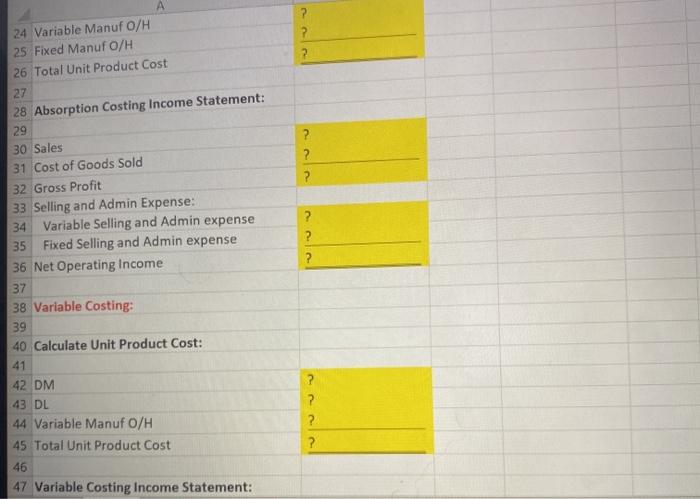
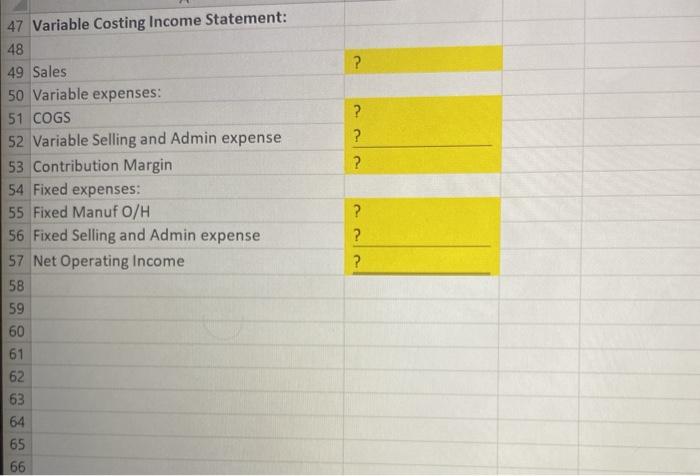
1. Download and complete the spreadsheet found in the Variable and Absorption Costing Spreadsheet Dropbox by inserting either formulas or cell references in all of the cells highlighted yellow. Each cell that requires a formula or cell reference has a question mark in it. Originally the fixed manufacturing overhead in cell D9 is $480,000. The absorption costing net operating income should be $1,423,000 and the variable costing net operating income should be $1,391,000. 2. Check the accuracy of the formulas in your spreadsheet by changing the amount of fixed manufacturing overhead in cell D9 from $480,000 to $540,000. This should cause both of your net operating incomes to change. The absorption costing net operating income should now be $1,367,000 and the variable costing net operating income should now be $1,331,000. If the net operating incomes don't recalculate correctly, fix the errors in your spreadsheet before you submit it. You can submit either vorcion how ? ? 2 24 Variable Manuf O/H 25 Fixed Manuf O/H 26 Total Unit Product Cost 27 28 Absorption Costing Income Statement: 29 30 Sales 31 Cost of Goods Sold 32 Gross Profit 33 Selling and Admin Expense: 34 Variable Selling and Admin expense 35 Fixed Selling and Admin expense 36 Net Operating Income 37 38 Variable Costing: 39 ? ? ? ? ? ? 40 Calculate Unit Product Cost: 41 42 DM 43 DL 44 Variable Manuf O/H 45 Total Unit Product Cost 46 47 Variable Costing Income Statement: ? ? ? ? ? ? ? ? 47 Variable Costing Income Statement: 48 49 Sales 50 Variable expenses: 51 COGS 52 Variable Selling and Admin expense 53 Contribution Margin 54 Fixed expenses: 55 Fixed Manuf o/H 56 Fixed Selling and Admin expense 57 Net Operating Income 58 59 60 61 62 63 64 65 66
Step by Step Solution
There are 3 Steps involved in it

Get step-by-step solutions from verified subject matter experts
 Study Help