







Question: 1. Download the data into the same directory this notebook is located. 2. Run the first code to the data frames. 3. Recreate three figures

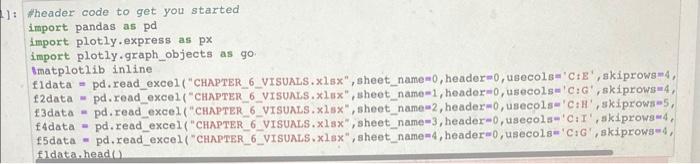
1. Download the data into the same directory this notebook is located. 2. Run the first code to the data frames. 3. Recreate three figures from the text. Copy as many of the details as you can. 1): Wheader code to get you started import pandas as pd import plotly.express as px import plotly.graph_objects as go: smatplotlib inline f1 data = pd.read_exce1 ("CHAPTER_6_VISUALS. x1sx, sheet_name =0, header 0, usecols=' CtE", skiprowsm4, 13 data = pd.read_excel ("CHAPTER_6_vISUALS. x1sx ", sheet_name =2, headerm0, usecols=' C:HI', skiprows=5, f4data= pd.read_excel ("CHAPTER_6_VISUALS. xlsx, sheet_name-3, header =0, usecols=' C:I', skiprowse4, fldata,head()
Step by Step Solution
There are 3 Steps involved in it

Get step-by-step solutions from verified subject matter experts
 Study Help