







Question: 1. Find where the bash program locates in your system. Where is the bash program located on your system? Your answer: 2. Use the-version option
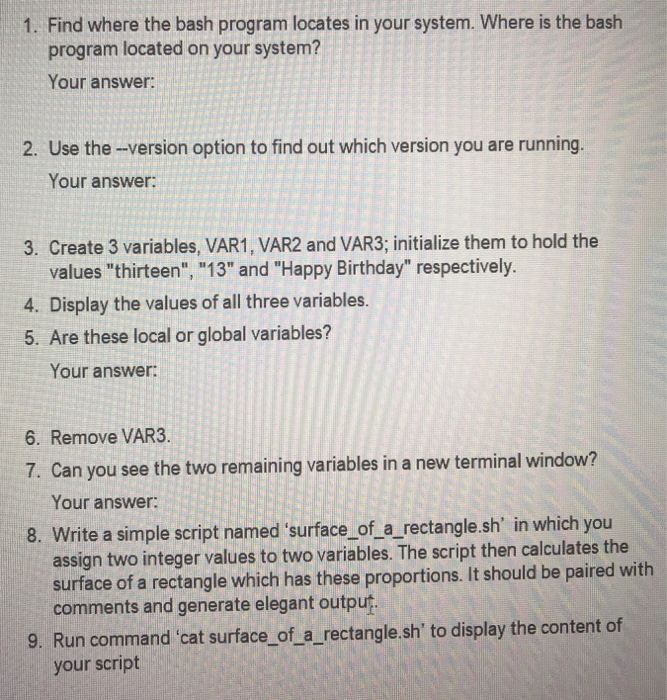
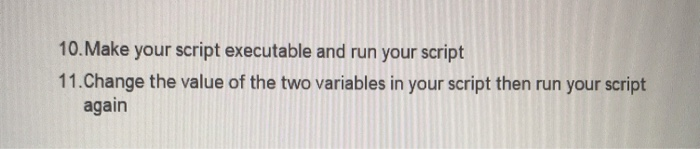
1. Find where the bash program locates in your system. Where is the bash program located on your system? Your answer: 2. Use the-version option to find out which version you are running. Your answer: 3. Create 3 variables, VAR1, VAR2 and VAR3; initialize them to hold the values "thirteen", "13" and "Happy Birthday" respectively. 4. Display the values of all three variables. 5. Are these local or global variables? Your answer: 6. Remove VAR3. 7. Can you see the two remaining variables in a new terminal window? Your answer: 8. Write a simple script named 'surface of a rectangle.sh' in which you assign two integer values to two variables. The script then calculates the surface of a rectangle which has these proportions. It should be paired with comments and generate elegant output un command cat surface of a_rectangle.sh' to display the content of 9. R your script 10.Make your script executable and run your script 11.Change the value of the two variables in your script then run your script again
Step by Step Solution
There are 3 Steps involved in it

Get step-by-step solutions from verified subject matter experts
 Study Help