







Question: 1 . Get the user's input for a daily approximated miles driven. 2 . Print a table showing the week and month of miles driven
Get the user's input for a daily approximated miles driven.
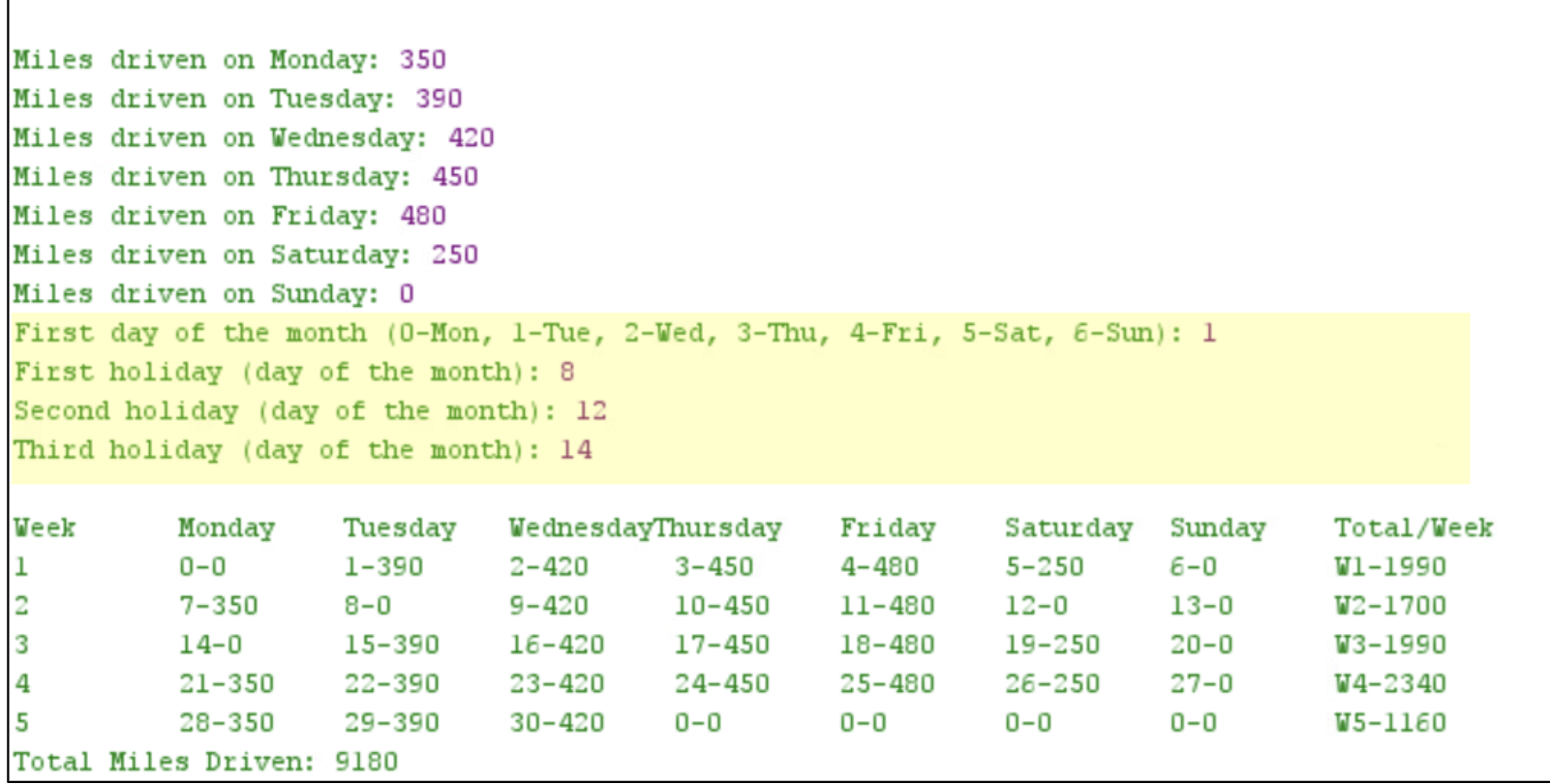
Print a table showing the week and month of miles driven based on the user's input values, as shown
below.
Show the correct sums per week and month.
The values shown in the tables will vary depending on the user's input.
The program will first read the average miles driven by a truck driver for every day of the week. It will start asking the value of miles driven for Monday and will continue asking the values until getting the value corresponding to Sunday. The program will then print the table shown above based on the values input by the user. Pay special attention to the following instructions:
The table starts with the title of every column, as shown above.
Use the tabulator to move to the next column there could be one that would not need tabulator
The first column corresponds to the week.
Columns to correspond to the days of the week from Monday to Sunday.
The program needs to print a total per week as the last column.
It starts with a Monday as day of the month for normalno extra credit option
It prints the day of the month, a hyphen, and the number of minutes in every cell corresponding to the
days' columns.
After the th day of the month, it should print and not add those values
At the end of the table, the program will print the total for the complete month.
Your program must allow for the user to input which weekday is the first day of the month.
Your program must allow for the user to input three days considered holidays. Each number will correspond to he day of the month. For those holidays, it is assumed that the user does not drive any miles.
Use local variables.
Use local and global constants.
Use arithmetic expressions.
Use Scanner to input values.
Use loops
Java. No arrays.
Step by Step Solution
There are 3 Steps involved in it
1 Expert Approved Answer
Step: 1 Unlock

Question Has Been Solved by an Expert!
Get step-by-step solutions from verified subject matter experts
Step: 2 Unlock
Step: 3 Unlock
 Study Help