







Question: 1. Go to the project03-02.js file in your code editor. Below the code that creates and populates the captions array, declare the htmlCode variable, setting
1. Go to the project03-02.js file in your code editor. Below the code that creates and populates the captions array, declare the htmlCode variable, setting its initial value to an empty text string.
2. Create a for loop with a counter that goes from 0 to less the length of the captions array in increments of 1. With each iteration, add the following text to the value of the htmlCode variable:

where i is the value of the counter for that iteration and captions[i] is the corresponding element from the captions array.
3. After the for loop, change the inner HTML of the document element by the id "gallery" to the value of the htmlCode variable.
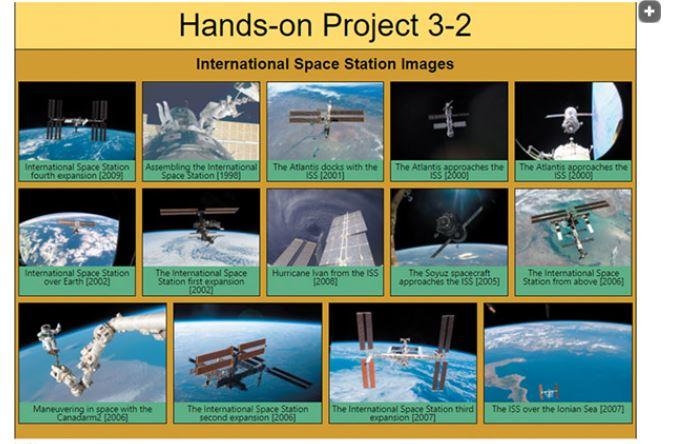
4. Save your changes to the file and then load project03-02.html in your browser. Verify that the page displays the 14 images in the slide gallery along with their captions.
This is how it should look like:
caption [1] figcaption > Hands-on Project 3-2
Step by Step Solution
There are 3 Steps involved in it

Get step-by-step solutions from verified subject matter experts
 Study Help