Question: 1. If the Accounts Payable module is not performing a function that you think it should, where would you go to see how the module

1. If the Accounts Payable module is not1. If the Accounts Payable module is not1. If the Accounts Payable module is not1. If the Accounts Payable module is not1. If the Accounts Payable module is not1. If the Accounts Payable module is not1. If the Accounts Payable module is not1. If the Accounts Payable module is not1. If the Accounts Payable module is not1. If the Accounts Payable module is not1. If the Accounts Payable module is not1. If the Accounts Payable module is not1. If the Accounts Payable module is not1. If the Accounts Payable module is not1. If the Accounts Payable module is not1. If the Accounts Payable module is not1. If the Accounts Payable module is not1. If the Accounts Payable module is not
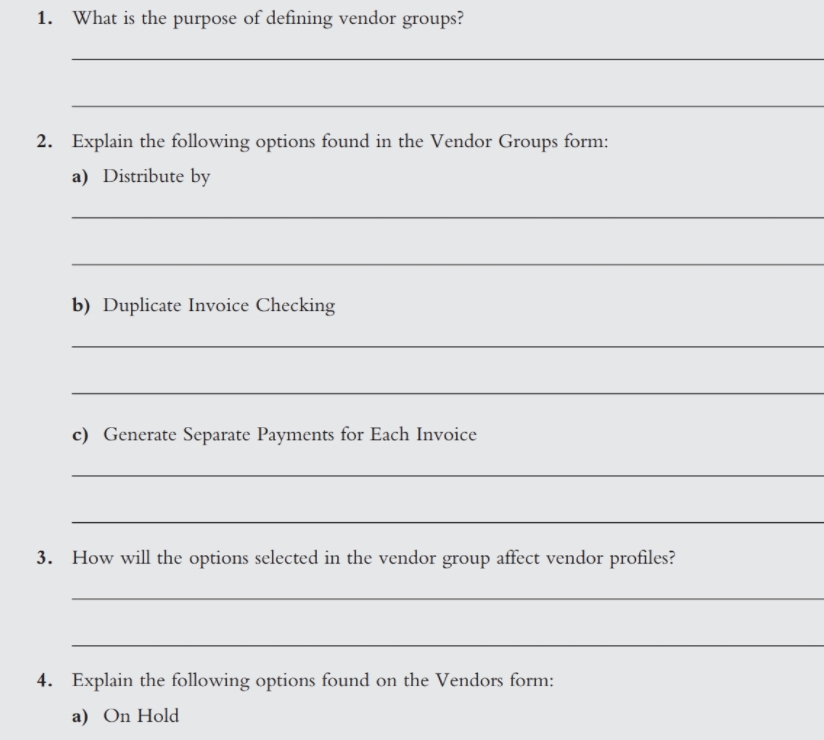
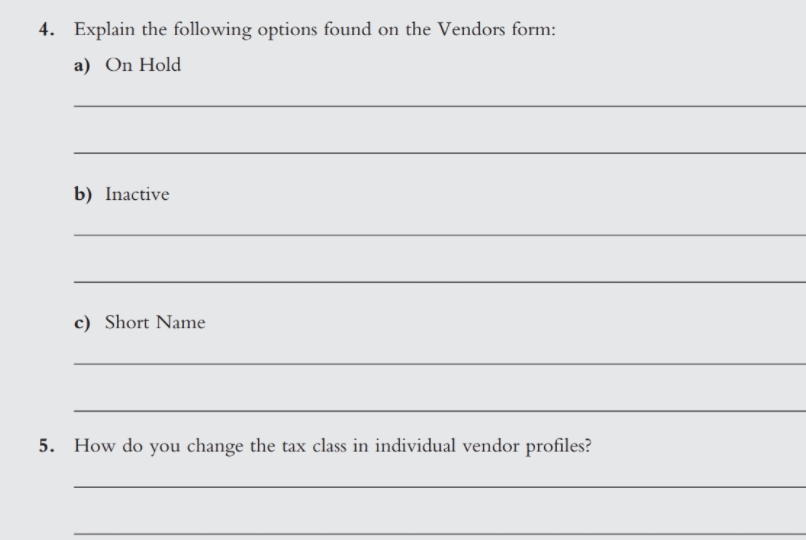
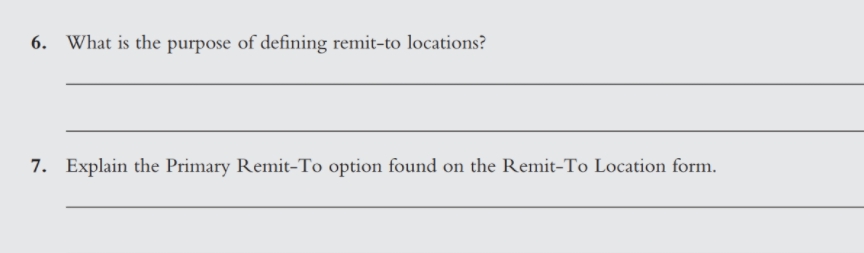
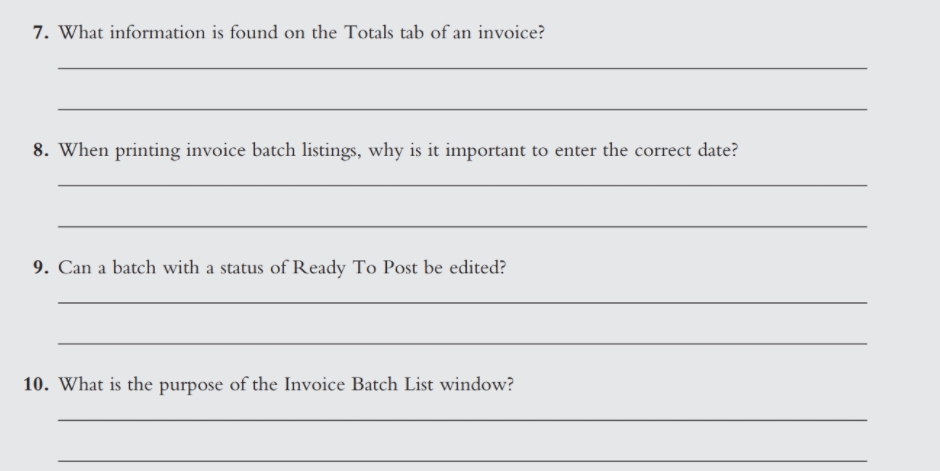
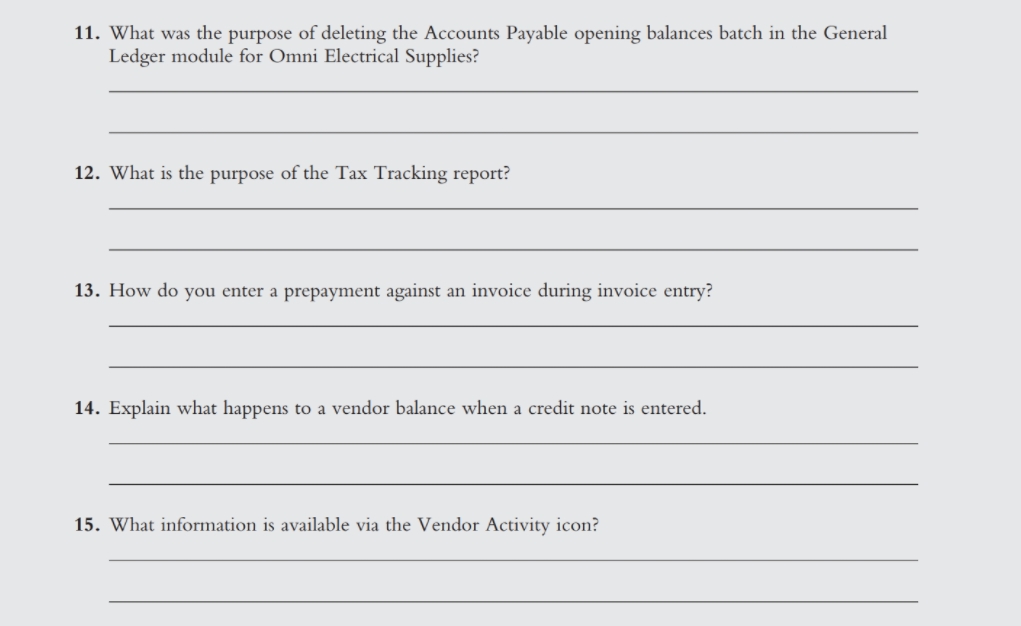
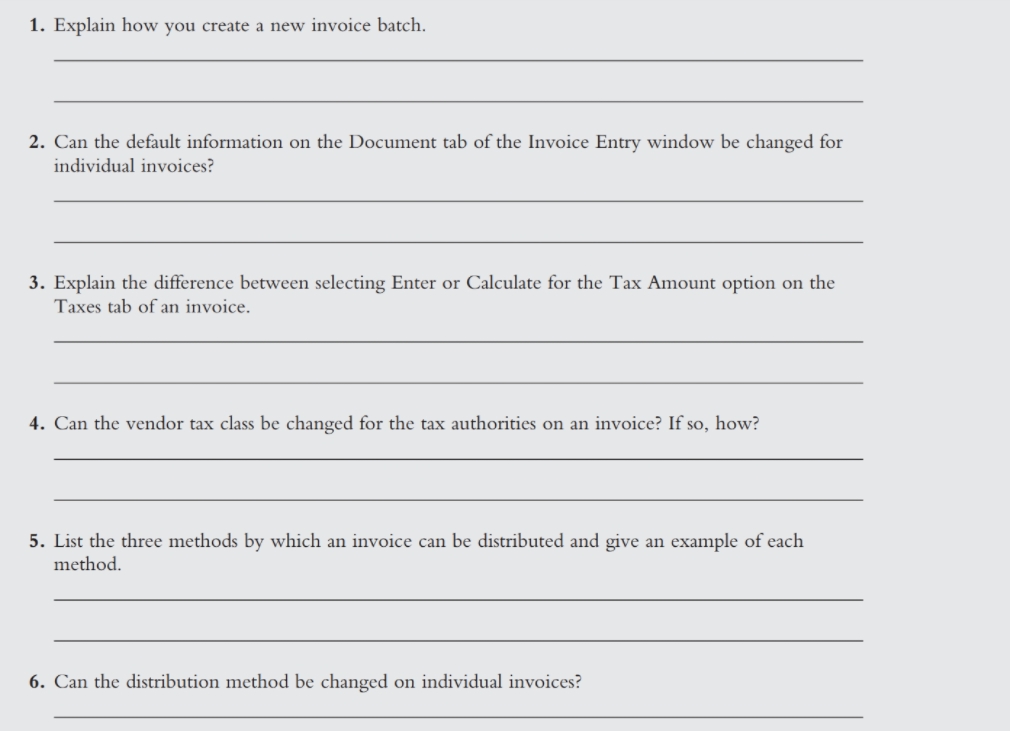
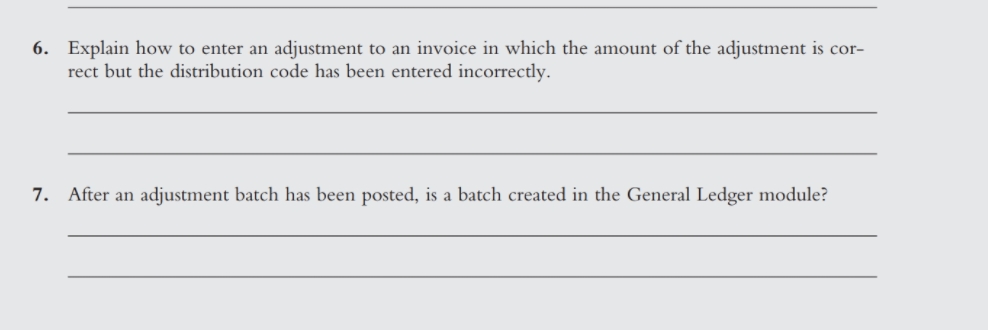
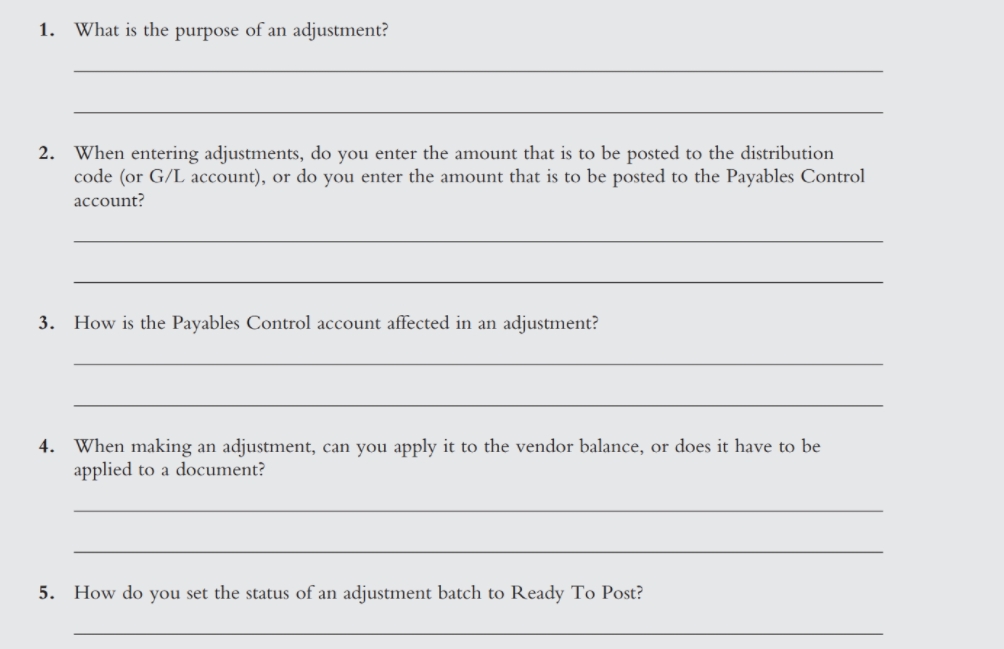
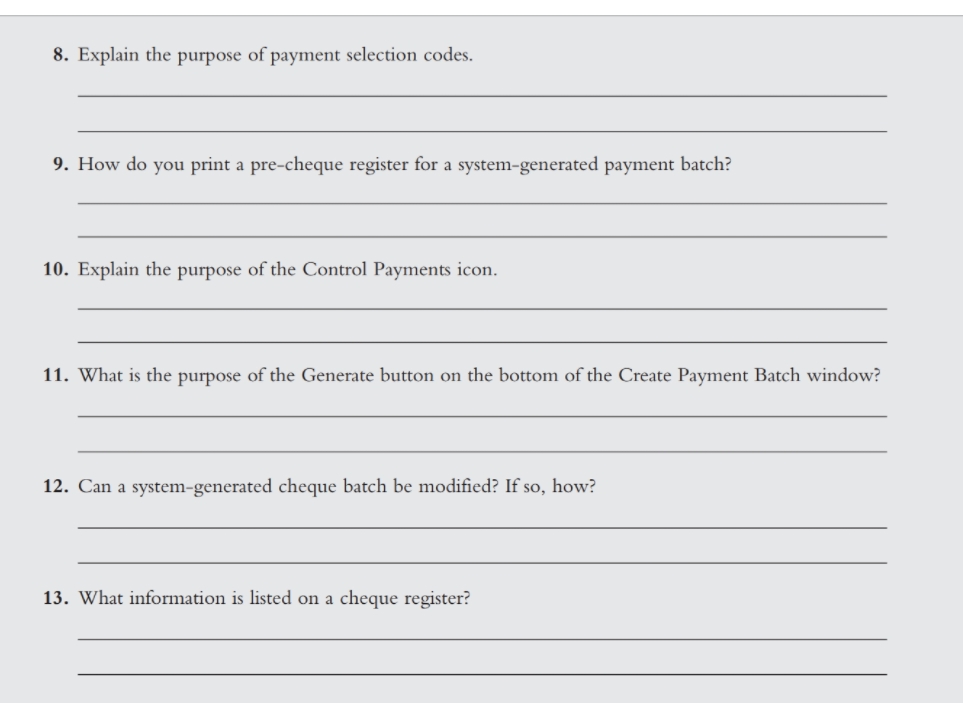
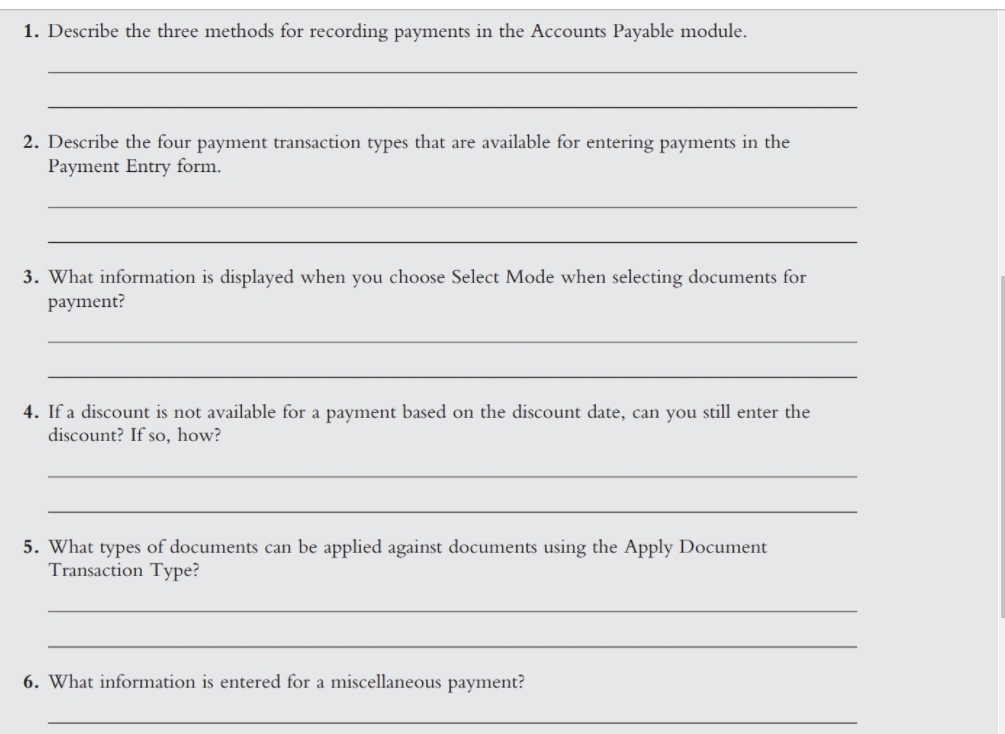
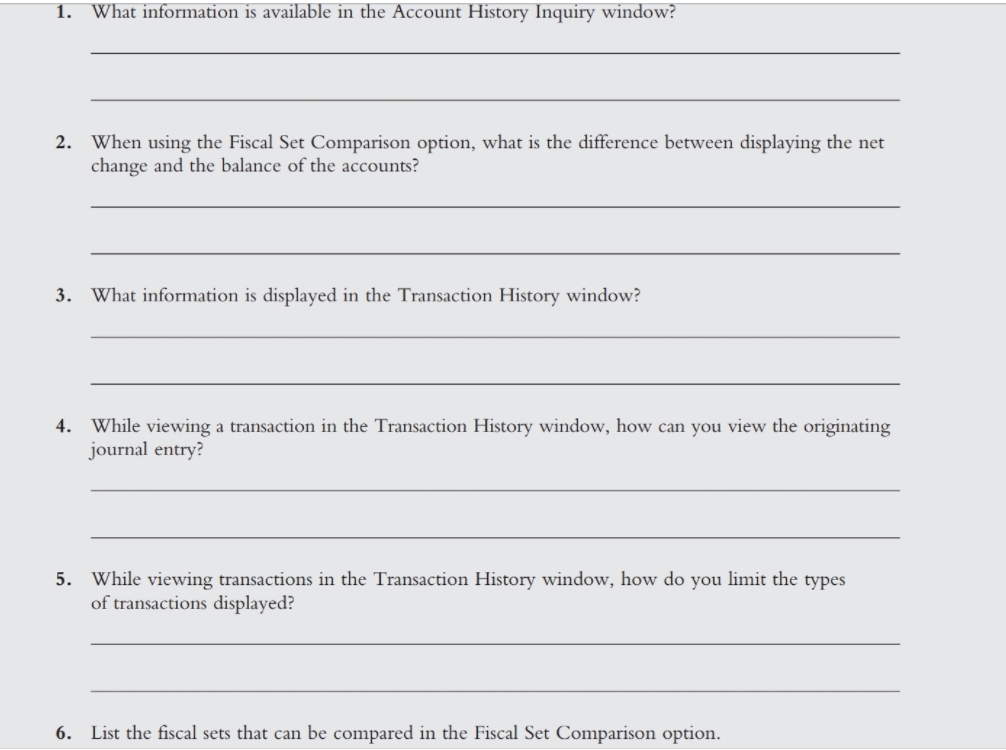
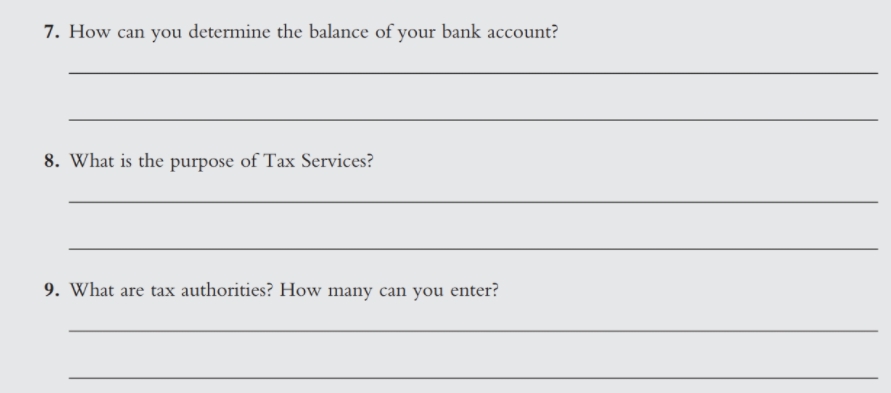
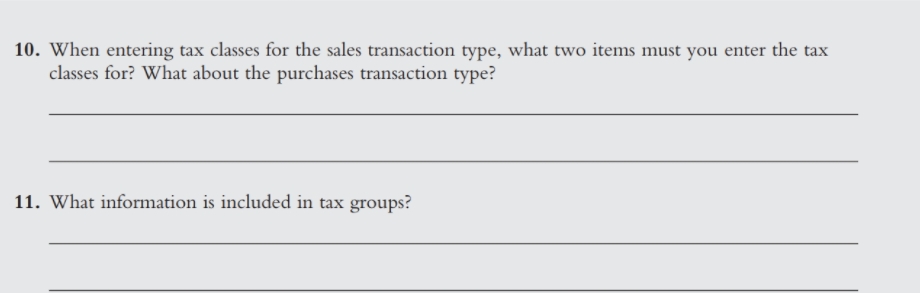
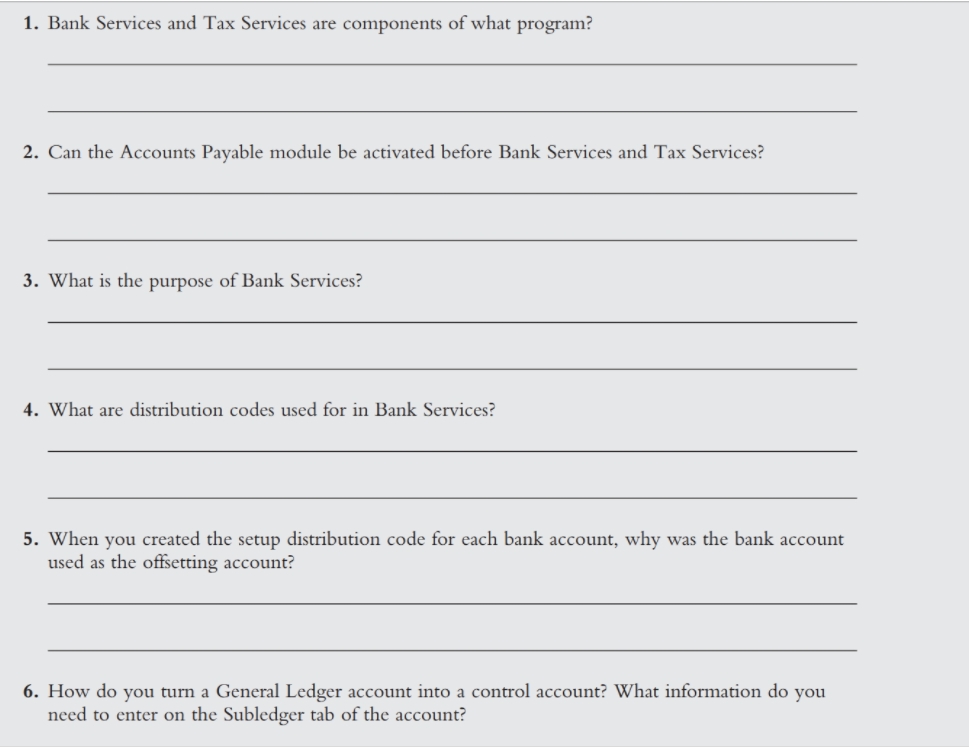
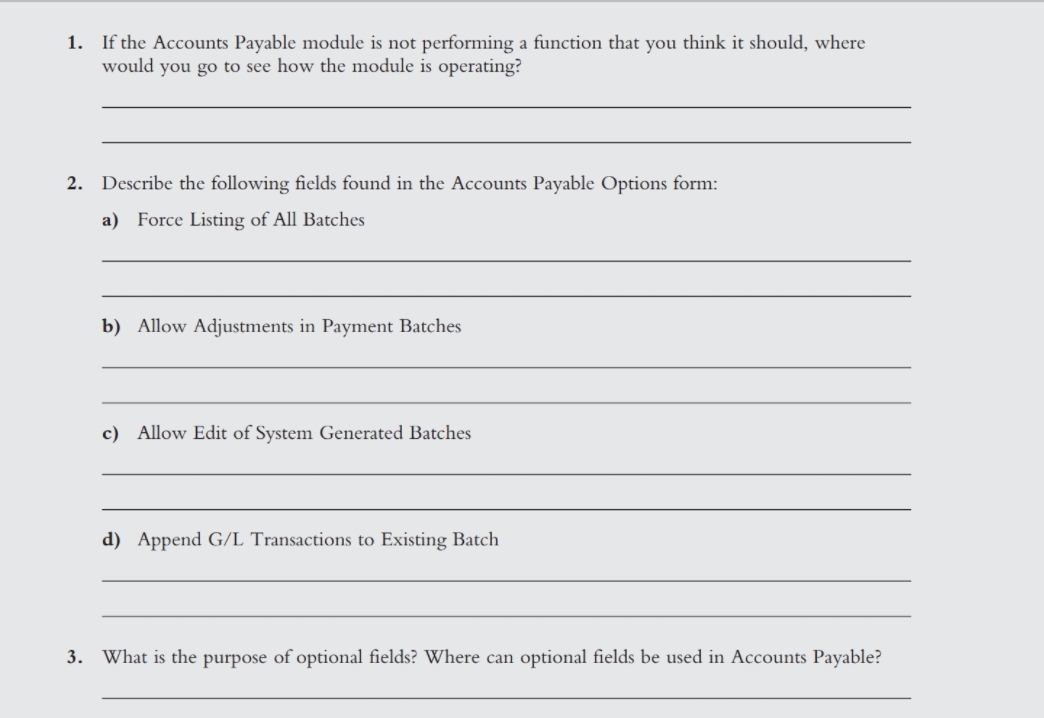
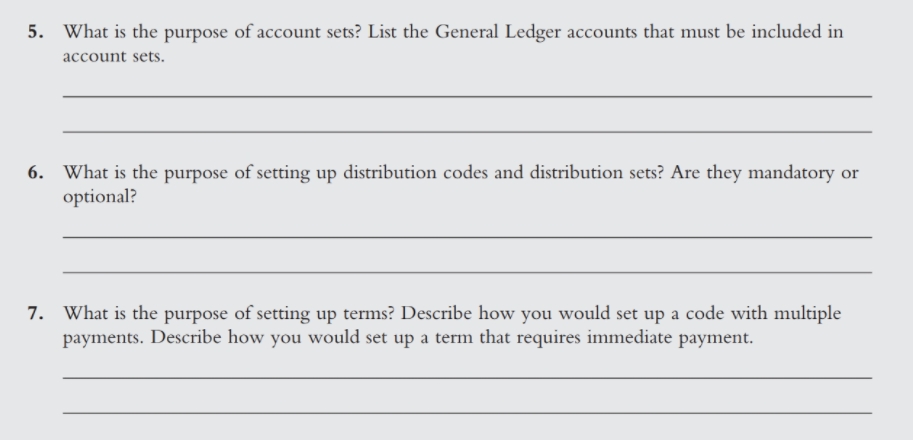
1. If the Accounts Payable module is not performing a function that you think it should, where would you go to see how the module is operating? 2. Describe the following fields found in the Accounts Payable Options form: a) Force Listing of All Batches b) Allow Adjustments in Payment Batches c) Allow Edit of System Generated Batches d) Append G/L Transactions to Existing Batch 3. What is the purpose of optional fields? Where can optional fields be used in Accounts Payable?4. Can you modify and save corrections made in the Accounts Payable Options form? Are there any restrictions?5. What is the purpose of account sets? List the General Ledger accounts that must be included in account sets. 6. What is the purpose of setting up distribution codes and distribution sets? Are they mandatory or optional? 7. What is the purpose of setting up terms? Describe how you would set up a code with multiple payments. Describe how you would set up a term that requires immediate payment.1. What is the purpose of defining vendor groups? 2. Explain the following options found in the Vendor Groups form: a) Distribute by b) Duplicate Invoice Checking c) Generate Separate Payments for Each Invoice 3. How will the options selected in the vendor group affect vendor profiles? 4. Explain the following options found on the Vendors form: a) On Hold4. Explain the following options found on the Vendors form: a) On Hold b) Inactive c) Short Name 5. How do you change the tax class in individual vendor profiles?6. What is the purpose of defining remit-to locations? 7. Explain the Primary Remit-To option found on the Remit-To Location form.7. What information is found on the Totals tab of an invoice? 8. When printing invoice batch listings, why is it important to enter the correct date? 9. Can a batch with a status of Ready To Post be edited? 10. What is the purpose of the Invoice Batch List window?11. What was the purpose of deleting the Accounts Payable opening balances batch in the General Ledger module for Omni Electrical Supplies? 12. What is the purpose of the Tax Tracking report? 13. How do you enter a prepayment against an invoice during invoice entry? 14. Explain what happens to a vendor balance when a credit note is entered. 15. What information is available via the Vendor Activity icon?1. Explain how you create a new invoice batch. 2. Can the default information on the Document tab of the Invoice Entry window be changed for individual invoices? 3. Explain the difference between selecting Enter or Calculate for the Tax Amount option on the Taxes tab of an invoice. 4. Can the vendor tax class be changed for the tax authorities on an invoice? If so, how? 5. List the three methods by which an invoice can be distributed and give an example of each method. 6. Can the distribution method be changed on individual invoices?6. Explain how to enter an adjustment to an invoice in which the amount of the adjustment is cor- rect but the distribution code has been entered incorrectly. 7. After an adjustment batch has been posted, is a batch created in the General Ledger module?1. What is the purpose of an adjustment? 2. When entering adjustments, do you enter the amount that is to be posted to the distribution code (or G/L account), or do you enter the amount that is to be posted to the Payables Control account? 3. How is the Payables Control account affected in an adjustment? 4. When making an adjustment, can you apply it to the vendor balance, or does it have to be applied to a document? 5. How do you set the status of an adjustment batch to Ready To Post?7. Explain how you can view transactions that have been applied against other transactions in the Vendor Activity icon.8. Explain the purpose of payment selection codes. 9. How do you print a pre-cheque register for a system-generated payment batch? 10. Explain the purpose of the Control Payments icon. 11. What is the purpose of the Generate button on the bottom of the Create Payment Batch window? 12. Can a system-generated cheque batch be modified? If so, how? 13. What information is listed on a cheque register?1. Describe the three methods for recording payments in the Accounts Payable module. 2. Describe the four payment transaction types that are available for entering payments in the Payment Entry form. 3. What information is displayed when you choose Select Mode when selecting documents for payment? 4. If a discount is not available for a payment based on the discount date, can you still enter the discount? If so, how? 5. What types of documents can be applied against documents using the Apply Document Transaction Type? 6. What information is entered for a miscellaneous payment?1. What information is available in the Account History Inquiry window? 2. When using the Fiscal Set Comparison option, what is the difference between displaying the net change and the balance of the accounts? 3. What information is displayed in the Transaction History window? 4. While viewing a transaction in the Transaction History window, how can you view the originating journal entry? 5. While viewing transactions in the Transaction History window, how do you limit the types of transactions displayed? 6. List the fiscal sets that can be compared in the Fiscal Set Comparison option.7. How can you determine the balance of your bank account? 8. What is the purpose of Tax Services? 9. What are tax authorities? How many can you enter?10. When entering tax classes for the sales transaction type, what two items must you enter the tax classes for? What about the purchases transaction type? 11. What information is included in tax groups?1. Bank Services and Tax Services are components of what program? 2. Can the Accounts Payable module be activated before Bank Services and Tax Services? 3. What is the purpose of Bank Services? 4. What are distribution codes used for in Bank Services? 5. When you created the setup distribution code for each bank account, why was the bank account used as the offsetting account? 6. How do you turn a General Ledger account into a control account? What information do you need to enter on the Subledger tab of the account
Step by Step Solution

There are 3 Steps involved in it

1 Expert Approved Answer
Step: 1 Unlock blur-text-image

Question Has Been Solved by an Expert!

Get step-by-step solutions from verified subject matter experts

Step: 2 Unlock
Step: 3 Unlock

Students Have Also Explored These Related Accounting Questions!