







Question: #1: Make two buttons to sort the table by Employee Name or by Client Location. In Excel, name the first cell of the employee table.
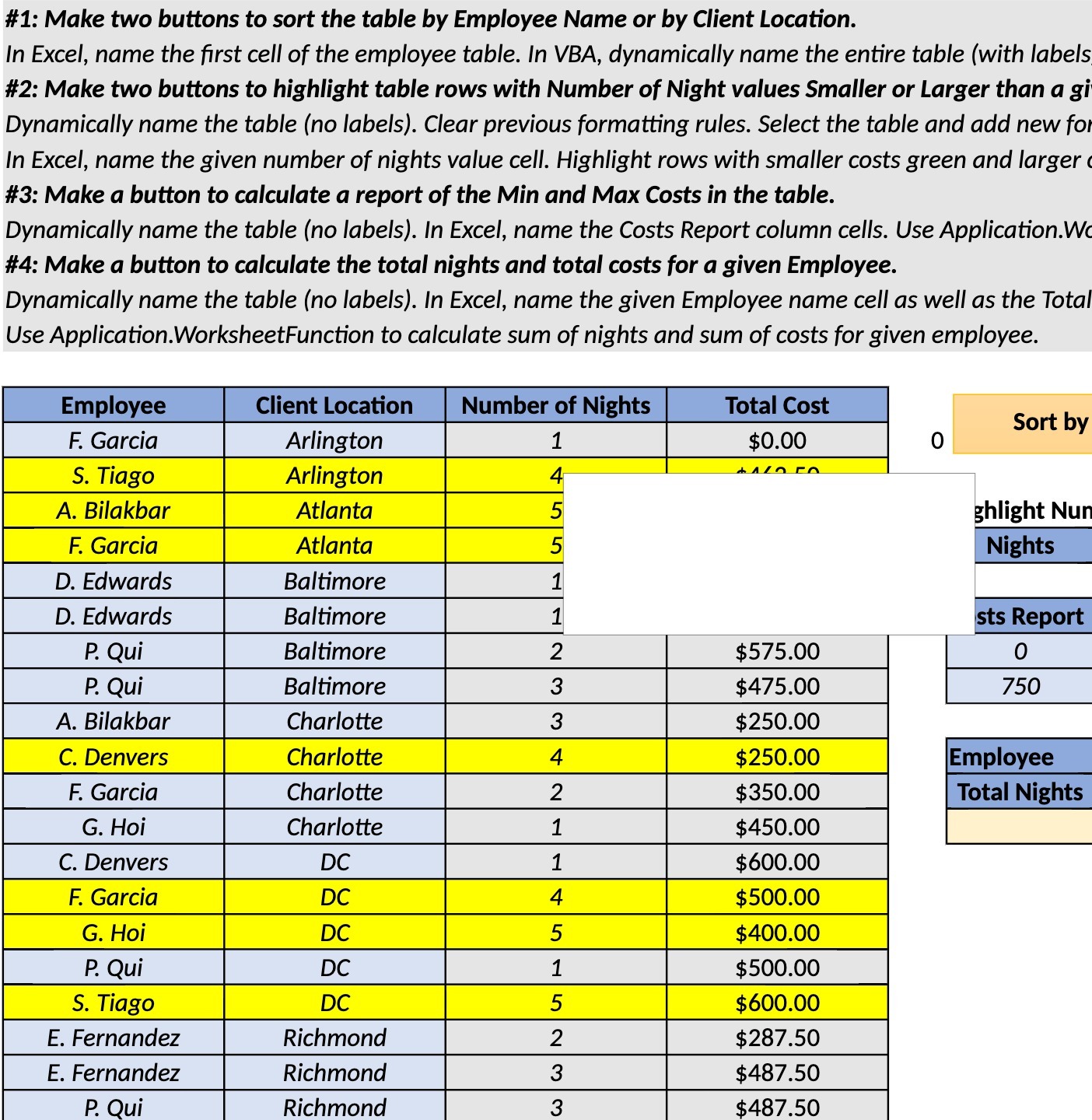
#1: Make two buttons to sort the table by Employee Name or by Client Location. In Excel, name the first cell of the employee table. In VBA, dynamically name the entire table (with labels #2: Make two buttons to highlight table rows with Number of Night values Smaller or Larger than a gi Dynamically name the table (no labels). Clear previous formatting rules. Select the table and add new fo In Excel, name the given number of nights value cell. Highlight rows with smaller costs green and larger #3: Make a button to calculate a report of the Min and Max Costs in the table. Dynamically name the table (no labels). In Excel, name the Costs Report column cells. Use Application.W #4: Make a button to calculate the total nights and total costs for a given Employee. Dynamically name the table (no labels). In Excel, name the given Employee name cell as well as the Total Use Application.WorksheetFunction to calculate sum of nights and sum of costs for given employee. Employee Client Location Number of Nights Total Cost F. Garcia Sort by Arlington 1 $0.00 0 S. Tiago Arlington A. Bilakbar Atlanta ghlight Nun F. Garcia Atlanta Nights D. Edwards Baltimore D. Edwards Baltimore sts Report P. Qui Baltimore $575.00 0 P. Qui Baltimore 3 $475.00 750 A. Bilakbar Charlotte $250.00 C. Denvers Charlotte $250.00 Employee F. Garcia Charlotte $350.00 Total Nights G. Hoi Charlotte $450.00 C. Denvers DC $600.00 HUAHIN F. Garcia DC $500.00 G. Hoi DC $400.00 P. Qui DC $500.00 S. Tiago DC $600.00 E. Fernandez Richmond IN $287.50 E. Fernandez Richmond 3 $487.50 P. Qui Richmond 3 $487.50
Step by Step Solution
There are 3 Steps involved in it
To achieve the tasks outlined in the image using Excel and VBA follow these steps for each requirement 1 Sort Table by Employee Name or Client Locatio... View full answer

Get step-by-step solutions from verified subject matter experts
 Study Help