







Question: 1 Manually Setup Packages 1. Create a subdirectory called manual and cd into it 2. Create a subdirectory called src 3. Create a Java class
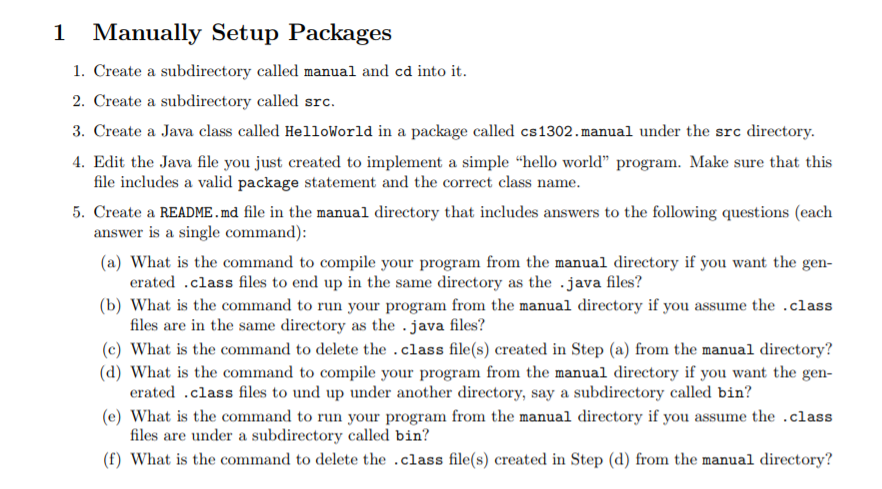
1 Manually Setup Packages 1. Create a subdirectory called manual and cd into it 2. Create a subdirectory called src 3. Create a Java class called HelloWorld in a package called cs 1302.manual under the src directory 4. Edit the Java file you just created to implement a simple "hello world" program. Make sure that this file includes a valid package statement and the correct class name 5. Create a README.md file in the manual directory that includes answers to the following questions (each answer is a single command) (a) What is the command to compile your program from the manual directory if you want the gen erated .class files to end up in the same directory as the .java files? (b) What is the command to run your program from the manual directory if you assume the .class files are in the same directory as the java files? (c) What is the command to delete the .class file(s) created in Step (a) from the manual directory? (d) What is the command to compile your program from the manual directory if you want the gen- erated .class files to und up under another directory, say a subdirectory called bin? (e) What is the command to run your program from the manual directory if you assume the .class files are under a subdirectory called bin? (f) What is the command to delete the .class files) created in Step (d) from the manual directory
Step by Step Solution
There are 3 Steps involved in it

Get step-by-step solutions from verified subject matter experts
 Study Help