







Question: 1 Objective Build a Java program that will support the creation of a Binary Search Tree, hereinafter referred to as a BST. This program will
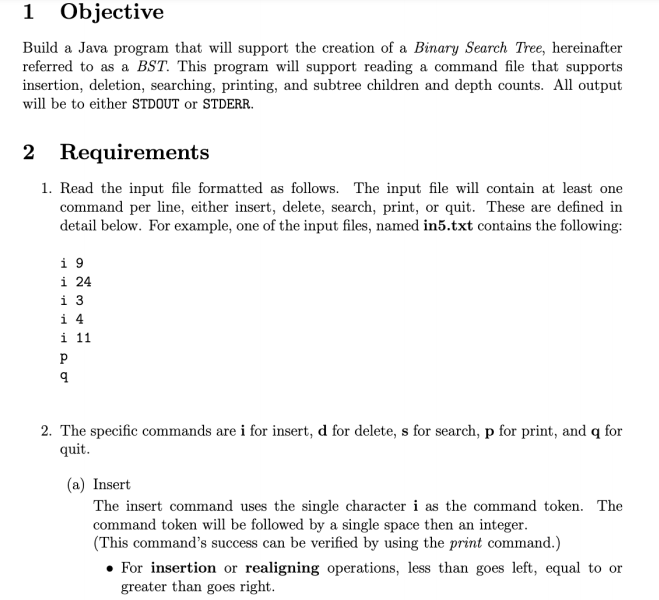
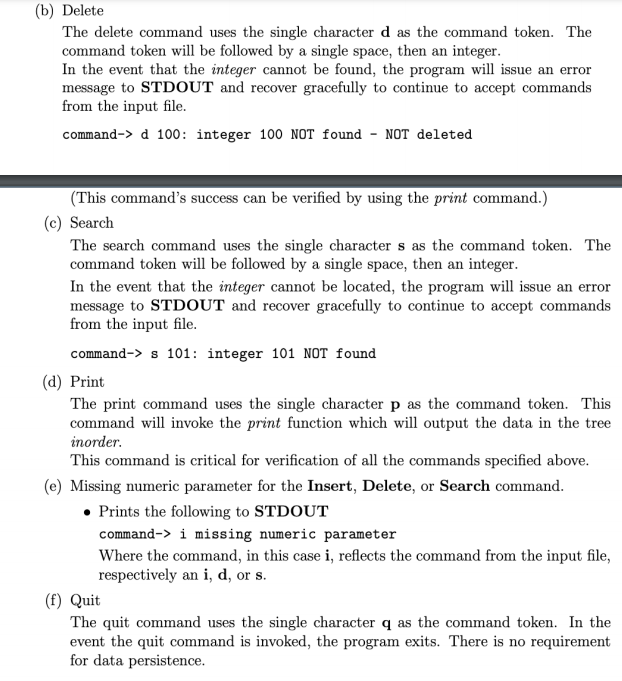
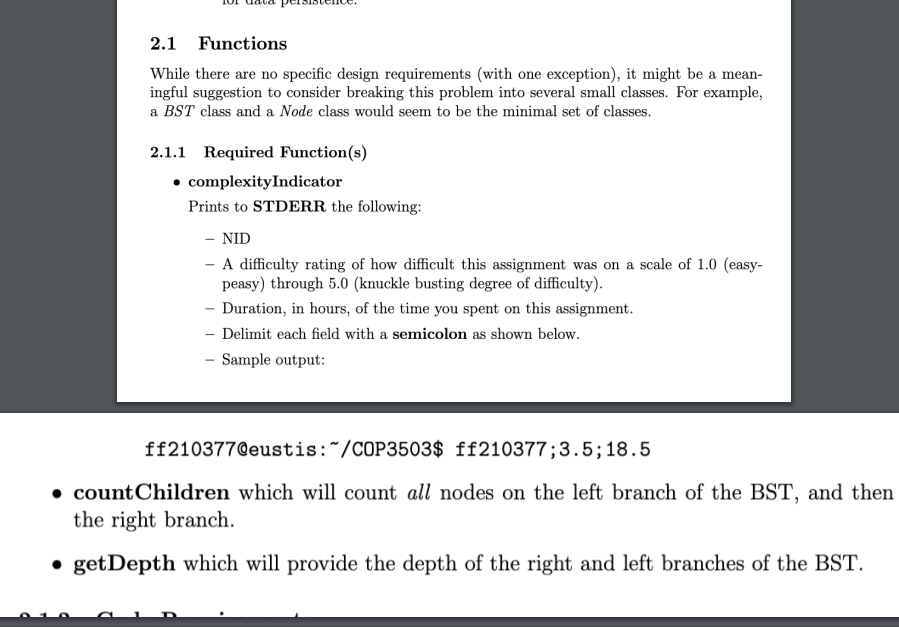
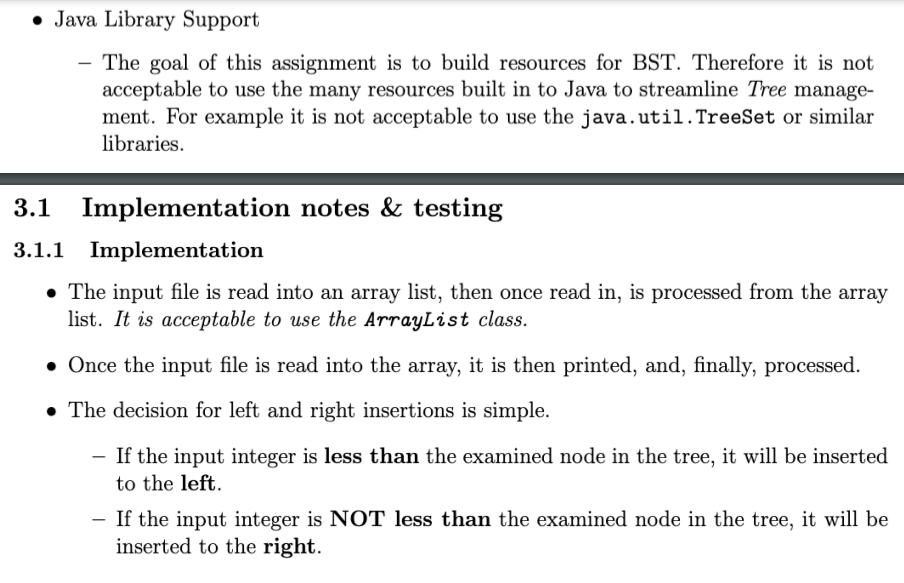
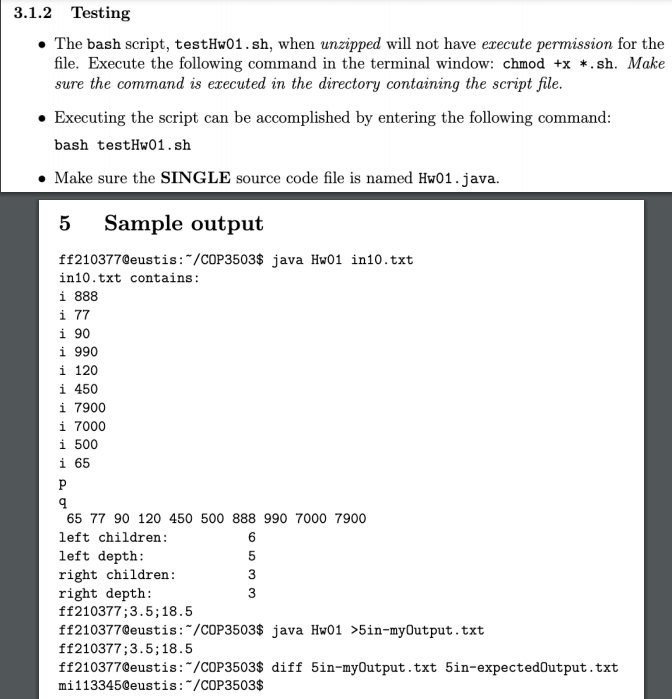
1 Objective Build a Java program that will support the creation of a Binary Search Tree, hereinafter referred to as a BST. This program will support reading a command file that supports insertion, deletion, searching, printing, and subtree children and depth counts. All output will be to either STDOUT or STDERR. 2 Requirements 1. Read the input file formatted as follows. The input file will contain at least one command per line, either insert, delete, search, print, or quit. These are defined in detail below. For example, one of the input files, named in5.txt contains the following: i 9 i 24 i 3 i 4 i 11 9 2. The specific commands are i for insert, d for delete, s for search, p for print, and q for quit. (a) Insert The insert command uses the single character i as the command token. The command token will be followed by a single space then an integer. (This command's success can be verified by using the print command.) For insertion or realigning operations, less than goes left, equal to or greater than goes right. (b) Delete The delete command uses the single character d as the command token. The command token will be followed by a single space, then an integer. In the event that the integer cannot be found, the program will issue an error message to STDOUT and recover gracefully to continue to accept commands from the input file. command-> d 100: integer 100 Not found - NOT deleted (This command's success can be verified by using the print command.) (c) Search The search command uses the single character s as the command token. The command token will be followed by a single space, then an integer. In the event that the integer cannot be located, the program will issue an error message to STDOUT and recover gracefully to continue to accept commands from the input file. command-> s 101: integer 101 NOT found (d) Print The print command uses the single character p as the command token. This command will invoke the print function which will output the data in the tree inorder. This command is critical for verification of all the commands specified above. (e) Missing numeric parameter for the Insert, Delete, or Search command. Prints the following to STDOUT command-> i missing numeric parameter Where the command, in this case i, reflects the command from the input file, respectively an i, d, or s. (f) Quit The quit command uses the single character q as the command token. In the event the quit command is invoked, the program exits. There is no requirement for data persistence. 2.1 Functions While there are no specific design requirements (with one exception), it might be a mean- ingful suggestion to consider breaking this problem into several small classes. For example, a BST class and a Node class would seem to be the minimal set of classes. 2.1.1 Required Function(s) complexity Indicator Prints to STDERR the following: - NID - A difficulty rating of how difficult this assignment was on a scale of 1.0 (easy- peasy) through 5.0 (knuckle busting degree of difficulty). - Duration, in hours, of the time you spent on this assignment. - Delimit each field with a semicolon as shown below. Sample output: ff210377@eustis:~/COP3503$ ff210377;3.5;18.5 countChildren which will count all nodes on the left branch of the BST, and then the right branch. getDepth which will provide the depth of the right and left branches of the BST. Java Library Support - The goal of this assignment is to build resources for BST. Therefore it is not acceptable to use the many resources built in to Java to streamline Tree manage- ment. For example it is not acceptable to use the java.util.TreeSet or similar libraries. 3.1 Implementation notes & testing 3.1.1 Implementation The input file is read into an array list, then once read in, is processed from the array list. It is acceptable to use the ArrayList class. Once the input file is read into the array, it is then printed, and, finally, processed. The decision for left and right insertions is simple. - If the input integer is less than the examined node in the tree, it will be inserted to the left. - If the input integer is NOT less than the examined node in the tree, it will be inserted to the right. 3.1.2 Testing The bash script, testHw01.sh, when unzipped will not have execute permission for the file. Execute the following command in the terminal window: chmod +x *.sh. Make sure the command is executed in the directory containing the script file. Executing the script can be accomplished by entering the following command: bash testHw01.sh Make sure the SINGLE source code file is named Hw01.java. 5 Sample output ff210377@eustis:"/COP3503$ java Hw01 in10.txt in10.txt contains: i 888 i 77 i 90 i 990 i 120 i 450 i 7900 i 7000 i 500 i 65 P 9 65 77 90 120 450 500 888 990 7000 7900 left children: 6 left depth: 5 right children: 3 right depth: 3 ff210377;3.5;18.5 ff210377@eustis: "/COP3503$ java Hw01 >5in-myOutput.txt ff210377;3.5; 18.5 ff210377Qeustis: "/COP3503$ diff 5in-myOutput.txt 5in-expectedOutput.txt mi113345@eustis:*/COP3503$ 1 Objective Build a Java program that will support the creation of a Binary Search Tree, hereinafter referred to as a BST. This program will support reading a command file that supports insertion, deletion, searching, printing, and subtree children and depth counts. All output will be to either STDOUT or STDERR. 2 Requirements 1. Read the input file formatted as follows. The input file will contain at least one command per line, either insert, delete, search, print, or quit. These are defined in detail below. For example, one of the input files, named in5.txt contains the following: i 9 i 24 i 3 i 4 i 11 9 2. The specific commands are i for insert, d for delete, s for search, p for print, and q for quit. (a) Insert The insert command uses the single character i as the command token. The command token will be followed by a single space then an integer. (This command's success can be verified by using the print command.) For insertion or realigning operations, less than goes left, equal to or greater than goes right. (b) Delete The delete command uses the single character d as the command token. The command token will be followed by a single space, then an integer. In the event that the integer cannot be found, the program will issue an error message to STDOUT and recover gracefully to continue to accept commands from the input file. command-> d 100: integer 100 Not found - NOT deleted (This command's success can be verified by using the print command.) (c) Search The search command uses the single character s as the command token. The command token will be followed by a single space, then an integer. In the event that the integer cannot be located, the program will issue an error message to STDOUT and recover gracefully to continue to accept commands from the input file. command-> s 101: integer 101 NOT found (d) Print The print command uses the single character p as the command token. This command will invoke the print function which will output the data in the tree inorder. This command is critical for verification of all the commands specified above. (e) Missing numeric parameter for the Insert, Delete, or Search command. Prints the following to STDOUT command-> i missing numeric parameter Where the command, in this case i, reflects the command from the input file, respectively an i, d, or s. (f) Quit The quit command uses the single character q as the command token. In the event the quit command is invoked, the program exits. There is no requirement for data persistence. 2.1 Functions While there are no specific design requirements (with one exception), it might be a mean- ingful suggestion to consider breaking this problem into several small classes. For example, a BST class and a Node class would seem to be the minimal set of classes. 2.1.1 Required Function(s) complexity Indicator Prints to STDERR the following: - NID - A difficulty rating of how difficult this assignment was on a scale of 1.0 (easy- peasy) through 5.0 (knuckle busting degree of difficulty). - Duration, in hours, of the time you spent on this assignment. - Delimit each field with a semicolon as shown below. Sample output: ff210377@eustis:~/COP3503$ ff210377;3.5;18.5 countChildren which will count all nodes on the left branch of the BST, and then the right branch. getDepth which will provide the depth of the right and left branches of the BST. Java Library Support - The goal of this assignment is to build resources for BST. Therefore it is not acceptable to use the many resources built in to Java to streamline Tree manage- ment. For example it is not acceptable to use the java.util.TreeSet or similar libraries. 3.1 Implementation notes & testing 3.1.1 Implementation The input file is read into an array list, then once read in, is processed from the array list. It is acceptable to use the ArrayList class. Once the input file is read into the array, it is then printed, and, finally, processed. The decision for left and right insertions is simple. - If the input integer is less than the examined node in the tree, it will be inserted to the left. - If the input integer is NOT less than the examined node in the tree, it will be inserted to the right. 3.1.2 Testing The bash script, testHw01.sh, when unzipped will not have execute permission for the file. Execute the following command in the terminal window: chmod +x *.sh. Make sure the command is executed in the directory containing the script file. Executing the script can be accomplished by entering the following command: bash testHw01.sh Make sure the SINGLE source code file is named Hw01.java. 5 Sample output ff210377@eustis:"/COP3503$ java Hw01 in10.txt in10.txt contains: i 888 i 77 i 90 i 990 i 120 i 450 i 7900 i 7000 i 500 i 65 P 9 65 77 90 120 450 500 888 990 7000 7900 left children: 6 left depth: 5 right children: 3 right depth: 3 ff210377;3.5;18.5 ff210377@eustis: "/COP3503$ java Hw01 >5in-myOutput.txt ff210377;3.5; 18.5 ff210377Qeustis: "/COP3503$ diff 5in-myOutput.txt 5in-expectedOutput.txt mi113345@eustis:*/COP3503$
Step by Step Solution
There are 3 Steps involved in it

Get step-by-step solutions from verified subject matter experts
 Study Help