







Question: 1. Open a new Excel workbook, and create an unadjusted trial balance as of December 31 , 2021, putting the accounts below in financial statement
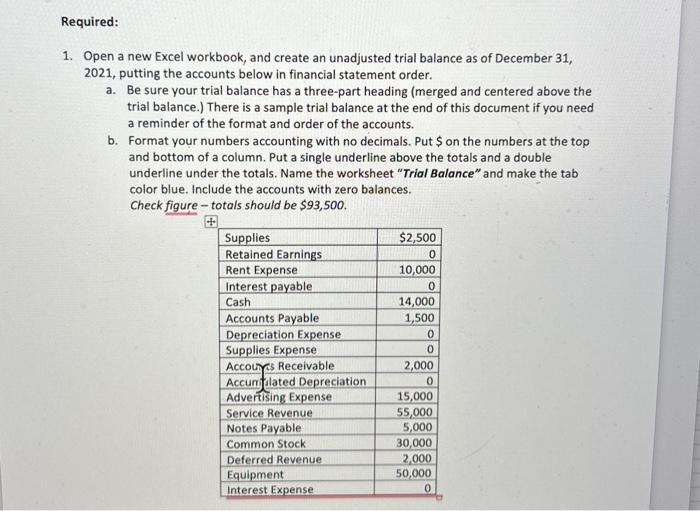
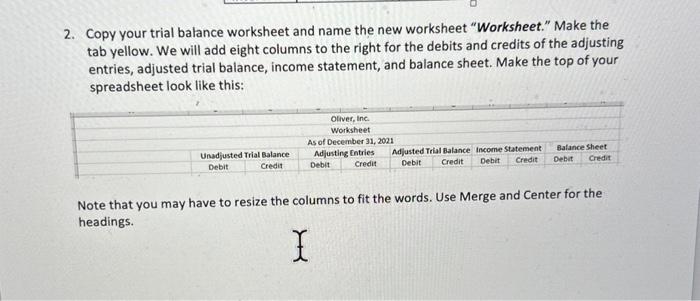
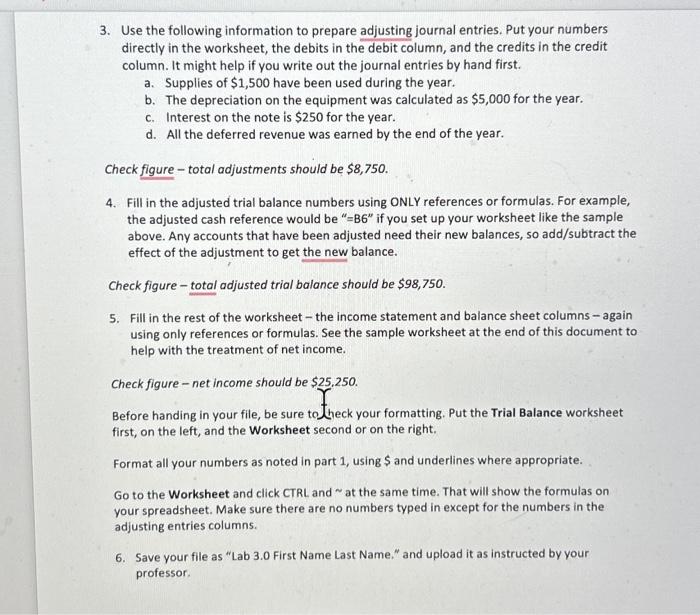
1. Open a new Excel workbook, and create an unadjusted trial balance as of December 31 , 2021, putting the accounts below in financial statement order. a. Be sure your trial balance has a three-part heading (merged and centered above the trial balance.) There is a sample trial balance at the end of this document if you need a reminder of the format and order of the accounts. b. Format your numbers accounting with no decimals. Put $ on the numbers at the top and bottom of a column. Put a single underline above the totals and a double underline under the totals. Name the worksheet "Trial Balance" and make the tab color blue. Include the accounts with zero balances. Check figure - totals should be $93,500. 2. Copy your trial balance worksheet and name the new worksheet "Worksheet." Make the tab yellow. We will add eight columns to the right for the debits and credits of the adjusting entries, adjusted trial balance, income statement, and balance sheet. Make the top of your spreadsheet look like this: Note that you may have to resize the columns to fit the words. Use Merge and Center for the headings. 3. Use the following information to prepare adjusting journal entries. Put your numbers directly in the worksheet, the debits in the debit column, and the credits in the credit column. It might help if you write out the journal entries by hand first. a. Supplies of $1,500 have been used during the year. b. The depreciation on the equipment was calculated as $5,000 for the year. c. Interest on the note is $250 for the year. d. All the deferred revenue was earned by the end of the year. Check figure - total adjustments should be $8,750. 4. Fill in the adjusted trial balance numbers using ONLY references or formulas. For example, the adjusted cash reference would be " =B6 if you set up your worksheet like the sample above. Any accounts that have been adjusted need their new balances, so add/subtract the effect of the adjustment to get the new balance. Check figure - total adjusted trial balance should be $98,750. 5. Fill in the rest of the worksheet - the income statement and balance sheet columns - again using only references or formulas. See the sample worksheet at the end of this document to help with the treatment of net income. Check figure - net income should be \$25.250. Before handing in your file, be sure to bheck your formatting. Put the Trial Balance worksheet first, on the left, and the Worksheet second or on the right. Format all your numbers as noted in part 1 , using $ and underlines where appropriate. Go to the Worksheet and click CTRL and at the same time. That will show the formulas on your spreadsheet. Make sure there are no numbers typed in except for the numbers in the adjusting entries columns. 6. Save your file as "Lab 3.0 First Name Last Name," and upload it as instructed by your professor
Step by Step Solution
There are 3 Steps involved in it

Get step-by-step solutions from verified subject matter experts
 Study Help