







Question: 1 Overview The Logo programming language made the concept of turtle graphics famous. Imagine a mechanical turtle that walks around a board under the control
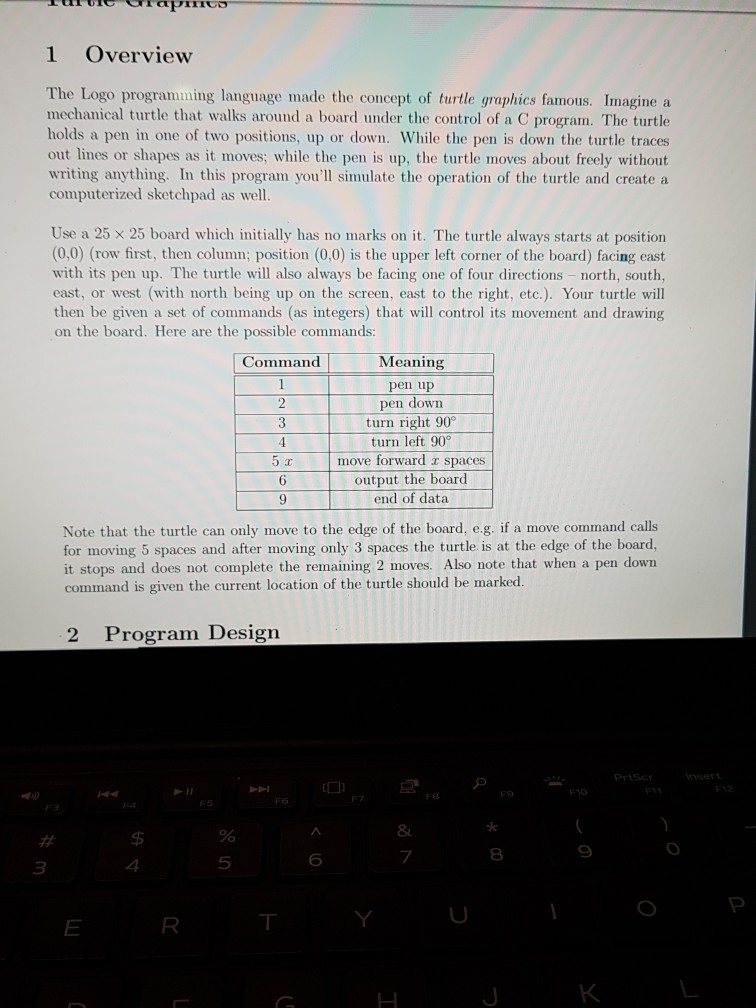
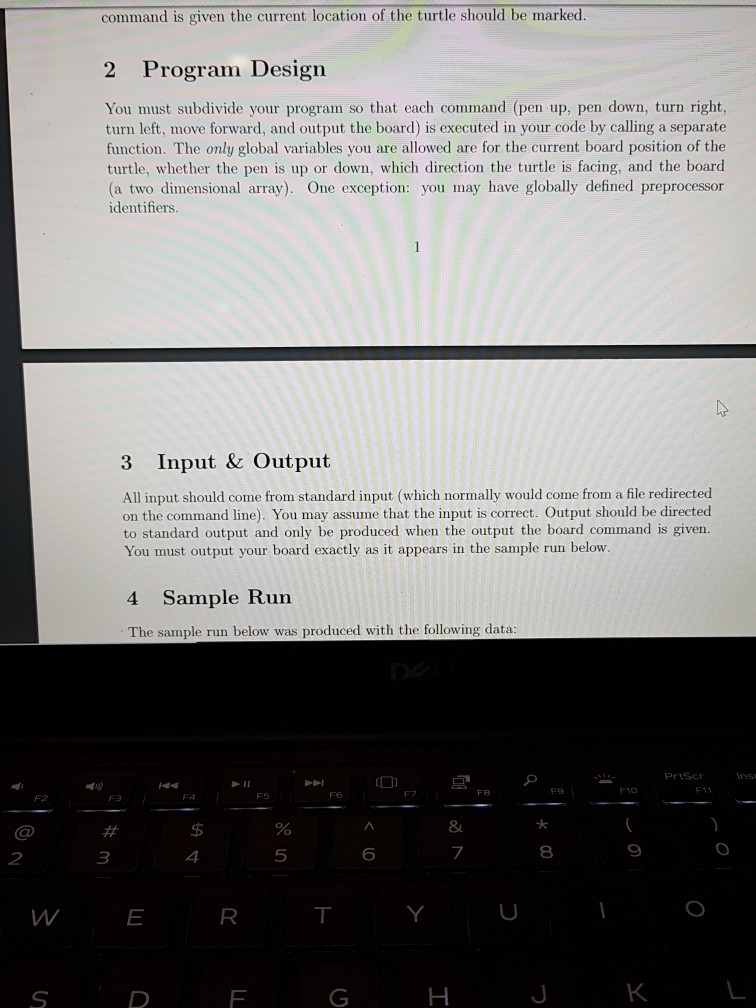
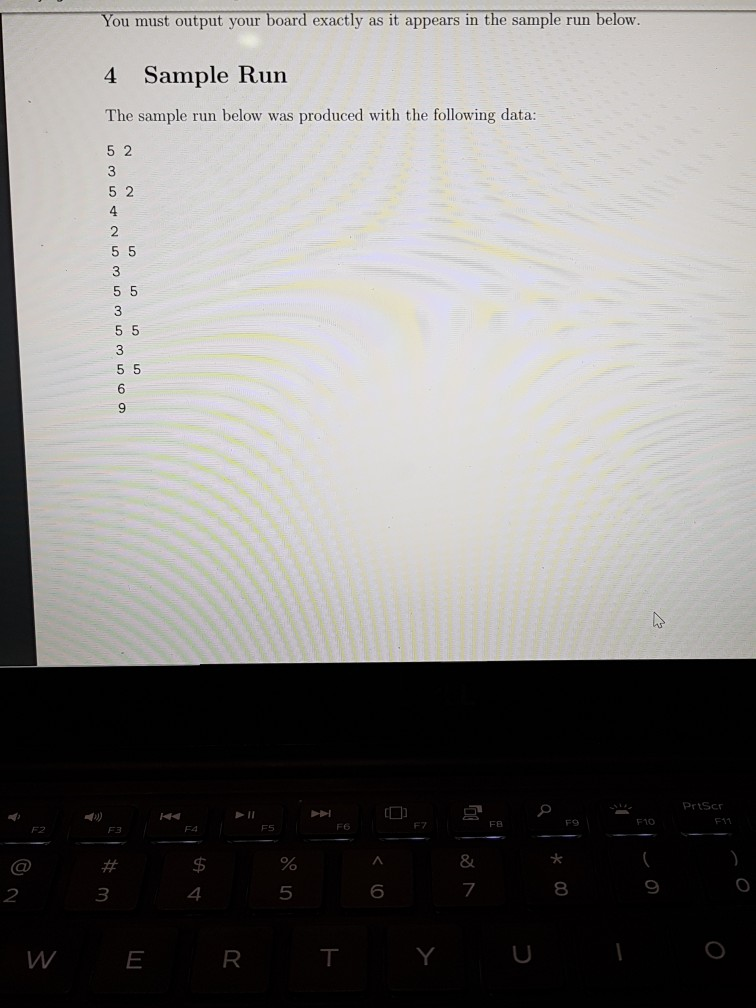
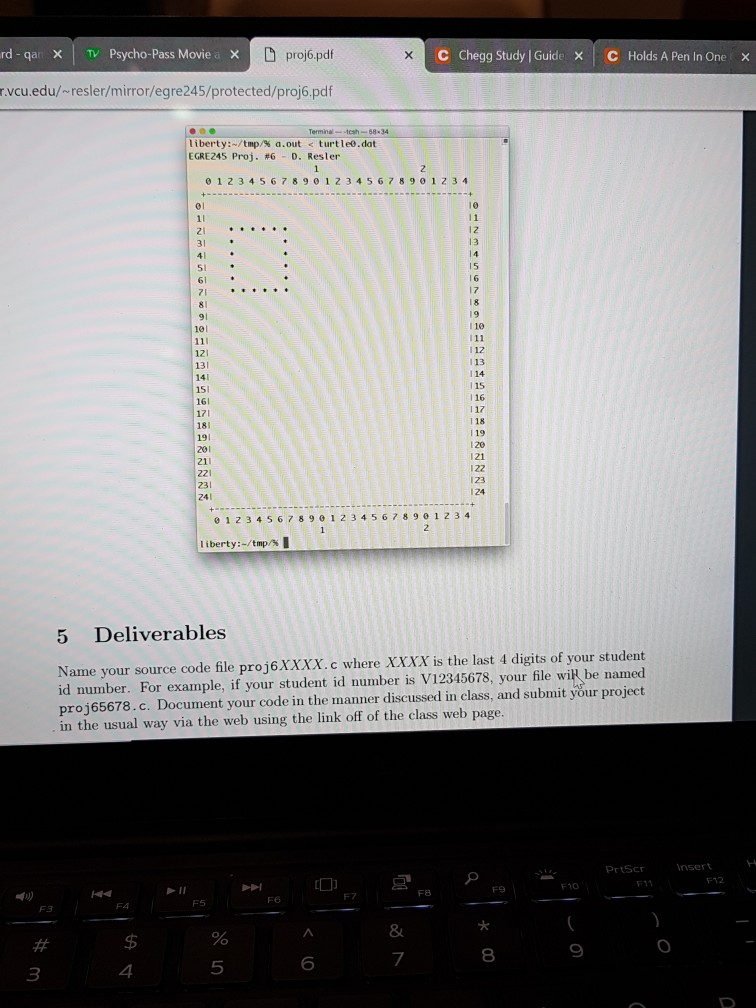
1 Overview The Logo programming language made the concept of turtle graphics famous. Imagine a mechanical turtle that walks around a board under the control of a C program. The turtle holds a pen in one of two positions, up or down. While the pen is down the turtle traces out lines or shapes as it moves; while the pen is up, the turtle moves about freely without writing anything. In this program you'll simulate the operation of the turtle and create a computerized sketchpad as well. Use a 25 25 board which initially has no marks on it. The turtle always starts at position (0,0) (row first, then column; position (0,0) is the upper left corner of the board) facing east with its pen up. The turtle will also always be facing one of four directions north, south, east, or west (with north being up on the screen, east to the right, etc.). Your turtle will then be given a set of commands (as integers) that will control its movement and drawing on the board. Here are the possible commands: Command Meaning pen up 2pen down turn right 90 turn left 90 move forward x spaces output the board end of data 6 9 Note that the turtle can only move to the edge of the board, e.g. if a move command calls for moving 5 spaces and after moving only 3 spaces the turtle is at the edge of the board, it stops and does not complete the remaining 2 moves. Also note that when a pen down command is given the current location of the turtle should be marked. 2 Program Design 8 $5 5 6 8 3 1 Overview The Logo programming language made the concept of turtle graphics famous. Imagine a mechanical turtle that walks around a board under the control of a C program. The turtle holds a pen in one of two positions, up or down. While the pen is down the turtle traces out lines or shapes as it moves; while the pen is up, the turtle moves about freely without writing anything. In this program you'll simulate the operation of the turtle and create a computerized sketchpad as well. Use a 25 25 board which initially has no marks on it. The turtle always starts at position (0,0) (row first, then column; position (0,0) is the upper left corner of the board) facing east with its pen up. The turtle will also always be facing one of four directions north, south, east, or west (with north being up on the screen, east to the right, etc.). Your turtle will then be given a set of commands (as integers) that will control its movement and drawing on the board. Here are the possible commands: Command Meaning pen up 2pen down turn right 90 turn left 90 move forward x spaces output the board end of data 6 9 Note that the turtle can only move to the edge of the board, e.g. if a move command calls for moving 5 spaces and after moving only 3 spaces the turtle is at the edge of the board, it stops and does not complete the remaining 2 moves. Also note that when a pen down command is given the current location of the turtle should be marked. 2 Program Design 8 $5 5 6 8 3
Step by Step Solution
There are 3 Steps involved in it

Get step-by-step solutions from verified subject matter experts
 Study Help