







Question: 1. Please use Python 3 to write the following program activity #2 (See attachements) 2. I have also attached and example. 3. Please comment on
1. Please use Python 3 to write the following program activity #2 (See attachements)
2. I have also attached and example.
3. Please comment on code.
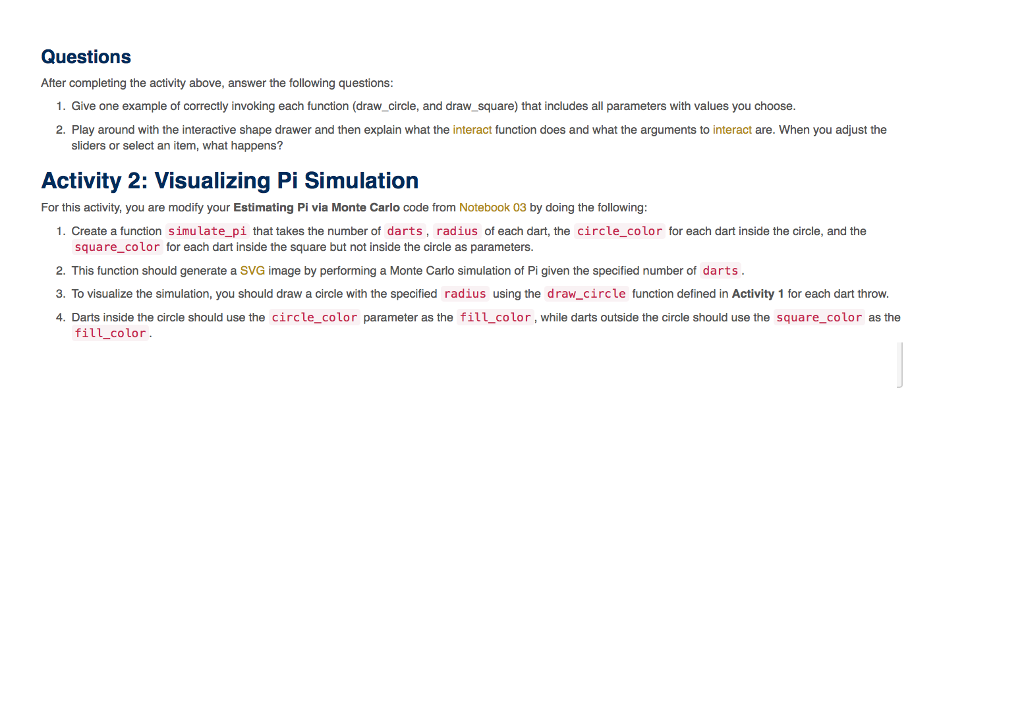
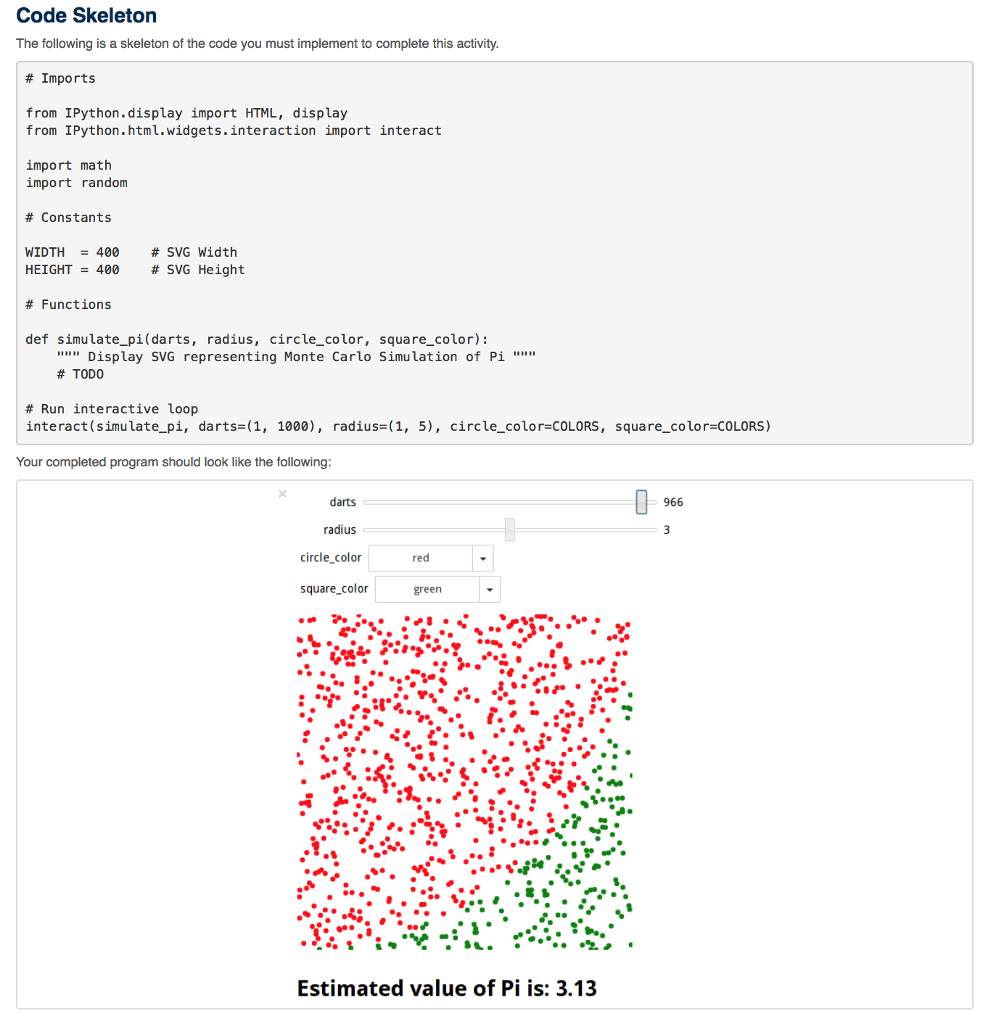
Questions After completing the activity above, answer the following questions: 1. Give one example of correctly invoking each function (draw_ circle, and draw square) that includes all parameters with values you choose 2. Play around with the interactive shape drawer and then explain what the interact function does and what the arguments to interact are. When you adjust the sliders or select an item, what happens? Activity 2: Visualizing Pi Simulation For this activity, you are modify your Estimating Pi via Monte Carlo code from Notebook 03 by doing the following 1. Create a function simulate pi that takes the number of darts, radius of each dart, the circle_color for each dart inside the circle, and the square_color for each dart inside the square but not inside the circle as parameters. 2. This function should generate a sVG image by performing a Monte Carlo simulation of Pi given the specified number of darts 3. To visualize the simulation, you should draw a circle with the specified radius using the draw_circle function defined in Activity 1 for each dart throw 4. Darts inside the circle should use the circle_color parameter as the fill color, while darts outside the circle should use the square_color as the fill_color Questions After completing the activity above, answer the following questions: 1. Give one example of correctly invoking each function (draw_ circle, and draw square) that includes all parameters with values you choose 2. Play around with the interactive shape drawer and then explain what the interact function does and what the arguments to interact are. When you adjust the sliders or select an item, what happens? Activity 2: Visualizing Pi Simulation For this activity, you are modify your Estimating Pi via Monte Carlo code from Notebook 03 by doing the following 1. Create a function simulate pi that takes the number of darts, radius of each dart, the circle_color for each dart inside the circle, and the square_color for each dart inside the square but not inside the circle as parameters. 2. This function should generate a sVG image by performing a Monte Carlo simulation of Pi given the specified number of darts 3. To visualize the simulation, you should draw a circle with the specified radius using the draw_circle function defined in Activity 1 for each dart throw 4. Darts inside the circle should use the circle_color parameter as the fill color, while darts outside the circle should use the square_color as the fill_color
Step by Step Solution
There are 3 Steps involved in it

Get step-by-step solutions from verified subject matter experts
 Study Help