







Question: (1 point) A closing date for a specific accounting period can be set in QuickBooks by either clicking Set closing date on the Home
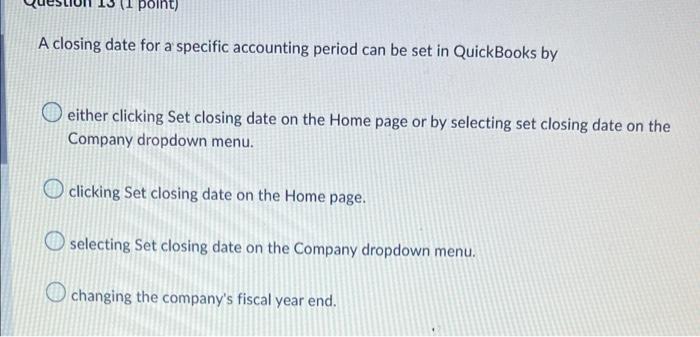
(1 point) A closing date for a specific accounting period can be set in QuickBooks by either clicking Set closing date on the Home page or by selecting set closing date on the Company dropdown menu. clicking Set closing date on the Home page. selecting Set closing date on the Company dropdown menu. changing the company's fiscal year end.
Step by Step Solution
There are 3 Steps involved in it
1 Expert Approved Answer
Step: 1 Unlock

Question Has Been Solved by an Expert!
Get step-by-step solutions from verified subject matter experts
Step: 2 Unlock
Step: 3 Unlock
 Study Help