







Question: 1. Put the file data_for_PS2.xIsx in a suitable folder in your computer. Then set your current working directory of R to the aforementioned folder. 2.
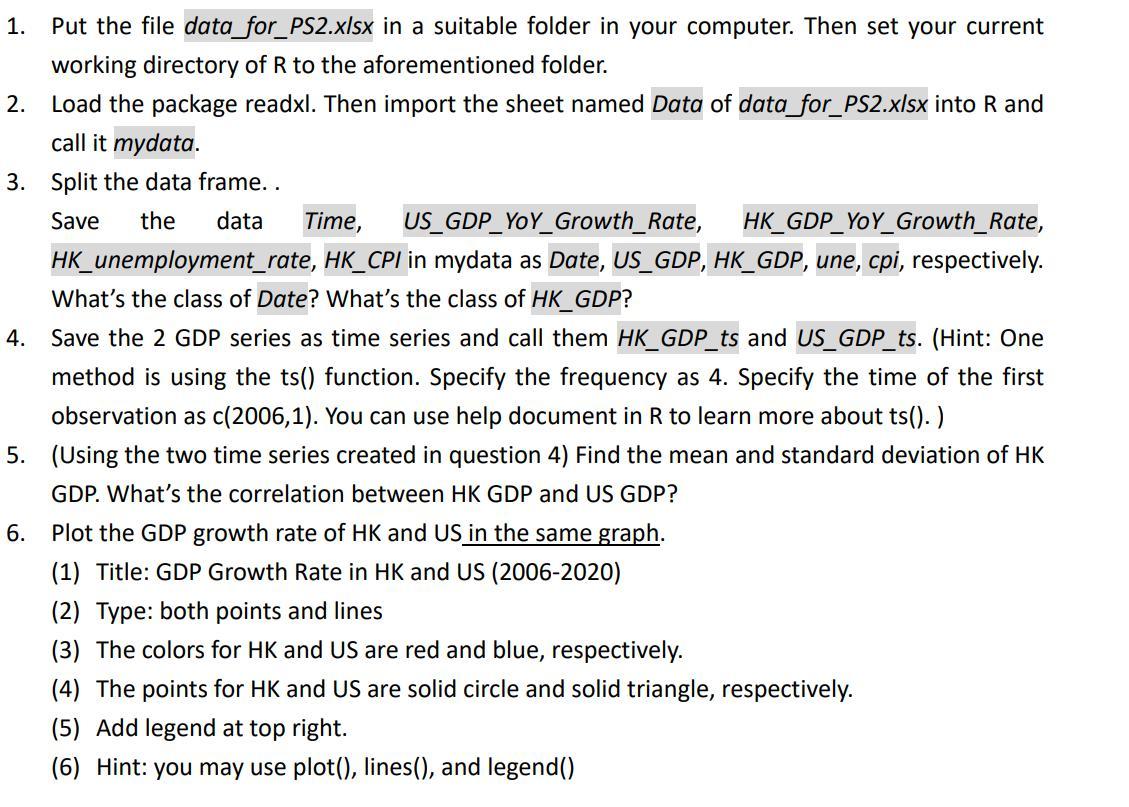
1. Put the file data_for_PS2.xIsx in a suitable folder in your computer. Then set your current working directory of R to the aforementioned folder. 2. Load the package readxl. Then import the sheet named Data of data_for_PS2.x/sx into R and call it mydata. 3. Split the data frame. . Save the data Time, US_GDP_YoY_Growth_Rate, HK_GDP_YoY_Growth_Rate, HK_unemployment_rate, HK_CPI in mydata as Date, US_GDP, HK_GDP, une, cpi, respectively. What's the class of Date? What's the class of HK_GDP ? 4. Save the 2 GDP series as time series and call them HK_GDP_ts and US_GDP_ts. (Hint: One method is using the ts() function. Specify the frequency as 4 . Specify the time of the first observation as c(2006,1). You can use help document in R to learn more about ts(). 5. (Using the two time series created in question 4) Find the mean and standard deviation of HK GDP. What's the correlation between HK GDP and US GDP? 6. Plot the GDP growth rate of HK and US in the same graph. (1) Title: GDP Growth Rate in HK and US (2006-2020) (2) Type: both points and lines (3) The colors for HK and US are red and blue, respectively. (4) The points for HK and US are solid circle and solid triangle, respectively. (5) Add legend at top right. (6) Hint: you may use plot(), lines(), and legend()
Step by Step Solution
There are 3 Steps involved in it

Get step-by-step solutions from verified subject matter experts
 Study Help