







Question: 1. Read through the following short scripts and create two process charts to document the Client Registration process and the Make Appointment Process using the
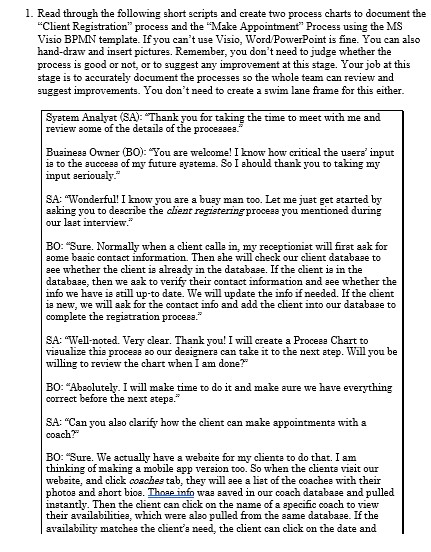
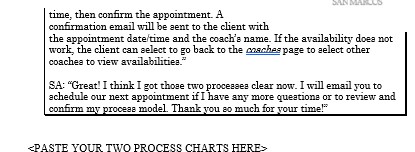
1. Read through the following short scripts and create two process charts to document the "Client Registration" process and the "Make Appointment" Process using the MIS Visio BPMN template. If you can't use Visio, Word PowerPoint is fine. You can also hand-draw and insert pictures. Remember, you don't need to judge whether the process is good or not, or to suggest any improvement at this stage. Your job at this stage is to accurately document the processes so the whole team can review and suggest improvements. You don't need to create a swim lane frame for this either. System Analyst (SA): Thank you for taking the time to meet with me and review some of the details of the proceases. Business Owner (BO): "You are welcome! I know how critical the users' input is to the success of my future eyeteme. So I should thank you to taking my input seriously." SA: "Wonderful! I know you are a buzy man too. Let me just get started by acking you to describe the client registering process you mentioned during our last interview." BO: "Sure. Normally when a client calls in, my receptionist will first ask for some basic contact information. Then she will check our chent database to see whether the client is already in the database. If the client is in the database, then we ask to verify their contact information and see whether the info we have is still up-to date. We will update the info if needed. If the client is new, we will ask for the contact info and add the client into our database to complete the registration process." SA: "Well-noted. Very clear. Thank you! I will create a Process Chart to visualize this process so our designers can take it to the next step. Will you be willing to review the chart when I am done?" BO: "Absolutely. I will make time to do it and make sure we have everything correct before the next atepa." SA: "Can you also clarify how the client can make appointments with a coach?" BO: "Sure. We actually have a website for my clients to do that. I am thinking of making a mobile app version too. So when the clients visit our website, and click coaches tab, they will see a list of the coaches with their photos and short bioe. Those info was saved in our coach database and pulled instantly. Then the client can click on the name of a specific coach to view their availabilities, which were also pulled from the same database. If the availability matches the client's need, the client can click on the date andtime, then confirm the appointment. A confirmation email will be sent to the client with the appointment date time and the coach's name. If the availability does not work, the client can select to go back to the coaches page to select other coaches to view availabilities." SA: "Great! I think I got those two processes clear now. I will email you to schedule our next appointment if I have any more questions or to review and confirm my process model. Thank you so much for your time!"
Step by Step Solution
There are 3 Steps involved in it

Get step-by-step solutions from verified subject matter experts
 Study Help