





Question: 1. Sort the Superstore data based on PurchaseDate. a. What is the name of the customer and the product for the earliest sale in the
1. Sort the Superstore data based on
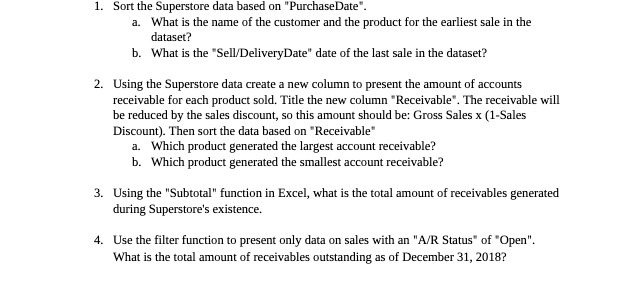
1. Sort the Superstore data based on "PurchaseDate". a. What is the name of the customer and the product for the earliest sale in the dataset? b. What is the "Sell/DeliveryDate" date of the last sale in the dataset? 2. Using the Superstore data create a new column to present the amount of accounts receivable for each product sold. Title the new column "Receivable". The receivable will be reduced by the sales discount, so this amount should be: Gross Sales x (1-Sales Discount). Then sort the data based on "Receivable" a. Which product generated the largest account receivable? b. Which product generated the smallest account receivable? 3. Using the "Subtotal" function in Excel, what is the total amount of receivables generated during Superstore's existence. 4. Use the filter function to present only data on sales with an "A/R Status" of "Open". What is the total amount of receivables outstanding as of December 31, 2018

Step by Step Solution

There are 3 Steps involved in it

1 Expert Approved Answer
Step: 1 Unlock blur-text-image

Question Has Been Solved by an Expert!

Get step-by-step solutions from verified subject matter experts

Step: 2 Unlock
Step: 3 Unlock

Students Have Also Explored These Related Accounting Questions!