







Question: 1) Task 2-Utilizing the tools provided by MS-Excel that you have learnt during your classes, prepare a professional excel sheet, showcasing your skills on creating
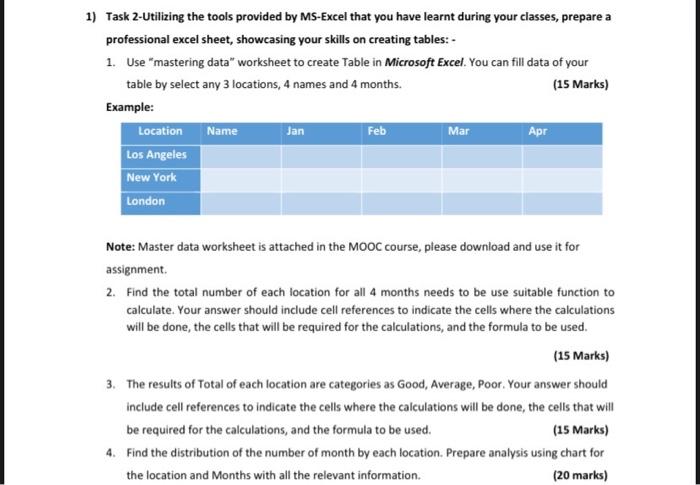
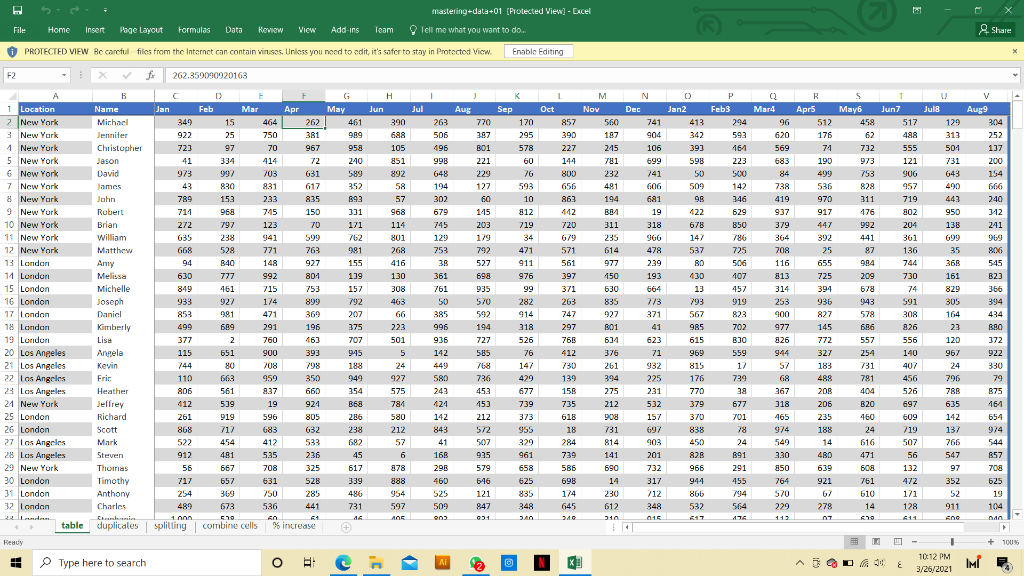
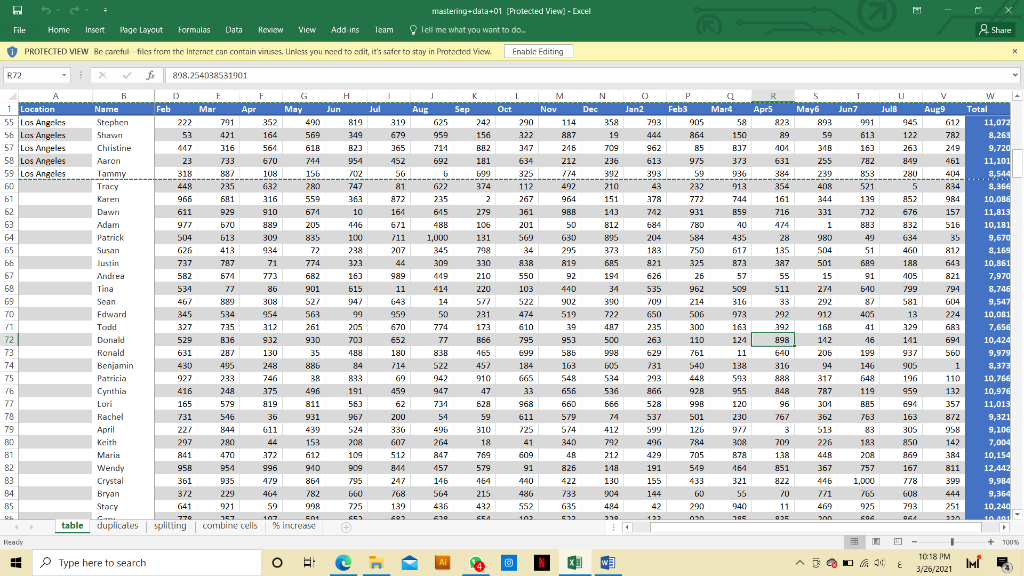
1) Task 2-Utilizing the tools provided by MS-Excel that you have learnt during your classes, prepare a professional excel sheet, showcasing your skills on creating tables:- 1. Use "mastering data" worksheet to create Table in Microsoft Excel. You can fill data of your table by select any 3 locations, 4 names and 4 months. (15 Marks) Example: Location Name Jan Feb Mar Apr Los Angeles New York London Note: Master data worksheet is attached in the MOOC course, please download and use it for assignment 2. Find the total number of each location for all 4 months needs to be use suitable function to calculate. Your answer should include cell references to indicate the cells where the calculations will be done, the cells that will be required for the calculations, and the formula to be used. (15 Marks) 3. The results of Total of each location are categories as Good, Average, Poor. Your answer should include cell references to indicate the cells where the calculations will be done, the cells that will be required for the calculations, and the formula to be used. (15 Marks) 4. Find the distribution of the number of month by each location. Prepare analysis using chart for the location and Months with all the relevant information (20 marks) mastering-data +01 (Protected View) - Excel Add-ins Team Tell me what you want to do. af O PROTECTED VIEW Bc carcful files from the xf2 11 NM 30 Tendale 3 Los Angeles 4 New York 27 Los Angeles 28 Los Angele: 29 New York 30 London London Type here to search O 2 XE 14 IS mastering+data+01 [Protected View] - Excel Add-ins Team Tell me what you want to do. of O PROTECTED VIEW Bc carcful files from the x 898.254038531901 Los Angeles IS 356 1 Type here to search , I O - 1) Task 2-Utilizing the tools provided by MS-Excel that you have learnt during your classes, prepare a professional excel sheet, showcasing your skills on creating tables:- 1. Use "mastering data" worksheet to create Table in Microsoft Excel. You can fill data of your table by select any 3 locations, 4 names and 4 months. (15 Marks) Example: Location Name Jan Feb Mar Apr Los Angeles New York London Note: Master data worksheet is attached in the MOOC course, please download and use it for assignment 2. Find the total number of each location for all 4 months needs to be use suitable function to calculate. Your answer should include cell references to indicate the cells where the calculations will be done, the cells that will be required for the calculations, and the formula to be used. (15 Marks) 3. The results of Total of each location are categories as Good, Average, Poor. Your answer should include cell references to indicate the cells where the calculations will be done, the cells that will be required for the calculations, and the formula to be used. (15 Marks) 4. Find the distribution of the number of month by each location. Prepare analysis using chart for the location and Months with all the relevant information (20 marks) mastering-data +01 (Protected View) - Excel Add-ins Team Tell me what you want to do. af O PROTECTED VIEW Bc carcful files from the xf2 11 NM 30 Tendale 3 Los Angeles 4 New York 27 Los Angeles 28 Los Angele: 29 New York 30 London London Type here to search O 2 XE 14 IS mastering+data+01 [Protected View] - Excel Add-ins Team Tell me what you want to do. of O PROTECTED VIEW Bc carcful files from the x 898.254038531901 Los Angeles IS 356 1 Type here to search , I O
Step by Step Solution
There are 3 Steps involved in it

Get step-by-step solutions from verified subject matter experts
 Study Help