







Question: 1 Use the arraycopy method in the System class to make a copy of the familyNames array. 2 Compare to see if the copy and
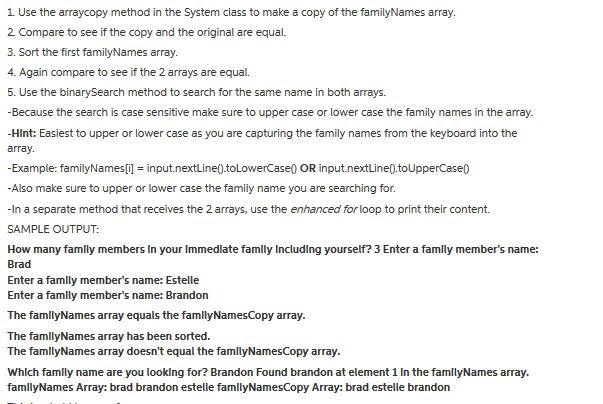
1 Use the arraycopy method in the System class to make a copy of the familyNames array. 2 Compare to see if the copy and the original are equal. 3. Sort the first familyNames array. 4. Again compare to see if the 2 arrays are equal. 5. Use the binarySearch method to search for the same name in both arrays. -Because the search is case sensitive make sure to upper case or lower case the family names in the array. -Hint: Easiest to upper or lower case as you are capturing the family names from the keyboard into the array -Example: familyNames[i] = input.nextLine().toLowerCaseQ OR input.nextLine0.toUpperCase() -Also make sure to upper or lower case the family name you are searching for. -In a separate method that receives the 2 arrays, use the enhanced forloop to print their content. SAMPLE OUTPUT: How many famlly members In your Immedlate famlly Including yourself? 3 Enter a famly member's name: Brad Enter a famlly member's name: Estelle Enter a famlly member's name: Brandon The famlyNames array equals the famllyNamesCopy array. The famllyNames array has been sorted. The famlyNames array doesn't equal the famllyNamesCopy array. Which famly name are you looking for? Brandon Found brandon at element 1 In the famllyNames array. famllyNames Array: brad brandon estelle famllyNamesCopy Array: brad estelle brandon
Step by Step Solution
There are 3 Steps involved in it

Get step-by-step solutions from verified subject matter experts
 Study Help