







Question: 1) Use the data you have been given to compute an amortization table in Excel employing the effective interest method. 2) Use cell-referencing, not Excel
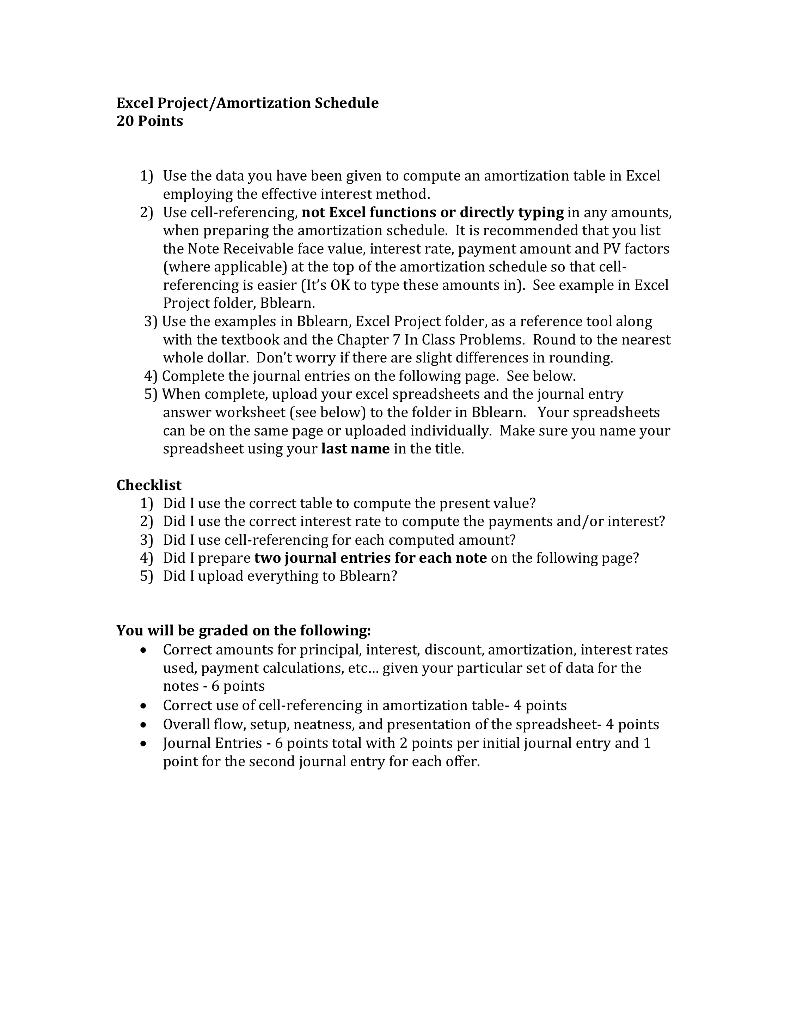
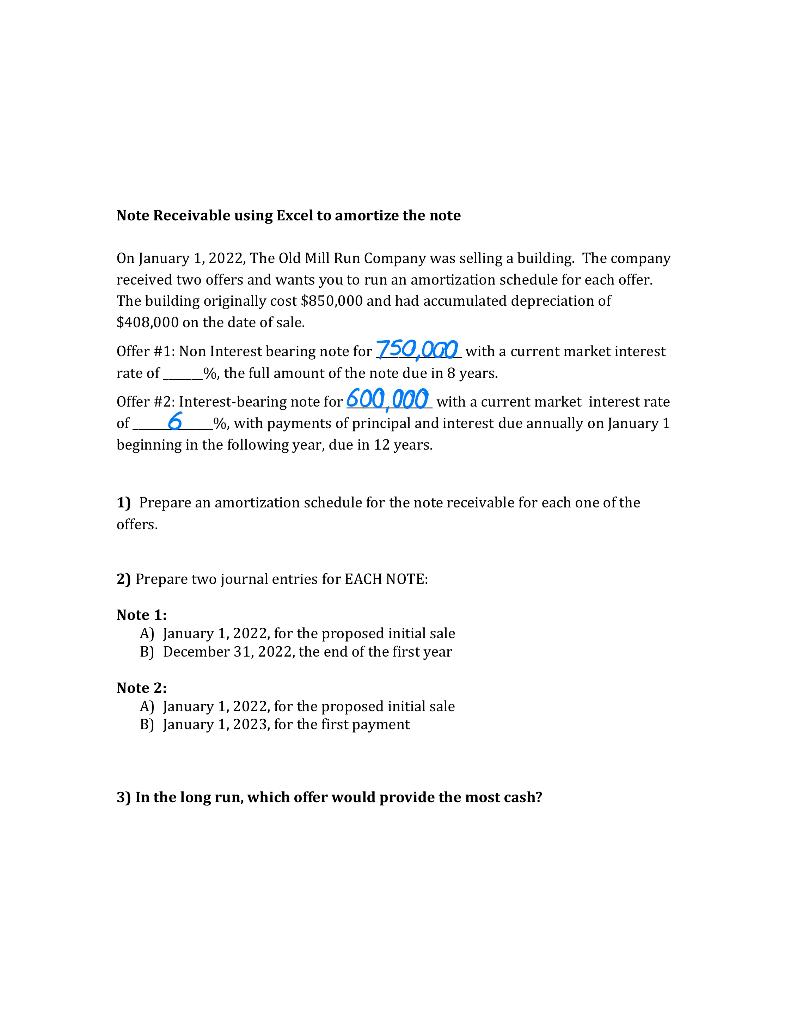
1) Use the data you have been given to compute an amortization table in Excel employing the effective interest method. 2) Use cell-referencing, not Excel functions or directly typing in any amounts, when preparing the amortization schedule. It is recommended that you list the Note Receivable face value, interest rate, payment amount and PV factors (where applicable) at the top of the amortization schedule so that cellreferencing is easier (It's OK to type these amounts in). See example in Excel Project folder, Bblearn. 3) Use the examples in Bblearn, Excel Project folder, as a reference tool along with the textbook and the Chapter 7 In Class Problems. Round to the nearest whole dollar. Don't worry if there are slight differences in rounding. 4) Complete the journal entries on the following page. See below. 5) When complete, upload your excel spreadsheets and the journal entry answer worksheet (see below) to the folder in Bblearn. Your spreadsheets can be on the same page or uploaded individually. Make sure you name your spreadsheet using your last name in the title. Checklist 1) Did I use the correct table to compute the present value? 2) Did I use the correct interest rate to compute the payments and/or interest? 3) Did I use cell-referencing for each computed amount? 4) Did I prepare two journal entries for each note on the following page? 5) Did I upload everything to Bblearn? You will be graded on the following: - Correct amounts for principal, interest, discount, amortization, interest rates used, payment calculations, etc... given your particular set of data for the notes 6 points - Correct use of cell-referencing in amortization table- 4 points - Overall flow, setup, neatness, and presentation of the spreadsheet- 4 points - Journal Entries - 6 points total with 2 points per initial journal entry and 1 point for the second journal entry for each offer. Note Receivable using Excel to amortize the note On January 1, 2022, The Old Mill Run Company was selling a building. The company received two offers and wants you to run an amortization schedule for each offer. The building originally cost $850,000 and had accumulated depreciation of $408,000 on the date of sale. Offer #1: Non Interest bearing note for 750,000 with a current market interest rate of ___ \%, the full amount of the note due in 8 years. Offer #2: Interest-bearing note for 600,000 with a current market interest rate of _ 6 , with payments of principal and interest due annually on January 1 beginning in the following year, due in 12 years. 1) Prepare an amortization schedule for the note receivable for each one of the offers. 2) Prepare two journal entries for EACH NOTE: Note 1: A) January 1,2022, for the proposed initial sale B) December 31,2022 , the end of the first year Note 2: A) January 1,2022, for the proposed initial sale B) January 1,2023, for the first payment. 3) In the long run, which offer would provide the most cash? 1) Use the data you have been given to compute an amortization table in Excel employing the effective interest method. 2) Use cell-referencing, not Excel functions or directly typing in any amounts, when preparing the amortization schedule. It is recommended that you list the Note Receivable face value, interest rate, payment amount and PV factors (where applicable) at the top of the amortization schedule so that cellreferencing is easier (It's OK to type these amounts in). See example in Excel Project folder, Bblearn. 3) Use the examples in Bblearn, Excel Project folder, as a reference tool along with the textbook and the Chapter 7 In Class Problems. Round to the nearest whole dollar. Don't worry if there are slight differences in rounding. 4) Complete the journal entries on the following page. See below. 5) When complete, upload your excel spreadsheets and the journal entry answer worksheet (see below) to the folder in Bblearn. Your spreadsheets can be on the same page or uploaded individually. Make sure you name your spreadsheet using your last name in the title. Checklist 1) Did I use the correct table to compute the present value? 2) Did I use the correct interest rate to compute the payments and/or interest? 3) Did I use cell-referencing for each computed amount? 4) Did I prepare two journal entries for each note on the following page? 5) Did I upload everything to Bblearn? You will be graded on the following: - Correct amounts for principal, interest, discount, amortization, interest rates used, payment calculations, etc... given your particular set of data for the notes 6 points - Correct use of cell-referencing in amortization table- 4 points - Overall flow, setup, neatness, and presentation of the spreadsheet- 4 points - Journal Entries - 6 points total with 2 points per initial journal entry and 1 point for the second journal entry for each offer. Note Receivable using Excel to amortize the note On January 1, 2022, The Old Mill Run Company was selling a building. The company received two offers and wants you to run an amortization schedule for each offer. The building originally cost $850,000 and had accumulated depreciation of $408,000 on the date of sale. Offer #1: Non Interest bearing note for 750,000 with a current market interest rate of ___ \%, the full amount of the note due in 8 years. Offer #2: Interest-bearing note for 600,000 with a current market interest rate of _ 6 , with payments of principal and interest due annually on January 1 beginning in the following year, due in 12 years. 1) Prepare an amortization schedule for the note receivable for each one of the offers. 2) Prepare two journal entries for EACH NOTE: Note 1: A) January 1,2022, for the proposed initial sale B) December 31,2022 , the end of the first year Note 2: A) January 1,2022, for the proposed initial sale B) January 1,2023, for the first payment. 3) In the long run, which offer would provide the most cash
Step by Step Solution
There are 3 Steps involved in it

Get step-by-step solutions from verified subject matter experts
 Study Help