







Question: 1. Using Eclipse, create a java program with the starter code TheDotProduct2D.java from iCollege. This program will transpose a two-dimensional vector (array) using nested loops.
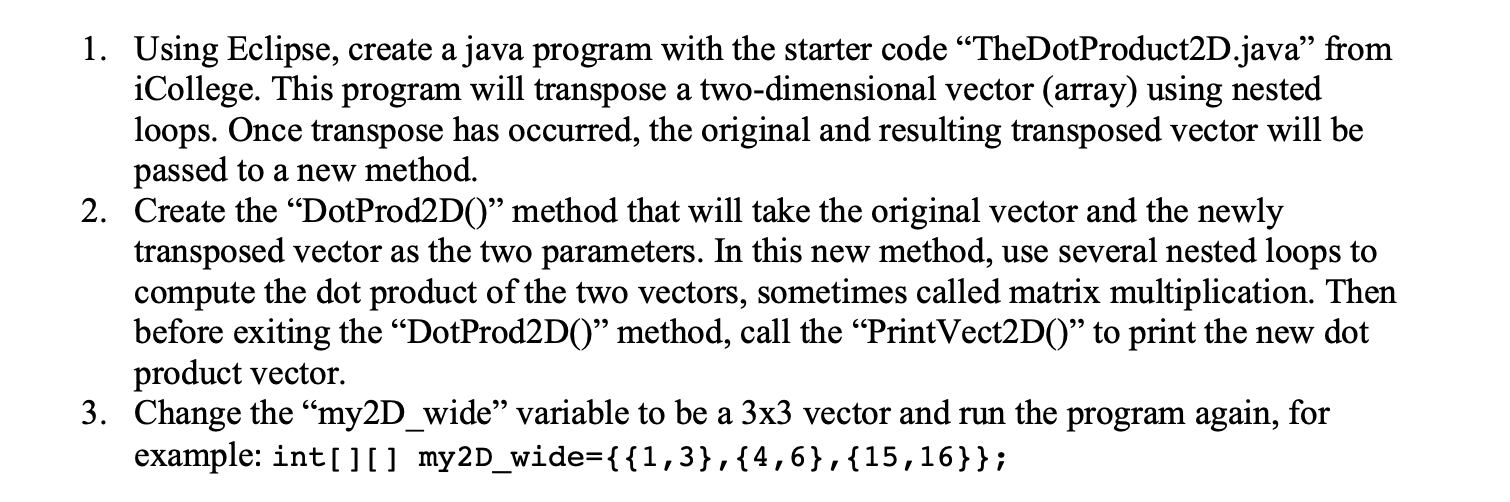
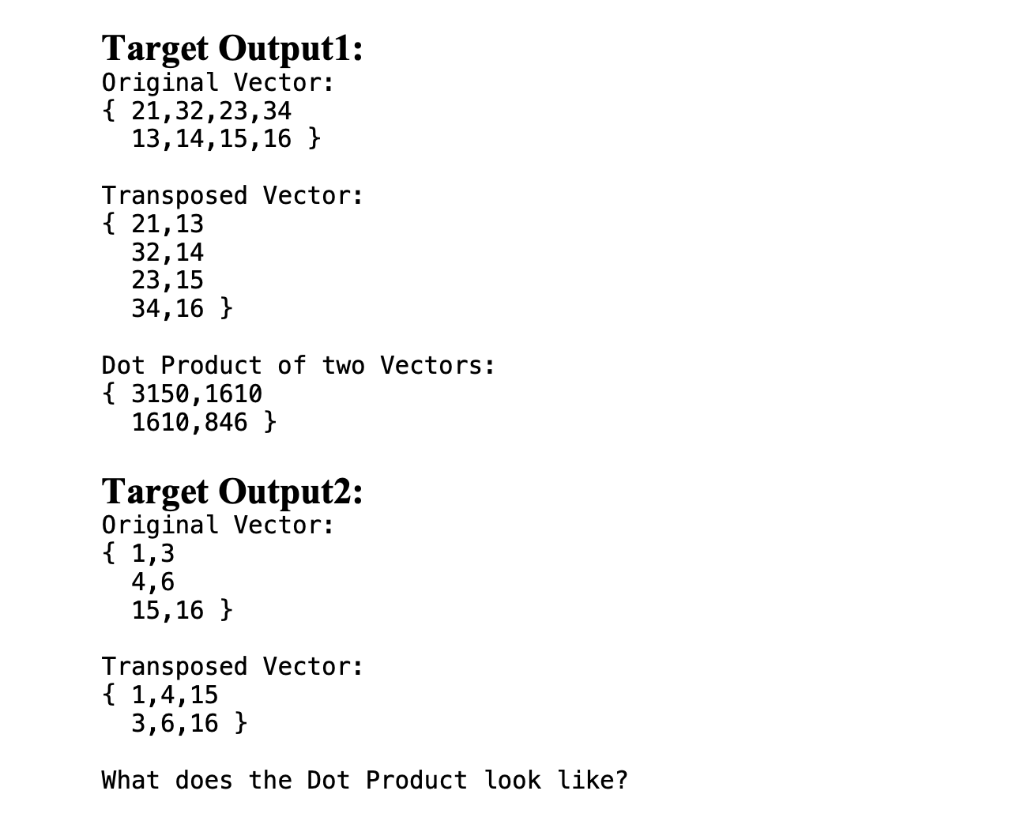
1. Using Eclipse, create a java program with the starter code TheDotProduct2D.java from iCollege. This program will transpose a two-dimensional vector (array) using nested loops. Once transpose has occurred, the original and resulting transposed vector will be passed to a new method. 2. Create the Dot Prod2D(" method that will take the original vector and the newly transposed vector as the two parameters. In this new method, use several nested loops to compute the dot product of the two vectors, sometimes called matrix multiplication. Then before exiting the DotProd2D()" method, call the Print Vect2D() to print the new dot product vector. 3. Change the my2D_wide variable to be a 3x3 vector and run the program again, for example: int[][] my2D_wide={{1,3},{4,6},{15,16}}; a Target Output1: Original Vector: { 21,32,23,34 13, 14, 15, 16 } Transposed Vector: { 21,13 32,14 23,15 34,16 } Dot Product of two Vectors: { 3150, 1610 1610,846 } Target Output2: Original Vector: { 1,3 4,6 15,16 } Transposed Vector: { 1,4,15 3,6,16 } What does the Dot Product look like
Step by Step Solution
There are 3 Steps involved in it

Get step-by-step solutions from verified subject matter experts
 Study Help