







Question: 1. Using the provided SolidWorks part file, create a drawing file and add all views needed to fully dimension the object using conventions and
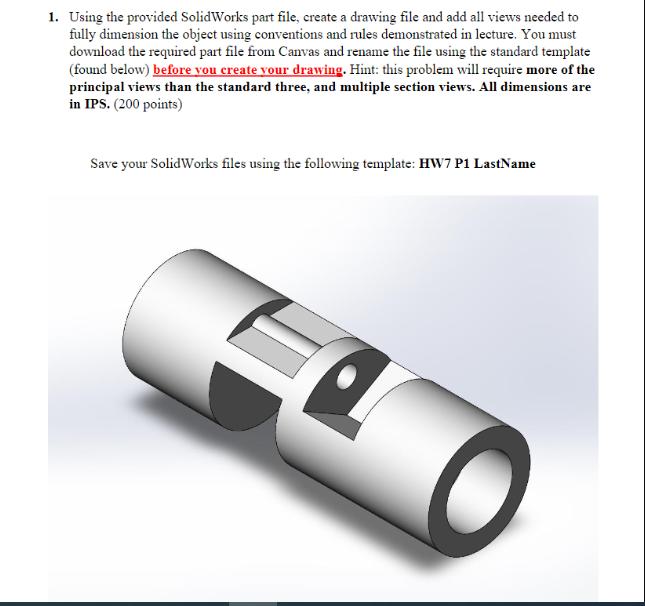
1. Using the provided SolidWorks part file, create a drawing file and add all views needed to fully dimension the object using conventions and rules demonstrated in lecture. You must download the required part file from Canvas and rename the file using the standard template (found below) before you create your drawing. Hint: this problem will require more of the principal views than the standard three, and multiple section views. All dimensions are in IPS. (200 points) Save your SolidWorks files using the following template: HW7 P1 LastName
Step by Step Solution
There are 3 Steps involved in it

Get step-by-step solutions from verified subject matter experts
 Study Help