







Question: 1.) Write a class named CAritmetikOperation. Add a virtual method named action to this class. The action method will use two input variables (dX and
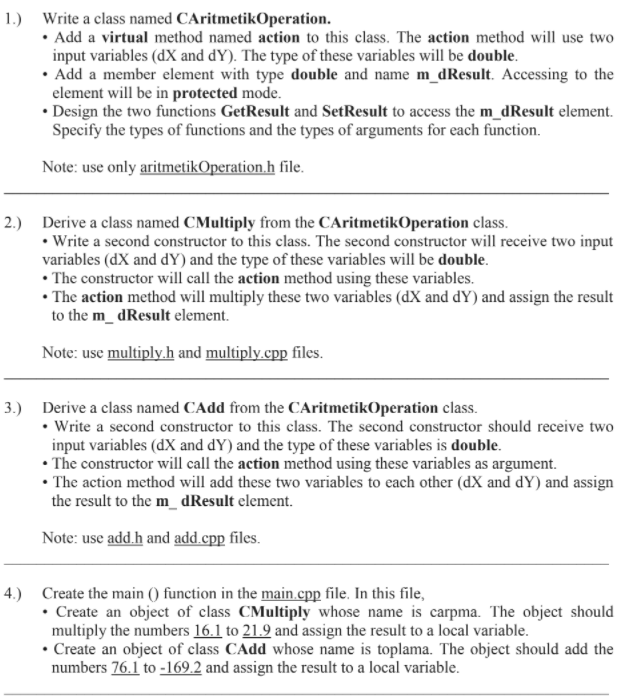
1.) Write a class named CAritmetikOperation. Add a virtual method named action to this class. The action method will use two input variables (dX and dy). The type of these variables will be double. Add a member element with type double and name m_dResult. Accessing to the element will be in protected mode. Design the two functions GetResult and SetResult to access the m_dResult element. Specify the types of functions and the types of arguments for each function. Note: use only aritmetikOperation.h file. 2.) Derive a class named CMultiply from the CAritmetikOperation class. Write a second constructor to this class. The second constructor will receive two input variables (dX and dy) and the type of these variables will be double. The constructor will call the action method using these variables. The action method will multiply these two variables (dX and dY) and assign the result to the m_dResult element. Note: use multiply.h and multiply.cpp files. 3.) Derive a class named CAdd from the CAritmetikOperation class. Write a second constructor to this class. The second constructor should receive two input variables (dX and dy) and the type of these variables is double. The constructor will call the action method using these variables as argument. The action method will add these two variables to each other (dX and dy) and assign the result to the m_dResult element. Note: use add.h and add.cpp files. 4.) Create the main () function in the main.cpp file. In this file, Create an object of class CMultiply whose name is carpma. The object should multiply the numbers 16.1 to 21.9 and assign the result to a local variable. Create an object of class CAdd whose name is toplama. The object should add the numbers 76.1 to -169.2 and assign the result to a local variable
Step by Step Solution
There are 3 Steps involved in it

Get step-by-step solutions from verified subject matter experts
 Study Help