







Question: 1. Write a function decode that takes a String and processes it in the following way: The function should scan each letter of the String
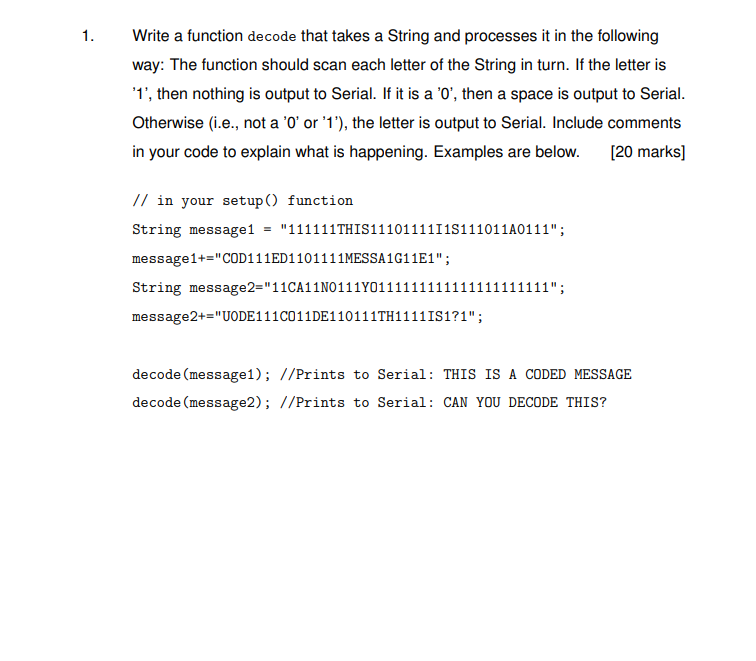
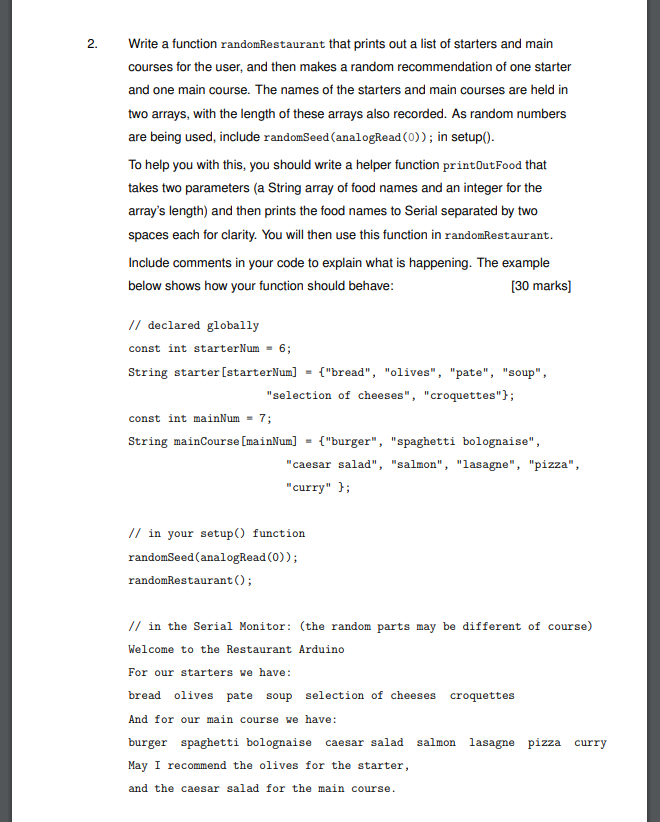
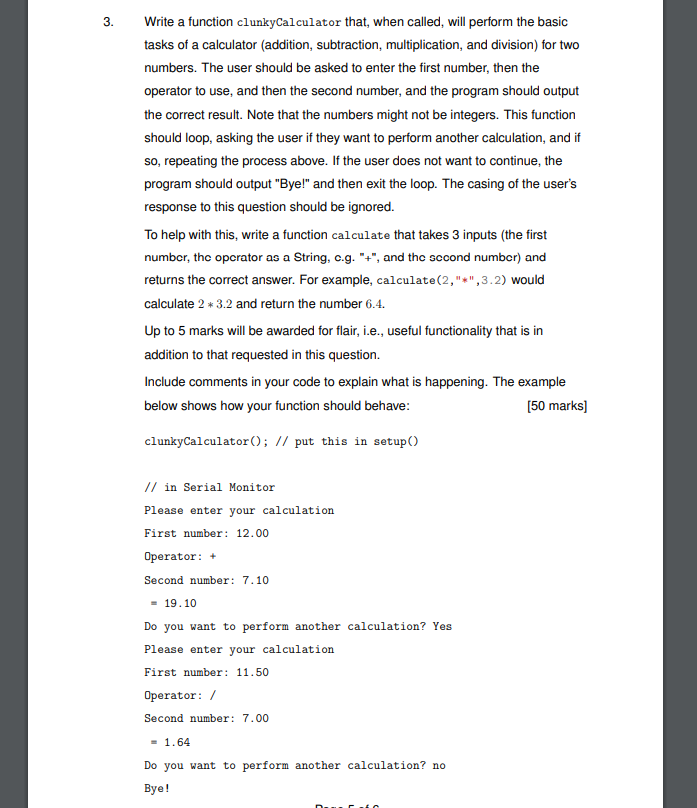
1. Write a function decode that takes a String and processes it in the following way: The function should scan each letter of the String in turn. If the letter is '1', then nothing is output to Serial. If it is a '0', then a space is output to Serial. Otherwise (i.e., not a 'O' or '1'), the letter is output to Serial. Include comments in your code to explain what is happening. Examples are below. [20 marks) // in your setup() function String message1 "111111THIS111011111151110110111"; message1+="COD111ED1101111MESSA1G11E1"; String message2="11CA1110111701111111 11"; message2+="UODE111C011DE110111TH11111S1?1"; decode (message1); //Prints to Serial: THIS IS A CODED MESSAGE decode (message2); //Prints to Serial: CAN YOU DECODE THIS? 2. 2. Write a function randomRestaurant that prints out a list of starters and main courses for the user, and then makes a random recommendation of one starter and one main course. The names of the starters and main courses are held in two arrays, with the length of these arrays also recorded. As random numbers are being used, include randomSeed (analogRead(O)); in setup(). To help you with this, you should write a helper function printOutFood that takes two parameters (a String array of food names and an integer for the array's length) and then prints the food names to Serial separated by two spaces each for clarity. You will then use this function in randomRestaurant. Include comments in your code to explain what is happening. The example below shows how your function should behave: (30 marks) // declared globally const int starter Num = 6; String starter [starterNum] = {"bread", "olives", "pate", "soup", "selection of cheeses", "croquettes"); const int mainNum = 7; String mainCourse [mainNum] = {"burger", "spaghetti bolognaise", "caesar salad", "salmon", "lasagne", "pizza", "curry" }; // in your setup() function randomSeed (analogRead(0)); randomRestaurant(); // in the Serial Monitor: (the random parts may be different of course) Welcome to the Restaurant Arduino For our starters we have: bread olives pate soup selection of cheeses croquettes And for our main course we have: burger spaghetti bolognaise caesar salad salmon lasagne pizza curry May I recommend the olives for the starter, and the caesar salad for the main course. 3. 3 Write a function clunkyCalculator that, when called, will perform the basic tasks of a calculator (addition, subtraction, multiplication, and division) for two numbers. The user should be asked to enter the first number, then the operator to use, and then the second number, and the program should output the correct result. Note that the numbers might not be integers. This function should loop, asking the user if they want to perform another calculation, and if so, repeating the process above. If the user does not want to continue, the program should output "Bye!" and then exit the loop. The casing of the user's response to this question should be ignored. To help with this, write a function calculate that takes 3 inputs (the first number, the operator as a String, c.g. "+", and the sccond number) and returns the correct answer. For example, calculate(2,"*",3.2) would calculate 2 * 3.2 and return the number 6.4. Up to 5 marks will be awarded for flair, i.e., useful functionality that is in addition to that requested in this question. Include comments in your code to explain what is happening. The example below shows how your function should behave: (50 marks] clunkyCalculator(); // put this in setup() // in Serial Monitor Please enter your calculation First number: 12.00 Operator: + Second number: 7.10 - 19.10 Do you want to perform another calculation? Yes Please enter your calculation First number: 11.50 Operator: / Second number: 7.00 1.64 Do you want to perform another calculation? no Bye
Step by Step Solution
There are 3 Steps involved in it

Get step-by-step solutions from verified subject matter experts
 Study Help