







Question: 1. Write a macro using the concatenate function to provide a full name of each customer in Column L . The last name should come
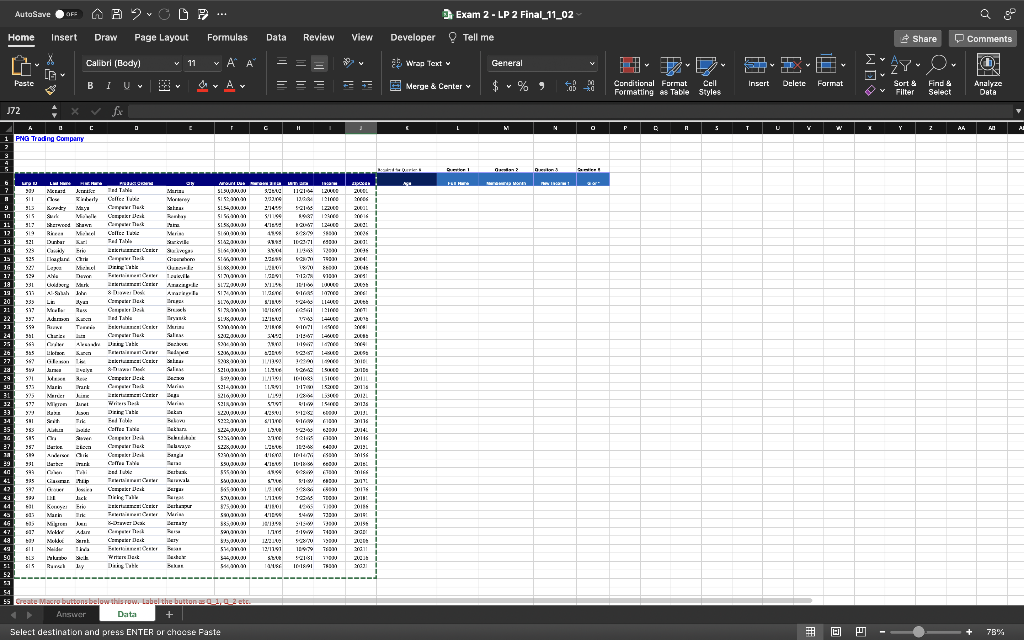
1. Write a macro using the concatenate function to provide a full name of each customer in Column L . The last name should come first and first name should come after it. However, there should be a comma (i.e. , ) and a space separating the last name and First name. Also, create a macro button for it in Data sheet (at the bottom) so that it is easier to re-run the macro. 2. Write a macro that will put each customers month of membership. Also, create a macro button for it in Data sheet (at the bottom) so that it is easier to re-run the macro. 3. Record or Write a Macro, that calculate employees New Income 1 using the logic: If a customer has been with members of the company for more than 15 years and is from Marina, then her/his income increases by 9%. However, If a customer been members of the company between 10 and 15 years, her/his income increase by 8.5%. In all other cases, income remains the same.
Also, create a macro button for it in Data sheet (at the bottom) so that it is easier to re-run the macro. 4. Write a VBA script, that will calculate and display message boxes for the following: a. multiplication of numbers 7 through 13 in steps of 3 is _____ b. the addition of numbers 2 to 8 step 2 is: Also, create a macro button for it in Data sheet (at the bottom) so that it is easier to re-run the macro. Note: Are you saving your excel file solution as Excel Macro Enabled workbook? Saving as regular excel will lose all your work. Double check by visiting to save as. 5. Write a macro In column labeled as G or * (in Data sheet) - If a customer's first name begins with letter G then write their last name, otherwise put asterisks. Also, create a macro button for it in Data sheet (at the bottom) so that it is easier to re-run the macro. 6. What is the average amount due of customers that are at least 47 years old who are from either from Marina or Salinas or another city (a city entered by the user)? Write your answer in Answer sheet. (You may want to fill Age data in Column K before you start solving this question). Also create a macro button there. 7. What is the maximum/largest Income for customers over the age of 40 who are members since 1/1/1990? Create a macro button to re-run the macro in Answer Sheet. 8. Write a macro that will ask the user for the product ordered of a customer and then calculate the number of customers ordering that product and have income of $120,000 and above. Create a macro button to re-run the macro in Answer Sheet. 9. Write a macro to calculate the percentage of employees born before 1/1/1980 and with a zip code that ends with 56. Create a macro button to re-run the macro in Answer Sheet.
 |
Select destination and press ENTER or chacse Faste Select destination and press ENTER or chacse Faste
Step by Step Solution
There are 3 Steps involved in it

Get step-by-step solutions from verified subject matter experts
 Study Help